



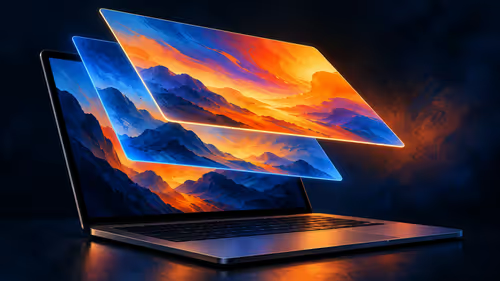
What Is the MacBook Pro PROLED XDR Display?
PROLED XDR is Apple's tandem OLED touchscreen for its new MacBook Pro. As at 29 October 2026, a separate 14-inch M5 Pro MacBook Pro with 1TB storage was listed at Evetech for R50,999.
Read moreTouch adds gestures to the PROLED MacBook Pro while its trackpad remains available. A separate M5 Pro MacBook was listed at R50,999 at Evetech on 29 October 2026.

A touch display can be handy when you want to point at something directly, but editing a long document or moving around a crowded workspace is a different task. Touch and the trackpad serve different purposes on Apple's PROLED XDR notebook.
Touch adds direct gestures to the PROLED MacBook Pro; it does not replace the trackpad, which is still built in. As at 29 October 2026, Evetech listed the existing 1TB M5 Pro configuration of the 14-inch MacBook Pro at R50,999, giving South African buyers a current alternative while they weigh the new display.
Apple describes swiping to scroll a web page and pinching to zoom in on a photo. In both cases the gesture happens where you are looking, which can be convenient for a quick adjustment or review. Apple also describes dragging slides between presentations and touching a window to change its position.
These examples describe specific gestures, not proof that every action is easier by touch. If you are comparing laptops for photo review, ask whether you often want to adjust the view with your fingers or already prefer a pointer. The best choice depends on the work you repeat, not simply on whether a feature is present.
The PROLED model retains a Force Touch trackpad and keyboard. A trackpad controls a pointer from the laptop deck, so you do not have to reach towards the screen for every small adjustment. It also leaves the display clear when you need to examine detail.
Keyboard shortcuts still matter for longer tasks. A person working across many windows may prefer a combination of typing, trackpad navigation and occasional touch. The screen and trackpad are inputs to the same Mac, not competing operating systems that require you to choose one permanently.
Apple says that on macOS a touch becomes a click in many existing apps. That helps explain why a touch may trigger a familiar control, but it does not mean every app has specially designed touch gestures. Apple also announced touch features for specific creative apps.
Apple says the named third-party applications will be available later in 2026. A touchscreen alone does not establish Apple Pencil compatibility or pressure sensitivity.
The new PROLED machines use M5 Pro or M5 Max. An existing M5 Pro laptop in Evetech's catalogue is a separate configuration; the R50,999 figure above is not a price for the announced touch model. Compare its storage and display with the features you need in the MacBook range.
If you would rather spend the budget on a machine available now, examine laptop best sellers alongside the software you use. Display finish, size and ports can matter just as much as input when the laptop moves between home and a desk.
Yes. Apple lists a Force Touch trackpad alongside the touch display on both PROLED sizes.
Yes. Apple describes swiping to scroll a web page on the new MacBook Pro.
No. Apple says many existing apps receive taps as clicks via macOS, while specific touch features depend on the app.
No. The dated catalogue figure is for the separate 1TB M5 Pro with a 14-inch screen.
Ready to choose your input setup? Compare the MacBook configurations at Evetech and look at the screen, ports and storage together.
Yes. Apple lists a Force Touch trackpad alongside the touch display on both PROLED sizes.
Yes. Apple describes swiping to scroll a web page on the new MacBook Pro.
No. Apple says many existing apps receive taps as clicks via macOS, while specific touch features depend on the app.
No. The dated catalogue figure is for the separate 1TB M5 Pro with a 14-inch screen.
PROLED XDR is Apple's tandem OLED touchscreen for its new MacBook Pro. As at 29 October 2026, a separate 14-inch M5 Pro MacBook Pro with 1TB storage was listed at Evetech for R50,999.
Read more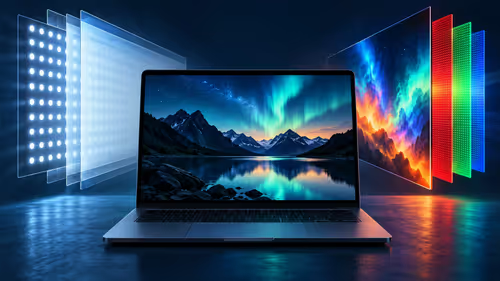
PROLED uses tandem OLED while the separate M6 MacBook Pro uses mini-LED. Compare how the panels produce light and which brightness figures Apple publishes.
Read more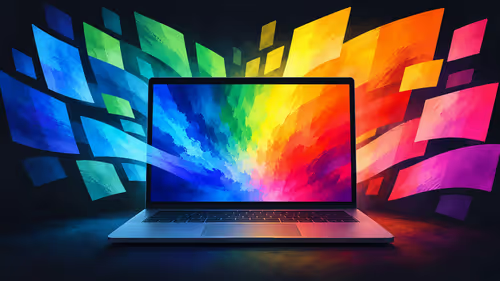
Apple lists P3 and Adobe RGB for the PROLED MacBook Pro. Understand what those colour spaces mean and why a file, display and final output are separate parts of a workflow.
Read more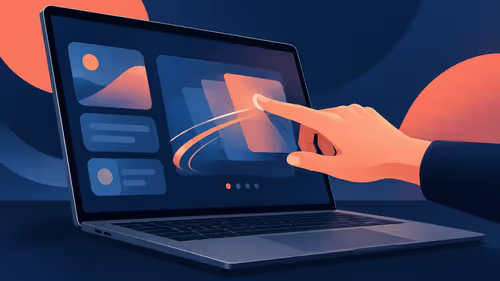
Apple describes swiping, pinching, dragging and window gestures on the PROLED MacBook Pro. Understand what each action changes before comparing a South African laptop purchase.
Read more
Apple says macOS translates touches into clicks for many existing apps on its new PROLED MacBook Pro. Learn what that does and does not establish about custom gestures.
Read more
Apple describes marking ranges, moving clips and pinch zoom in Final Cut Pro on its new PROLED MacBook Pro. Compare that touch workflow with an existing M5 Pro configuration listed at Evetech in South Africa.
Read more
Edge default search engine controls searches typed in the address bar. Choose a supported search provider in browser settings, then test the address bar separately from a website search box or a new-tab page before assuming the change failed.

gaming headset short-list for Edenvale in - what's in needs a balanced, cautious look before buying. Compare fit, budget, workload, warranty support, and upgrade room so the choice makes sense for South African buyers.

A 2700RPM pump spins its impeller 2700 times a minute to push coolant round the loop. Faster flow moves heat from the CPU block to the radiator, though a quicker pump can be a little louder. The Antec Omni Matrix 360 at R999 pairs it with an ARGB head.

Plug the three pre-connected 120mm fans into one PWM fan header, since they run from a single cable. If the lighting has its own lead, send it to the addressable header, usually labelled ARGB. Evetech's Omni Matrix 360 at R999 follows that same plan.

Targus DOCK402 combines a mobile dock with a built-in GaN charger. Its useful buying checks are host power negotiation, USB-C video support and the single-display limit, rather than assuming every USB-C laptop gets the maximum charging and resolution.
Edge default search engine controls searches typed in the address bar. Choose a supported search provider in browser settings, then test the address bar separately from a website search box or a new-tab page before assuming the change failed.

Edge block pop-ups can stop unwanted windows while permitting a trusted site that needs one. Check the exact site exception and distinguish pop-up windows from adverts inside a page and website notifications before turning off protection broadly.

Edge website notifications are controlled per site. Block the unwanted origin in browser permissions instead of muting every Windows alert, then check whether the interruption was a site notification rather than a pop-up or a message inside a page.

Best student laptop for Midrand-based remote should be shortlisted around the job it must do. South African buyers should compare CPU, GPU, RAM, and screen quality, warranty path, and upgrade room before treating any pick as best.
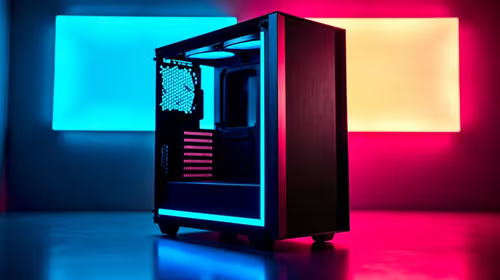
Where Bedfordview gamers buy a ATX PC case should be shortlisted around the job it must do. South African buyers should compare airflow, clearance, noise, and upgrade room, warranty path, and upgrade room before treating any pick as best.
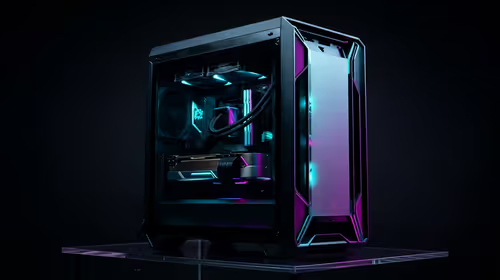
Should you upgrade or replace your gaming PC should be shortlisted around the job it must do. South African buyers should compare fit, performance, compatibility, and upgrade room, warranty path, and upgrade room before treating any pick as best.
Hdr vs text clarity in OLED monitors: what needs a workload-first comparison. For SA buyers, judge real performance, platform fit, warranty path, power needs, and upgrade timing before choosing either side.