



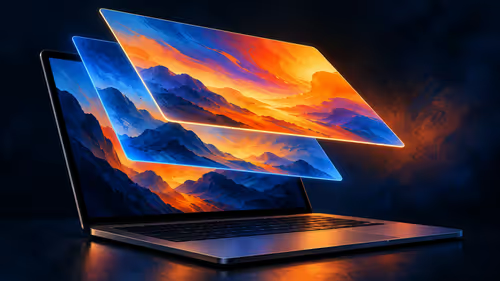
What Is the MacBook Pro PROLED XDR Display?
PROLED XDR is Apple's tandem OLED touchscreen for its new MacBook Pro. As at 29 October 2026, a separate 14-inch M5 Pro MacBook Pro with 1TB storage was listed at Evetech for R50,999.
Read moreFollow our detailed guide on new architecture benefits over old CPUs 🔍 Upgrade for speed, 💪 performance gains, and smooth multitasking with latest-gen processors.

Meet Jono, a Joburg-based content creator and competitive gamer. His trusty laptop, powered by a 4-core, 8-thread processor from a few generations back, was once a beast. But now? It’s a bottleneck. Streaming Warzone while running Discord and OBS caused crippling frame drops, and rendering his 4K YouTube videos felt like it took a lifetime. The stuttering wasn't just annoying; it was costing him followers and frustrating his workflow. His mission was clear: find a modern processor that could handle intense multitasking without breaking a sweat.
Sticking with an old architecture is like trying to win the Kyalami 9 Hour in a family sedan. It just won’t cut it. Jono’s solution wasn’t just more cores; it was a leap to a completely new CPU architecture, bringing with it smarter power management, higher instructions per clock (IPC), and faster connectivity.
First, Jono needed to see what was out there. He wasn’t looking for the most expensive rig, but the best value for his hard-earned ZAR. Browsing the latest laptop specials for sale in South Africa gave him a solid baseline of what new tech costs today.
The modern CPU battlefield is dominated by two titans. On one side, you have powerful and efficient options with the latest AMD laptops on special, known for their excellent multi-core performance. On the other, the high-frequency horsepower found in many current Intel laptops on special makes them a top choice for pure gaming FPS. Jono weighed his primary use case—a mix of high-FPS gaming and heavy content creation—and realised either platform’s new generation would be a massive step up.
He checked for modern video encoders. Newer CPUs often have dedicated hardware for AV1 encoding decoding, which drastically cuts down render times in DaVinci Resolve and improves stream quality on YouTube… a huge win for creators.
After settling on a new-generation 8-core, 16-thread laptop, the performance uplift was immediate and massive. The new architecture wasn't just an incremental improvement; it was a total transformation of his workflow and gaming experience.
| Metric (Before vs. After) | Old 4-Core Laptop | New 8-Core Laptop | Performance Gain |
|---|---|---|---|
| Avg. FPS in Warzone | 65 FPS (stuttery) | 140 FPS (smooth) | +115% |
| 10-Min 4K Video Render | 48 Minutes | 11 Minutes | -77% Time |
| Multitasking Lag | Frequent Freezes | Zero Lag | Eliminated |
“I went from fighting my PC to just… working. The new laptop doesn’t even break a sweat. My stream is smoother, my renders are done in a flash, and I can finally focus on creating content instead of troubleshooting lag. It’s been an absolute game-changer.” – Jono, Content Creator
Ready for a Real Performance Boost? Stop letting an old processor dictate your potential. Explore our curated selection of the best gaming laptop deals to find the perfect upgrade for your needs.
New architectures boost performance and efficiency, offering faster processing speeds and lower power consumption. You'll see smoother multitasking and better thermal management.
On average, latest-gen processors deliver 15-30% performance improvements over their predecessors, with some specialized workloads showing even bigger gains.
Upgrading can be worthwhile if you need enhanced performance for gaming, content creation, or professional workloads. Improved power efficiency also lowers long-term operating costs.
AMD Ryzen 7000 and Intel 13th Gen processors feature advanced cache architectures with optimized cache management for improved performance in data-intensive applications.
Yes! Modern processors with advanced architecture consume significantly less power while delivering better performance. This power efficiency reduces electricity costs over time.
Consider your workload and budget. Intel CPUs excel in single-threaded performance for gaming, while AMD offers strong multi-threaded performance ideal for content creation and heavy workloads.
Upgrade if you're facing bottlenecks, wanting better multitasking, or using software that benefits from modern architecture features like AVX-512 or advanced caching systems.
Upgraded architectures improve frame rates and game responsiveness. You'll experience smoother gameplay at higher settings, especially with modern titles that utilize multiple CPU cores.
PROLED XDR is Apple's tandem OLED touchscreen for its new MacBook Pro. As at 29 October 2026, a separate 14-inch M5 Pro MacBook Pro with 1TB storage was listed at Evetech for R50,999.
Read more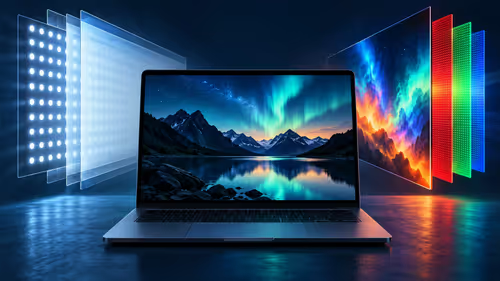
PROLED uses tandem OLED while the separate M6 MacBook Pro uses mini-LED. Compare how the panels produce light and which brightness figures Apple publishes.
Read more
Apple lists P3 and Adobe RGB for the PROLED MacBook Pro. Understand what those colour spaces mean and why a file, display and final output are separate parts of a workflow.
Read more
Apple describes swiping, pinching, dragging and window gestures on the PROLED MacBook Pro. Understand what each action changes before comparing a South African laptop purchase.
Read more
Apple says macOS translates touches into clicks for many existing apps on its new PROLED MacBook Pro. Learn what that does and does not establish about custom gestures.
Read more
Apple describes marking ranges, moving clips and pinch zoom in Final Cut Pro on its new PROLED MacBook Pro. Compare that touch workflow with an existing M5 Pro configuration listed at Evetech in South Africa.
Read more
Edge not saving passwords needs a check of the browser profile and Microsoft Password Manager settings. Saving, generating and filling a password are separate actions; confirm which one fails before changing account data.

ASUS PG259QWS Ace is the 720Hz model in the newly available 24.5-inch OLED Ace pair. The separate XG259QWPG Ace is 540Hz. Check the exact model, connection and real game performance before choosing a screen.

System76 Thelio Prime is an 11-litre Linux desktop due 18 November, with Ryzen 9000 processors and configuration-dependent graphics. Check application support, connections and the selected build before treating its small footprint as the whole buying decision.

Edge default search engine controls searches typed in the address bar. Choose a supported search provider in browser settings, then test the address bar separately from a website search box or a new-tab page before assuming the change failed.
Edge not saving passwords needs a check of the browser profile and Microsoft Password Manager settings. Saving, generating and filling a password are separate actions; confirm which one fails before changing account data.

Targus DOCK402 combines a mobile dock with a built-in GaN charger. Its useful buying checks are host power negotiation, USB-C video support and the single-display limit, rather than assuming every USB-C laptop gets the maximum charging and resolution.
Edge default search engine controls searches typed in the address bar. Choose a supported search provider in browser settings, then test the address bar separately from a website search box or a new-tab page before assuming the change failed.

Edge block pop-ups can stop unwanted windows while permitting a trusted site that needs one. Check the exact site exception and distinguish pop-up windows from adverts inside a page and website notifications before turning off protection broadly.
Edge not saving passwords needs a check of the browser profile and Microsoft Password Manager settings. Saving, generating and filling a password are separate actions; confirm which one fails before changing account data.
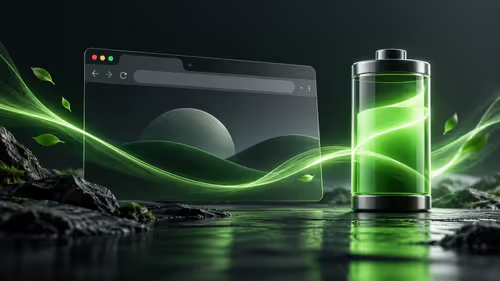
Edge energy saver reduces browser resource use and may affect visible smoothness. It was previously called efficiency mode and is separate from Windows Task Manager efficiency mode. Choose the browser setting for the workload you are testing.

Edge find on page opens with Ctrl+F on Windows. Type a short phrase from the page and move between matches; a web search, scanned image and different loaded page are separate cases.

Edge exit full screen uses F11 on Windows to toggle the browser view. Browser full screen, a maximised window, page zoom and a video player are different states; identify which one changed before altering display settings.