Is your gaming PC starting to sound like a jet engine during a tense Helldivers 2 mission? You're not alone. That stock cooler your CPU came with is often the first component to buckle under pressure, especially during a South African summer. The good news? You don't need to break the bank to fix it. Finding one of the best CPU coolers under R800 is one of the smartest, most satisfying upgrades you can make. 🚀
Why Your Stock CPU Cooler is Holding You Back
That little block of metal and fan that came in the box is designed to do one thing: the bare minimum. When you're pushing your rig in games like Apex Legends or handling heavy creative work, that "bare minimum" quickly translates into high temperatures and loud, distracting fan noise.
Upgrading your CPU cooling solution offers three huge benefits:
- Lower Temperatures: A better cooler dissipates heat more effectively, keeping your processor running within its optimal temperature range. This can prevent thermal throttling, where your CPU intentionally slows down to avoid overheating... right when you need performance the most.
- Quieter Operation: Aftermarket coolers use larger, more efficient fans that can spin slower while moving more air. The result? A whisper-quiet PC, even under load.
- Increased CPU Lifespan: Consistently running hot can reduce the lifespan of any electronic component. A quality cooler is a cheap insurance policy for your valuable processor.
What to Look For in a CPU Cooler Under R800
Finding a great CPU cooler under R800 isn't just about price. In this budget-friendly bracket, you're looking for maximum value. Keep an eye on these key features:
- TDP Rating (Thermal Design Power): Ensure the cooler's TDP rating is higher than your CPU's. This tells you it has enough capacity to handle the heat your specific processor generates.
- Size & Clearance: Measure your case! A massive tower cooler won't help if it doesn't fit. Check the cooler's height against your case's maximum CPU cooler height spec, and make sure it won't block your RAM slots.
- Fan Quality: Look for fans with PWM (Pulse Width Modulation) control. This allows your motherboard to intelligently control fan speed based on temperature, balancing cooling and noise levels perfectly.
Pro Tip: The Thermal Paste Dot ⚡
When installing your new cooler, don't spread the thermal paste like butter on toast. The modern "pea-sized dot" method is best. Place a small dot (about the size of a grain of rice or a pea) in the centre of the CPU. The mounting pressure of the cooler will spread it evenly for perfect contact and heat transfer. Less is more!
Air vs. Liquid: The R800 Battleground
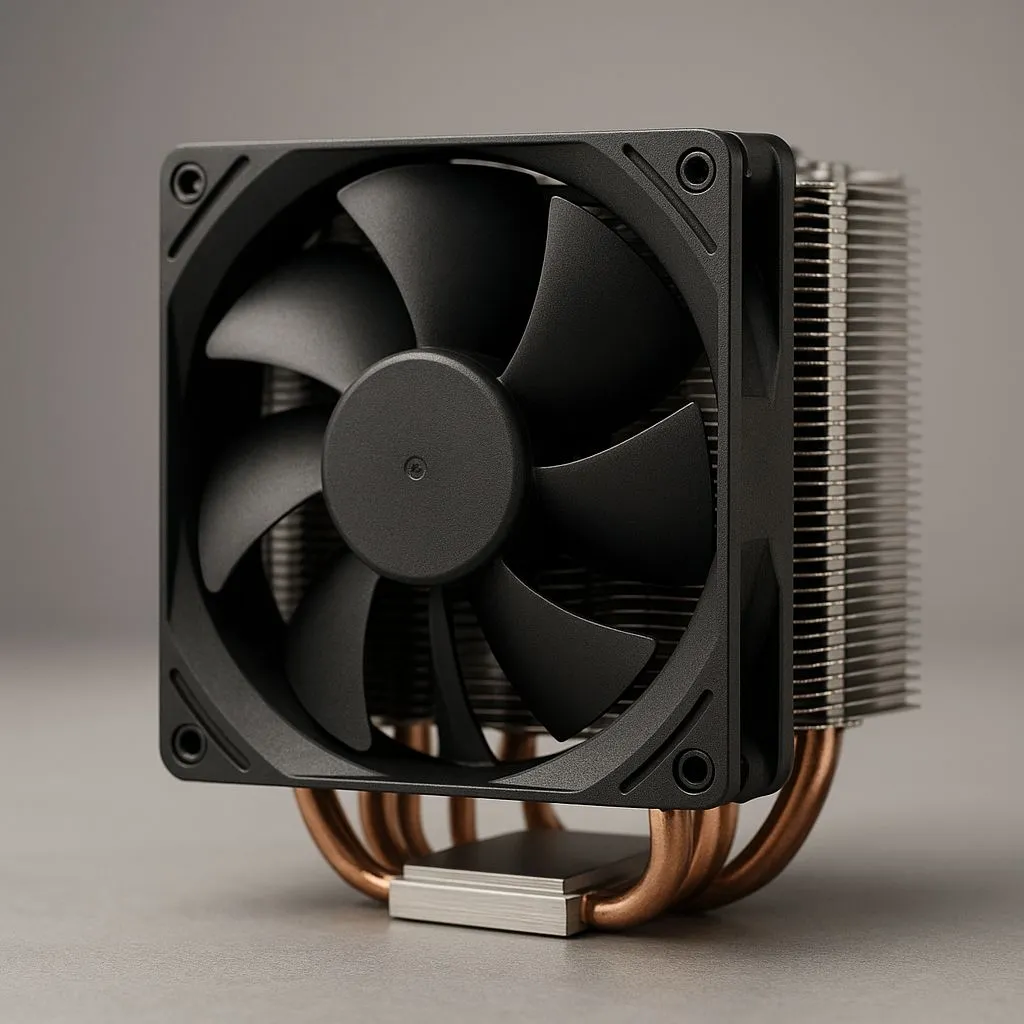
When you're shopping for affordable CPU cooling, you'll mainly be looking at air coolers. And that's a good thing! Modern quality air coolers are incredibly efficient, reliable, and offer unbeatable performance-per-Rand. They use a combination of heat pipes and a large fin stack to draw heat away from the CPU.
While you might occasionally find some entry-level liquid coolers (AIO) on special in this price range, a high-quality air cooler will almost always outperform a cheap AIO.
Finding the Best Budget Cooler For You ✨
The sweet spot for the best CPU coolers under R800 is typically a single-tower design with a 120mm fan. These provide a massive upgrade over stock cooling without requiring a specialised PC case.
While top-tier options from premium brands like CORSAIR or overkill large 360mm radiator setups command higher prices, the cooling principles they use—good airflow, large surface area, and quality fans—are exactly what you should look for in their more affordable siblings. An effective and affordable CPU cooler is waiting for you.
Ready to Chill Out?
Your stock fan has served its time. For lower temps, quieter gaming, and a healthier CPU, a budget-friendly upgrade is a no-brainer. Explore our massive range of CPU coolers and find the perfect fit for your rig.