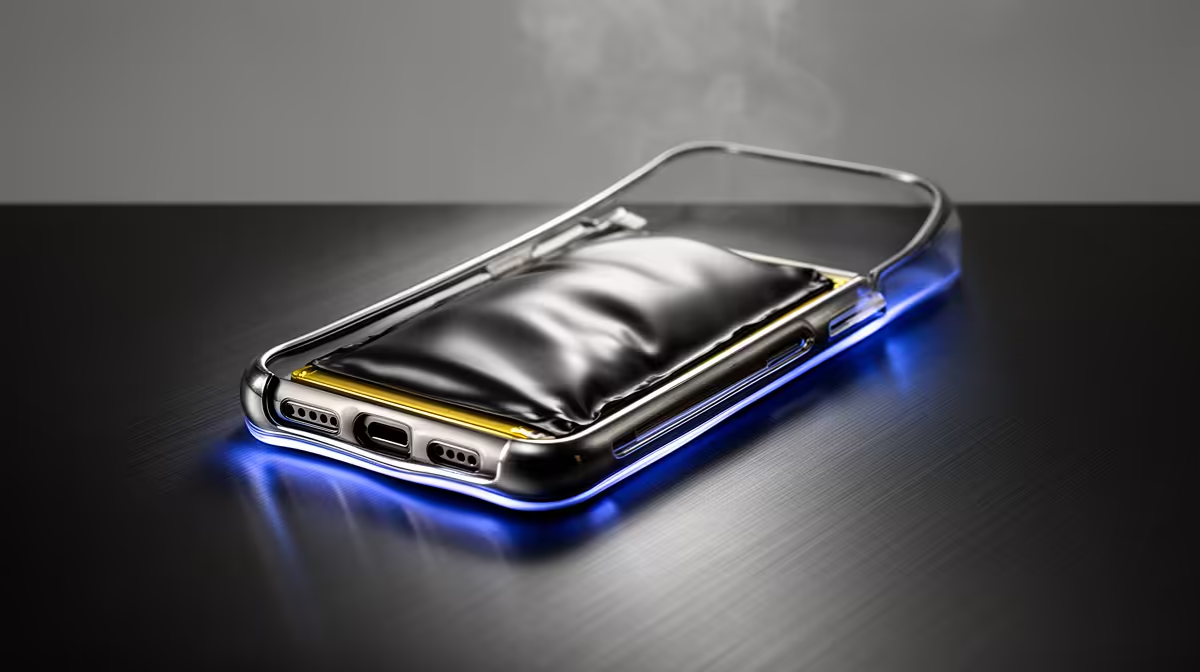
Your trackpad should click the same way across its surface, and all four feet should touch a flat desk. When either changes, look closely. A battery can expand beneath the palm rest long before the laptop case develops a dramatic bulge. Early action protects you from turning a service job into a damaged chassis or a fire risk.
Quick Answer
Warning signs include a trackpad that lifts or stops clicking evenly, a keyboard deck that bows, a widening case seam and a laptop that rocks on a level surface. Shut the machine down and disconnect the charger if you suspect swelling. Do not press the case flat, puncture the cell or keep charging it for one last backup. Arrange qualified assessment and battery disposal. Evetech's July 2026 laptop snapshot had a R35,999 median, but the safety decision does not depend on what the machine cost.
👆 Notice the small physical changes
Place the closed laptop on a hard, level table and touch each corner. A missing foot or bent base can also cause rocking, so inspect underneath with good light. Look for a base panel that no longer sits flush and screws that appear pulled into a curve.
Open the lid without forcing it. Check whether the trackpad stands proud of the palm rest, clicks only on one side or feels tight where it once moved freely. Look along the keyboard deck from a low angle. A new hump or a seam opening near the battery area deserves attention.
Battery location varies by model. Use the service diagram to understand which symptoms line up with it. Do not remove the base merely to satisfy curiosity when the case is already under pressure.
Evetech's laptop best-sellers give you current replacement context while the affected machine remains powered down.
🔌 Stop adding heat and charge
Save work only when the machine is behaving normally and no swelling, odour, smoke, hissing or unusual heat is present. At the first credible physical sign, shut down through the operating system if it is safe to do so, unplug the charger and leave the laptop off.
Move people and flammable clutter away from the area without bending or squeezing the device. If it is hot, smoking or hissing, do not handle it. Leave the area and follow local emergency guidance. Water, improvised punctures and pressure on the case are not troubleshooting steps.
Do not put the laptop back into a tight sleeve. The sleeve hides changes, traps heat and presses on the cell. Keep the machine in a stable position where a repair professional can advise on safe transport.
🛠️ Arrange the right kind of assessment
Tell the repairer that you suspect a swollen lithium battery before arriving. Ask how they want the laptop packaged and transported. Ordinary courier and postal services can restrict damaged batteries, so do not send it without an approved process.
A trained technician can isolate power, remove the damaged pack without bending it and inspect the trackpad, case, cables and motherboard for pressure damage. Replacement should match the exact laptop and use a battery sourced through a dependable channel.
Do not buy from a listing that merely says compatible with a broad laptop family. Part number, voltage, connector, shape and mounting points all matter. A cheap pack is poor value if its history and protections are unknown.
💾 Recover data after the safety issue is controlled
If you need files from the machine, tell the repairer before work begins. The internal SSD may be removable and readable in another system, or the laptop may run safely on its adapter after the damaged battery is removed. That decision belongs after inspection.
Cloud saves and an external backup turn this into a hardware repair instead of a data emergency. Once the immediate issue is resolved, review what existed only on the laptop and set up a second copy for the future.
Device encryption can require a recovery key when storage moves to another machine. Keep that key with the account or records where you can retrieve it without powering the unsafe laptop.
The gaming laptop range at Evetech can help with replacement planning if chassis damage makes the repair uneconomical.
🌡️ Reduce avoidable stress on the replacement
Battery ageing is normal and swelling can have several causes. You cannot guarantee it will never happen. You can avoid blocking vents, leaving the laptop awake in a bag and storing it for long periods in a hot car.
Use the manufacturer's charge limit when the machine lives on a desk. Keep the correct charger and inspect the case every few months while cleaning the vents. A health percentage in software cannot replace the physical check, because a battery can become unsafe without presenting a neat warning in Windows.
After a replacement, confirm that the trackpad sits flat, the case closes evenly and charging stops at the chosen limit. Watch the first few cycles for heat or behaviour that differs from the service report.
Frequently Asked Questions
What is the earliest visible sign of battery swelling?
An uneven trackpad, lifted palm rest or new gap in the case seam can appear before a large bulge.
Why does a swollen battery make the laptop rock?
The expanding cell can push the base panel outwards so the feet no longer share one flat plane.
Is it safe to keep using a laptop with a slightly swollen battery?
No. Stop using and charging it, then arrange qualified assessment.
Can a swollen battery be caused by normal ageing?
Age can contribute, alongside heat, damage or a cell fault. The immediate response stays the same.
Should I try to press down a swollen battery myself?
Never. Pressure or puncture can damage the cell and create a serious hazard.
Does heat exposure speed up battery swelling?
Heat adds stress to lithium cells and should be kept under control throughout the battery's life.
Can a swollen battery damage the trackpad or keyboard permanently?
Yes. Internal pressure can bend the chassis and damage parts above the battery.
Planning a replacement while a suspect laptop stays switched off?
Compare current gaming laptops at Evetech, and arrange safe professional assessment before trying to recover parts or data.