Before a single screw comes out, there is a two-minute check that saves an awkward return conversation later. A contact frame for AM5 fits one platform and a specific set of chipsets, and confirming that against the board in front of you takes far less time than unboxing, discovering a mismatch, and trying to put a used part back in its packaging.
Quick Answer
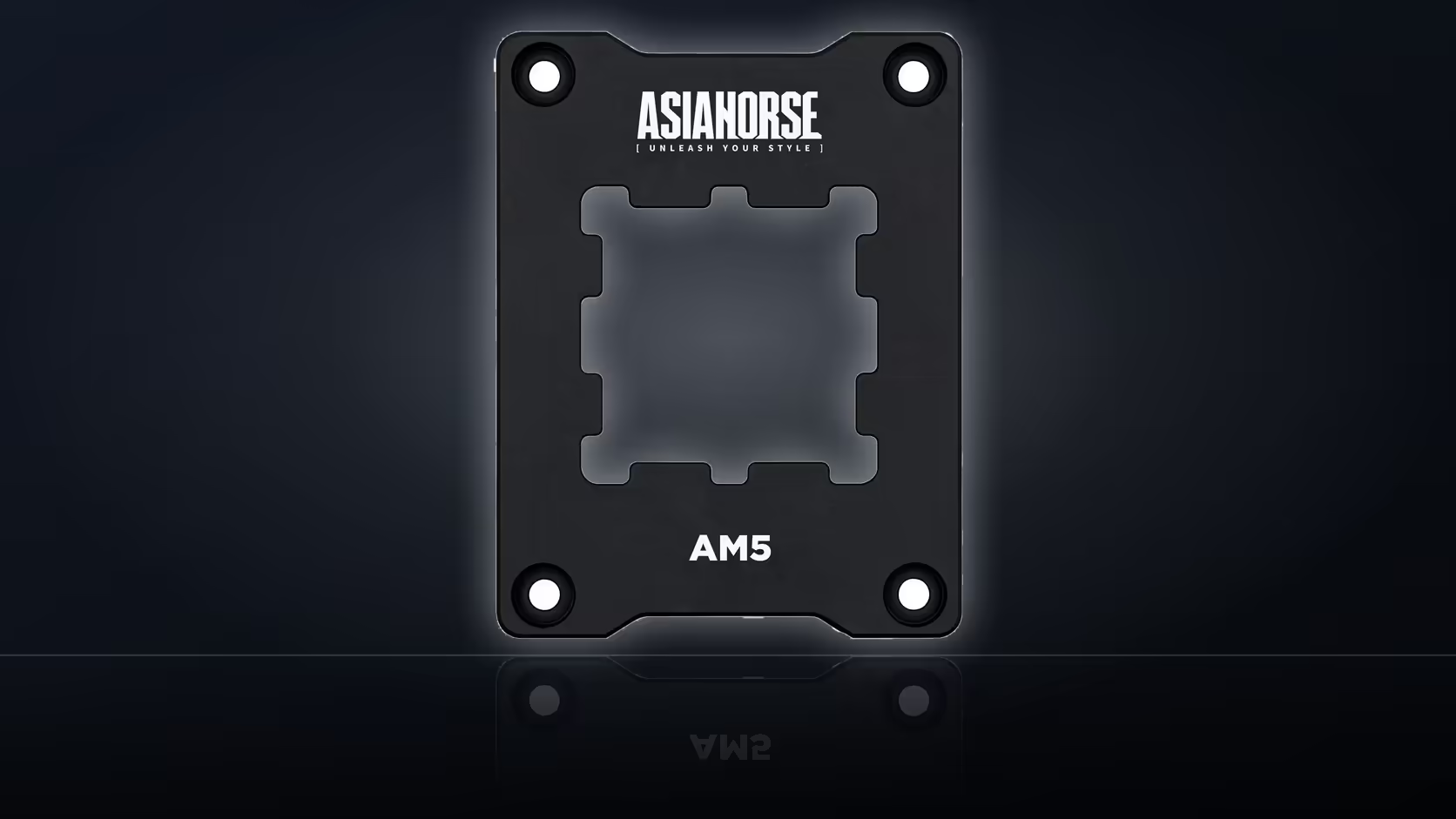
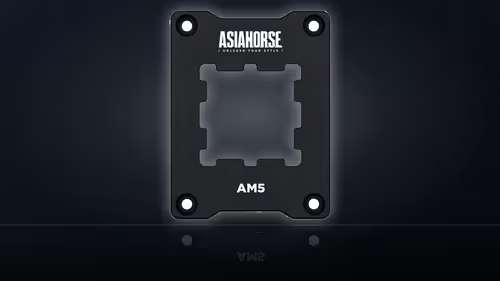
The AsiaHorse Pulsar frame, R299, fits AM5-socket boards on the X670, B650 and A620 chipsets only - nothing outside that list, and no AM4 or Intel boards. Confirm the socket and chipset from the board's own specification sheet or the printed markings on the board before opening the frame's packaging, since an unopened part is a far simpler return than an opened one.
🔍 Where to actually find the socket and chipset
Board specification pages state the socket and chipset plainly, usually in the first line of the summary. Most manufacturers also work the chipset into the model name itself - an X670E board, a B650M, an A620I - so a glance at the box or the product listing is often enough on its own. Where there's any doubt, the chipset is printed on the board, typically near the socket or the rear I/O shield.
A processor being AM5 tells you the socket, but it says nothing about the chipset sitting underneath it. AM5 boards span several chipset tiers with different feature sets, and this frame's compatibility list names three of them specifically: X670, B650 and A620. A board outside that trio, even if it takes the same AM5 processor, sits outside what the listing covers.
🧰 Doing the check before the packaging opens
The reason to check first rather than during the fit is simple logistics. A sealed frame in its original packaging is a straightforward item to send back if the chipset turns out to be wrong. Once the hex wrench has been used and the screws have touched a board, that same return becomes a harder conversation, and rightly so from a retailer's side.
A short pre-unboxing checklist
Pull up the board's specification, either from the manufacturer's page or the listing it was bought from, and confirm the chipset reads X670, B650 or A620. If the board is AM4, or the chipset falls outside that list, the frame does not apply here regardless of how close the socket naming looks.
It is also worth glancing at the cooler that will go back on once the frame is fitted. CPU coolers vary in how they attach, and whichever unit is going back onto the board deserves its own five-minute read of the manual alongside the board check.
🧴 What else to have ready once compatibility is confirmed
Fitting the frame means the cooler comes off, which disturbs whatever paste sat between the cooler base and the processor. Budget time and a fresh tube from thermal solutions into the job alongside the frame itself, since the old compound is not meant to be reused once the cooler has been lifted clear.
Having both the board's chipset confirmed and the paste on hand before starting turns what could be a stop-start job into one clean sitting.
🗒️ Building a short pre-fit checklist
A build that goes smoothly usually isn't the one where everything gets figured out mid-job. Writing down three or four confirmations before the frame comes out of its packaging turns an afternoon of double-checking into a five-minute pass through a list.
Start with the socket type on the board itself, then the chipset specifically, since those are the two data points the frame's compatibility depends on. Follow that with the cooler that's going back on and whether its own instructions mention the stock retention arms by name, because that shapes whether the frame swap affects the cooler mount at all. Finish with a quick stock check on paste, since the cooler coming off means the old layer needs replacing regardless of anything else in the job.
Why this differs from a straightforward cooler swap
A plain cooler upgrade on an already-known-compatible board doesn't usually need this level of upfront checking, because the mounting point isn't changing. Swapping the retention hardware itself is a slightly different category of job: it touches the one part of the board that every cooler eventually has to interface with, so getting the chipset confirmation wrong has a bigger downstream effect than picking a cooler that turns out to be the wrong size for a case.
That's also why the check belongs before unboxing rather than during the fit. Discovering a chipset mismatch with the frame still sealed costs nothing but a returned parcel. Discovering it with the board's original arms already removed and the new frame's screws already turned means the board sits without any retention hardware fitted until the right part arrives, which is a worse place to be mid-build than most people expect.
🧱 Reading a board's spec sheet the right way
Manufacturer spec pages tend to list the chipset near the top, often in the same line as the socket type, form factor and memory support. Scanning for "AM5" alone isn't specific enough here, since AM5 spans several chipset families and only three of them, X670, B650 and A620, sit within what this frame covers. The chipset line is the one to actually read, not skim past.
Where a spec sheet is ambiguous or missing, the board's own printed markings are the fallback, usually stamped near the socket or silkscreened onto the PCB close to the rear I/O area. Between the two sources, confirming the chipset before the frame's packaging opens is rarely more than a two-minute detour.
Frequently Asked Questions
Where is the chipset stated?
In the board's specification or printed on the board itself, and it appears in the model name on most manufacturers' listings.
What if the board is AM4?
Then this frame does not apply, since the listing names AM5 platforms only and retention hardware differs between them.
Does the processor tell me?
An AM5 processor implies an AM5 board, though the chipset still needs confirming against the three named families.
Why check before opening?
Because an unopened part is straightforward to return, where an opened one is a more difficult conversation.
How long should the check take?
A minute or two, against a part that fits one platform and one set of chipsets only.
Are there other AM5 chipsets?
The listing names X670, B650 and A620, so anything outside those falls beyond what the product states.
Does the cooler need checking too?
Its own documentation is worth reading, since the cooler mounts above whatever the frame replaces.
Confirming your board's chipset?
Have a look through Evetech's motherboard range to compare X670, B650 and A620 options side by side before you commit to any AM5 upgrade.