Tired of the same old black boxes under your desk? A white PC case build is the ultimate way to make your setup pop. It looks clean, sophisticated, and reflects RGB lighting beautifully. Whether you are a hardcore gamer in Joburg or a creative in Cape Town, building a "snow edition" rig is a statement of style. Let’s dive into how you can pull this off perfectly.
Start With the Right Foundation
Every great aesthetic starts with the chassis. When planning your white PC case build, you need a canvas that offers both form and function. You can find a wide selection of computer cases that cater to different sizes and airflow needs.
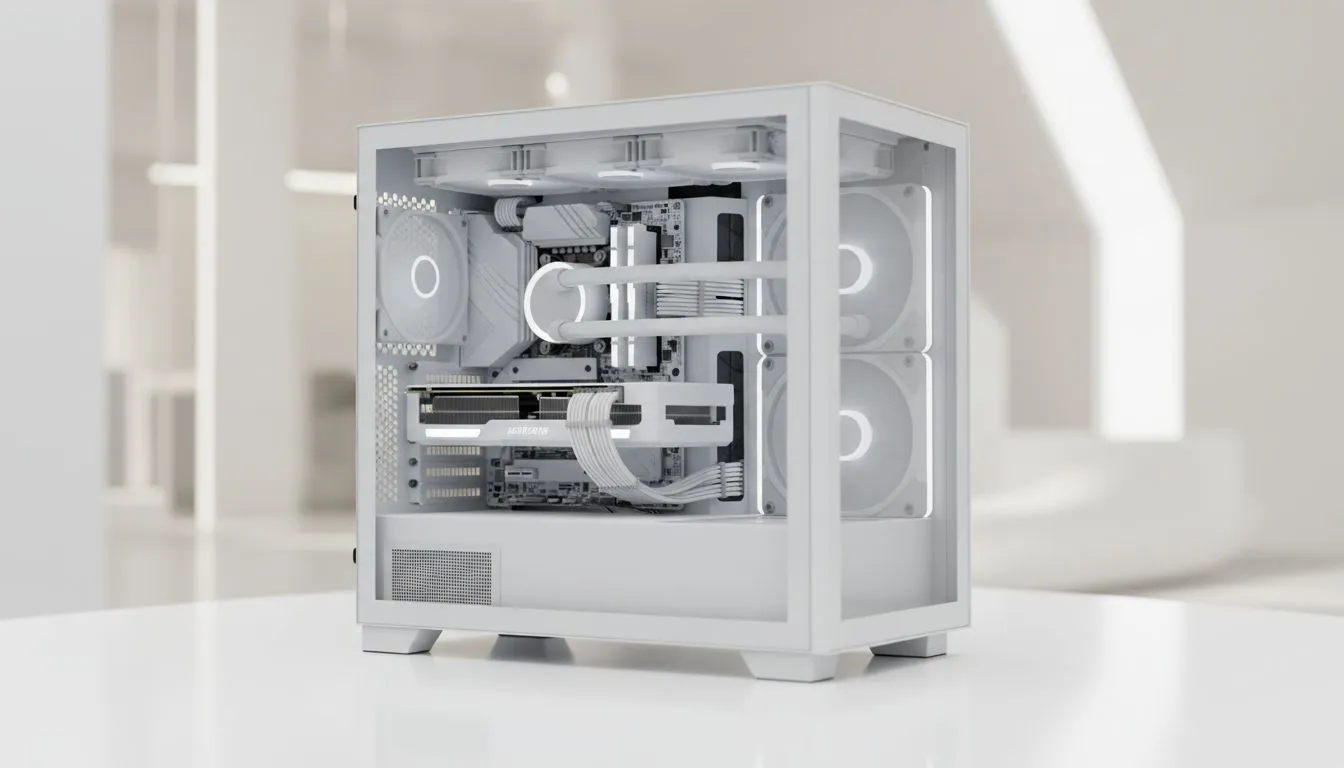
A white interior is just as important as the exterior. Some cases have black internals, which can ruin the "all-white" look. Look for options that spray the drive bays and cable bars in matching white.
Choose Your Aesthetic Brand
Different brands offer different "shades" of white. Some lean toward a cool blue tint, while others are a warm cream. For a premium, minimalist look, Fractal Design PC cases are legendary. They offer sleek lines and excellent build quality.
If you prefer something with more aggressive angles and pre-installed fans, Gamdias gaming cases provide a bold look. These cases often feature tempered glass panels to show off your internal hardware.
Building on a Budget
You do not need to spend a fortune to get that clean look. There are many affordable white cases under R1500 that still offer modern features. Look for cases with power supply shrouds. These hide the messy, often black, power cables from view. This keeps the focus on your pristine components.
Cable Management Magic ⚡
Use white velcro ties instead of black plastic zip ties. They blend into the chassis and allow for easy adjustments when you inevitably add more RGB fans later.
Match Components and Lighting
To truly master the theme, you must match components carefully. Many manufacturers now offer white editions of popular GPUs and motherboards. If you cannot find a white motherboard, look for "silver" or "metallic" finishes. These reflect light better than matte black.
Lighting plays a massive role in a white build. White surfaces act like a mirror for your LEDs. If you use rainbow effects, the colours will look more vibrant. For a classy look, set your LEDs to a static "ice blue" or "soft white".
Manage Your Cables
The final boss of any build is cable management. In a white case, black cables stand out like a sore thumb. Consider buying white braided cable extensions. These plug into your existing power supply cables... they provide a professional, custom-sleeved look without the high cost of a full custom PSU. Tuck any excess slack behind the motherboard tray to keep the airflow path clear and the visual clutter to a minimum.
Ready to Build Your Dream White Rig?
Creating a clean, snowy aesthetic requires the right parts and a bit of patience. Browse our full range of PC components and start your masterpiece today.