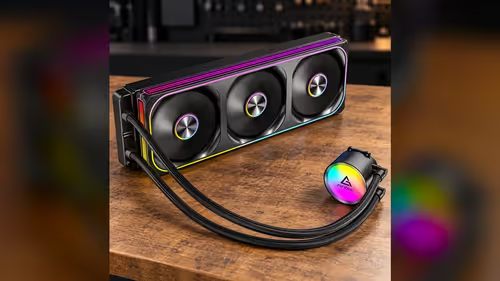
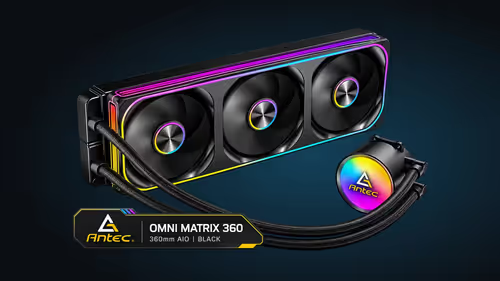
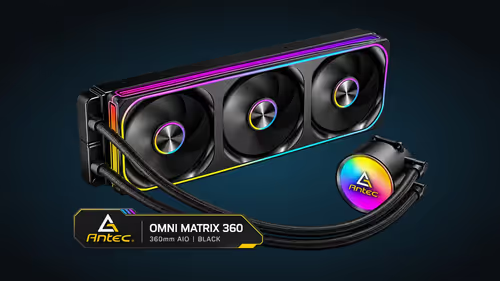
A 360mm radiator fits a case when the radiator slot is free, but the slot is not the only space the cooler needs. The fans sit inside the case on the radiator side, and the tall memory modules and a long graphics card sit close by. Those parts are where a build most often runs out of room. Here is how to measure the three clearances that decide whether a 360mm AIO fits alongside your RAM and your graphics card, with the numbers you need for each.
Quick Answer
Fit depends on three clearances: the radiator slot, the RAM height under the fan frame and the graphics card length. The front or top slot has to take a 360mm radiator at full length, and the fans add about 25mm of depth on the radiator side. Check each measurement before you mount the Antec Omni Matrix 360 at R999, because the cooler's fans sit between the radiator and the memory.
📏 The radiator slot and the fan depth
The radiator slot is the first measurement. Plan on a clear run of about 394mm along the front or top panel, which is the length of a 360mm radiator. Count the space the case gives you, not the space printed on the box, because a drive cage or a front fan can take up part of that length.
The fans sit on the radiator, and they add depth. A standard 120mm fan is about 25mm thick, so three fans on one radiator add that depth to the radiator's own thickness. The total depth on the radiator side is the figure that matters, and it must fit in the gap between the case wall and the panel.
Measure the depth with a tape from the case wall to the front panel, then subtract the radiator and fan thickness. What remains is the room you have for the tubing and any other part that sits in that gap. A few millimetres of slack is enough for a radiator to sit flat, but a tight gap can crush the tubing against the panel.
🧠 RAM height under the fan frame
The memory is the part most builders forget, because it sits close to the cooler's block rather than the radiator. Tall modules with large heatspreaders can rise to around 44mm or more above the board, and the fan frame is positioned on the radiator side of the case, not over the memory. In a tight build, a tall module can meet the bottom of a fan that hangs low.
The cleanest check is to measure the RAM height against the fan's bottom edge once the radiator is in place. If the fan frame sits above the memory with a gap, the two parts can share the same space. If the memory is taller than the gap, choose low-profile modules or move the radiator to the top mount, where the RAM clearance is less of an issue.
Also check the top of the board. A radiator at the top of the case sits above the memory, and the fan thickness pushes it upwards. Some cases give plenty of room there, and others do not, so measure before you choose a mount.
🎮 Graphics card length and the front mount
A long graphics card can block a front radiator mount, because the card's length runs from the back of the case towards the front. Check the card's length in the specification and compare it with the distance between the case front and the first drive cage or the PSU shroud. A card of 300mm or more needs a clear run from the back of the case to the front.
The front mount is the one most likely to clash with the card. A top mount keeps the radiator away from the graphics card, and it often leaves more room for long cards. Choose the mount that fits the longest card in your build, not the shortest one.
Also check the card's cooler. A thick triple-slot design sits closer to the front of the case, and its fans can reach the radiator's fan mount. Measure the card's thickness, and leave a gap between the card and the radiator so air can move freely.
🧰 A measuring routine that avoids surprises
Measure the three clearances with the parts in hand. Take the memory out and measure its height, measure the radiator and fan depth from the box, and measure the card's length and thickness. Write each number down, then add the figures for each clearance and compare the result with the space in the case.
Mount the cooler without tightening the screws fully, and check the fit with the side panel off. A fan that touches the memory or the card will show up as a rub mark or a stiff fan, so look for both before you finish. If the parts clash, change the mount or the memory before you close the case.
Compare the front and top mounts in our mid tower cases range, and check the full tower cases range if you need more room for long cards and tall memory. The CPU coolers category shows the radiator sizes that suit each case.
Frequently Asked Questions
How much room does a 360mm radiator need at the top of the case?
It needs a full-length slot of about 394mm and enough depth for the radiator and three fans. The fans add about 25mm each to the depth, so measure the total depth before you mount it.
Will tall RAM stop a 360mm radiator fitting?
It can. Tall modules can meet the fan frame on the radiator side, so measure the RAM height against the fan's bottom edge once the radiator is in place.
How long a graphics card blocks a front radiator mount?
A card of 300mm or more can clash with a front mount, depending on the case. A top mount often leaves more room, so check both positions against your card's length.
Should I measure with the cooler mounted or before?
Measure before you buy, then check the fit with the cooler loosely mounted and the side panel off. That catches any clash before you tighten the screws.
Choosing a case for a 360mm loop?
Browse our mid tower and full tower cases, and check the radiator mount against your memory and graphics card.