



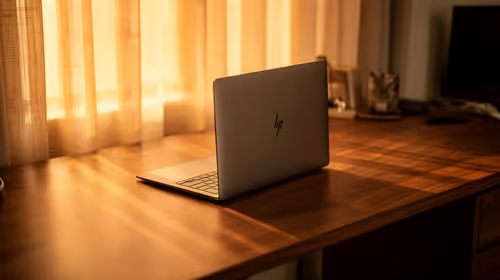
Getting an all-day-battery laptop ready for the new tax year in SA
Readying an all-day-battery laptop for the new tax year suits the ExpertBook P1 around R12,999, a tidy machine for admin and accounts.
Read moreStart with the required input method and storage, then fund convenience. A R24,599 tablet leaves R15,401 from R40,000 before delivery; photographers may favour a USB-C SSD, writers a keyboard and illustrators a stylus.
Start with the required input method and storage, then fund convenience. A R24,599 tablet leaves R15,401 from R40,000 before delivery; photographers may favour a USB-C SSD, writers a keyboard and illustrators a stylus.
A R40,000 tablet budget is easiest to use when the accessories follow the work. Begin with the task that takes the most time: writing, drawing, reviewing images, entering data, presenting or moving project files. Then buy the input or storage that makes that task practical before adding convenience items.
At R24,599, the Apple iPad Pro 11 M5 12GB/256GB leaves R15,401 from R40,000 before delivery. Prices can change, so confirm the live total before purchasing and treat the calculation as a budgeting method rather than a quote.
The iPad range is the device starting point; the rest of the budget should answer a specific working need.
Photographers, videographers and people handling large project folders should identify where active material will live. The 256GB internal capacity is useful working space, but source files, exports and application caches can grow quickly. A USB-C SSD can provide a local transfer or archive route when it is part of a verified backup process.
Do not spend the entire remainder on storage by default. Measure a typical active project and decide what must travel with the tablet. If completed work can move to a checked archive, the budget may be better used on input or protection.
Writers, students and office users often get more value from a dependable keyboard than from a cosmetic accessory. Test key feel, layout, weight and whether the setup works on a desk and while travelling. Include a pointer only when the apps and tasks make it useful.
A keyboard selection gives options to compare, but verify compatibility with the tablet and the exact working arrangement before including one in the final total.
Illustrators, designers and people who annotate documents should test the input tool with their own application. Check the drawing feel, charging routine, carrying plan and whether the app supports the brush, layer or markup functions required. A stylus is a practical priority when it replaces a daily workaround; it is a lower priority when occasional notes are the only use.
Browse Apple accessories after confirming the compatible input route and the features the work needs.
A realistic budget also includes protection, backup and the small items that prevent disruption. Keep proof of purchase, use the one-year warranty as part of the support plan, and decide where important work is backed up. A useful setup is one that can be carried, connected and recovered without improvisation.
Choose the input tool that supports the task done most often. Drawing and markup may justify a stylus first; long writing sessions may justify a keyboard.
No. It can support transfers and local archiving, but important work needs an independent backup and a clear record of the current version.
No. It is the difference between the recorded R24,599 fact-sheet price and a R40,000 budget before delivery. Confirm current prices before buying.
Build a R40,000 tablet setup around the input, storage and recovery tools that remove a real daily friction point.
Choose the input tool that supports the task done most often. Drawing and markup may justify a stylus first; long writing sessions may justify a keyboard.
No. It can support transfers and local archiving, but important work needs an independent backup and a clear record of the current version.
No. It is the difference between the recorded R24,599 fact-sheet price and a R40,000 budget before delivery. Confirm current prices before buying.
Readying an all-day-battery laptop for the new tax year suits the ExpertBook P1 around R12,999, a tidy machine for admin and accounts.
Read more
Windows transparency effects can be switched off to make supported backgrounds more opaque. Use Accessibility, Visual effects or the colour settings, then compare a menu against your wallpaper. This R0 preference changes appearance; it is not a promised.
Read more
YouTube no sound is worth checking at the player, browser and device levels first. Unmute the video, check the selected audio output and compare another clip and app. These R0 checks help narrow the fault without assuming that speakers or headphones need replacement.
Read more
iPhone overheating needs a cooler environment and a pause in demanding activity. If a temperature warning appears, Apple advises turning the device off and letting it cool away from sunlight. Charging may slow or stop automatically; this protection is not proof of a.
Read more
Play Store update is separate from updating individual Android apps. Open the store profile, Settings, About and Update Play Store to check the store itself. Use Manage apps and device for app updates, and choose a suitable data connection before starting large.
Read more
Face ID not working calls for checking the TrueDepth camera view, enabled uses and the device software. Remove obstructions and restart before repeating setup. If registration still fails or the camera reports a fault, use support rather than opening the phone or.
Read more
Steam content servers unreachable needs a download-path check, not an immediate reinstall of every game. Restart the client, inspect download settings and compare another connection when practical. Clearing the download cache is separate from deleting installed games.

Keychron G6 HE has built-in and swappable battery versions with different weights. The product brief lists 42g and 46g respectively, each with a 3g tolerance. Choose by grip and battery preference before treating one headline weight as universal.

Corsair HS80 v2 MAX supports 2.4GHz wireless and Bluetooth. Its maximum battery figures use RGB-off conditions and differ by connection. Check microphone routing, comfort and the exact device support before assuming every wireless mode behaves alike.

Windows taskbar notification badges can be shown or hidden in Taskbar behaviours. This changes the small app indicators, not the underlying messages. Choose a calmer desktop while keeping a deliberate routine for checking important conversations and app updates.
Windows transparency effects can be switched off to make supported backgrounds more opaque. Use Accessibility, Visual effects or the colour settings, then compare a menu against your wallpaper. This R0 preference changes appearance; it is not a promised.

Windows title bar window shake can minimise other open windows when you shake the active window by its title bar. Inspect the Multitasking setting and switch it off if that gesture interrupts your work. The preference costs R0 and does not require new hardware.

Windows Print Screen opens Snipping Tool when its keyboard preference is enabled. Change the option under Accessibility, Keyboard to choose another workflow. Test whether you need a clipboard image or a saved file.

Windows desktop icons missing may be a visibility setting. Right-click the desktop, choose View and inspect Show desktop icons. If only system icons are absent, use Desktop icon settings. Check the Desktop folder before assuming files were deleted.

RTX 5090 should be enough for Palworld at 1080p when the rest of the PC is balanced. Use this SA-focused guide to weigh settings, monitor refresh, CPU balance, and upgrade room without relying on unsupported FPS claims.

student laptop guide for Gqeberha gamers should be shortlisted around the job it must do. South African buyers should compare CPU, GPU, RAM, and screen quality, warranty path, and upgrade room before treating any pick as best.

A second-hand GPU on a R5,000 SA budget can save money but adds condition risk. Check warranty, temperatures, fan noise, ports, seller proof, power draw, and return options first.

gaming monitor delivery and pickup in Gqeberha should be shortlisted around the job it must do. South African buyers should compare panel type, resolution, refresh rate, and ports, warranty path, and upgrade room before treating any pick as best.