



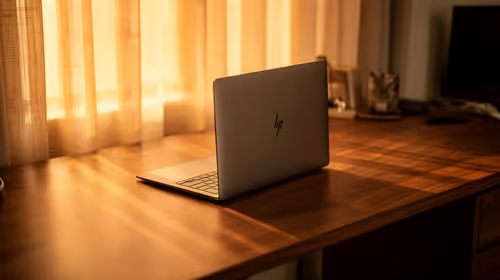
Getting an all-day-battery laptop ready for the new tax year in SA
Readying an all-day-battery laptop for the new tax year suits the ExpertBook P1 around R12,999, a tidy machine for admin and accounts.
Read moreUnder R4,000, prioritise a compatible video connection, native Full HD or WUXGA resolution and a stand that holds its angle. Weight, a protective sleeve and local warranty support matter more for daily travel than decorative extras or specifications you cannot use.
Price is only useful once the monitor will actually connect to the laptop in your bag. Portable monitors under R4,000 can be a strong second-screen purchase, but the sensible order is compatibility, usable resolution, support and portability rather than whichever feature has the loudest label.
Under R4,000, prioritise a compatible video connection, native Full HD or WUXGA resolution and a stand that holds its angle. Weight, a protective sleeve and local warranty support matter more for daily travel than decorative extras or specifications you cannot use. The Lenovo L16 costs R3,199 and brings a 16-inch 1920x1200 IPS panel, dual USB-C video ports and an included sleeve to that budget.
USB-C describes a connector shape, not a guaranteed video output. Before choosing a screen, check the laptop manual or port symbol for DisplayPort Alt Mode support. A capable port and a full-featured cable can carry video to a portable display; a charge-only cable cannot. The L16 uses USB-C DisplayPort 1.2 on either side, which makes cable routing more flexible, but the laptop still has to send video.
If your computer does not offer the required output, do not assume an inexpensive adaptor will solve every limitation. Identify the exact output first, then browse portable monitor options with that connection in mind.
A 1920x1200 WUXGA panel has the same 1920-pixel width as Full HD plus 120 rows vertically. That extra height is useful for a document, spreadsheet or source file where scrolling interrupts concentration. It does not turn a portable panel into a large desktop display, so text scaling and viewing distance still matter.
The Lenovo L16 combines its 16-inch 16:10 IPS panel with a 60Hz refresh rate, 300-nit rating and 1500:1 contrast figure. Those details point towards work, study and travel rather than a high-refresh gaming screen. Use current monitor deals to compare the complete feature mix, not just diagonal size.
Put the laptop, charger, cable, screen and any hub together before deciding that a model is light enough. The L16 is 0.97kg and includes a protective sleeve, which removes one item from the packing list. It may also pass USB Power Delivery up to 65W through USB-C where the connected equipment permits it. That can simplify a desk, but it does not replace checking charger capability.
Write down four answers: Does the laptop output video over its intended port? Is the native resolution comfortable at the planned desk distance? Can the stand stay stable on the tables you use? Can the monitor travel without becoming an awkward loose object? A screen that answers all four is more valuable than one feature added for display.
For document and code work, the extra 120 vertical pixels can be useful. For video playback, the difference is less important.
It depends on the laptop, cable and monitor power requirements. Check the connection plan rather than assuming one cable will power every combination.
A sleeve protects the panel during routine travel and means you do not need to improvise a protective layer inside a crowded bag.
Ready to choose a second screen with fewer surprises? Browse the portable monitor category after confirming what your laptop can output.
For document and code work, the extra 120 vertical pixels can be useful. For video playback, the difference is less important.
It depends on the laptop, cable and monitor power requirements. Check the connection plan rather than assuming one cable will power every combination.
A sleeve protects the panel during routine travel and means you do not need to improvise a protective layer inside a crowded bag.
Readying an all-day-battery laptop for the new tax year suits the ExpertBook P1 around R12,999, a tidy machine for admin and accounts.
Read more
Windows transparency effects can be switched off to make supported backgrounds more opaque. Use Accessibility, Visual effects or the colour settings, then compare a menu against your wallpaper. This R0 preference changes appearance; it is not a promised.
Read more
YouTube no sound is worth checking at the player, browser and device levels first. Unmute the video, check the selected audio output and compare another clip and app. These R0 checks help narrow the fault without assuming that speakers or headphones need replacement.
Read more
iPhone overheating needs a cooler environment and a pause in demanding activity. If a temperature warning appears, Apple advises turning the device off and letting it cool away from sunlight. Charging may slow or stop automatically; this protection is not proof of a.
Read more
Play Store update is separate from updating individual Android apps. Open the store profile, Settings, About and Update Play Store to check the store itself. Use Manage apps and device for app updates, and choose a suitable data connection before starting large.
Read more
Face ID not working calls for checking the TrueDepth camera view, enabled uses and the device software. Remove obstructions and restart before repeating setup. If registration still fails or the camera reports a fault, use support rather than opening the phone or.
Read more
Steam content servers unreachable needs a download-path check, not an immediate reinstall of every game. Restart the client, inspect download settings and compare another connection when practical. Clearing the download cache is separate from deleting installed games.

Keychron G6 HE has built-in and swappable battery versions with different weights. The product brief lists 42g and 46g respectively, each with a 3g tolerance. Choose by grip and battery preference before treating one headline weight as universal.

Corsair HS80 v2 MAX supports 2.4GHz wireless and Bluetooth. Its maximum battery figures use RGB-off conditions and differ by connection. Check microphone routing, comfort and the exact device support before assuming every wireless mode behaves alike.

Windows taskbar notification badges can be shown or hidden in Taskbar behaviours. This changes the small app indicators, not the underlying messages. Choose a calmer desktop while keeping a deliberate routine for checking important conversations and app updates.
Windows transparency effects can be switched off to make supported backgrounds more opaque. Use Accessibility, Visual effects or the colour settings, then compare a menu against your wallpaper. This R0 preference changes appearance; it is not a promised.

Windows title bar window shake can minimise other open windows when you shake the active window by its title bar. Inspect the Multitasking setting and switch it off if that gesture interrupts your work. The preference costs R0 and does not require new hardware.

Windows Print Screen opens Snipping Tool when its keyboard preference is enabled. Change the option under Accessibility, Keyboard to choose another workflow. Test whether you need a clipboard image or a saved file.

Windows desktop icons missing may be a visibility setting. Right-click the desktop, choose View and inspect Show desktop icons. If only system icons are absent, use Desktop icon settings. Check the Desktop folder before assuming files were deleted.

RTX 5090 should be enough for Palworld at 1080p when the rest of the PC is balanced. Use this SA-focused guide to weigh settings, monitor refresh, CPU balance, and upgrade room without relying on unsupported FPS claims.

student laptop guide for Gqeberha gamers should be shortlisted around the job it must do. South African buyers should compare CPU, GPU, RAM, and screen quality, warranty path, and upgrade room before treating any pick as best.

A second-hand GPU on a R5,000 SA budget can save money but adds condition risk. Check warranty, temperatures, fan noise, ports, seller proof, power draw, and return options first.

gaming monitor delivery and pickup in Gqeberha should be shortlisted around the job it must do. South African buyers should compare panel type, resolution, refresh rate, and ports, warranty path, and upgrade room before treating any pick as best.