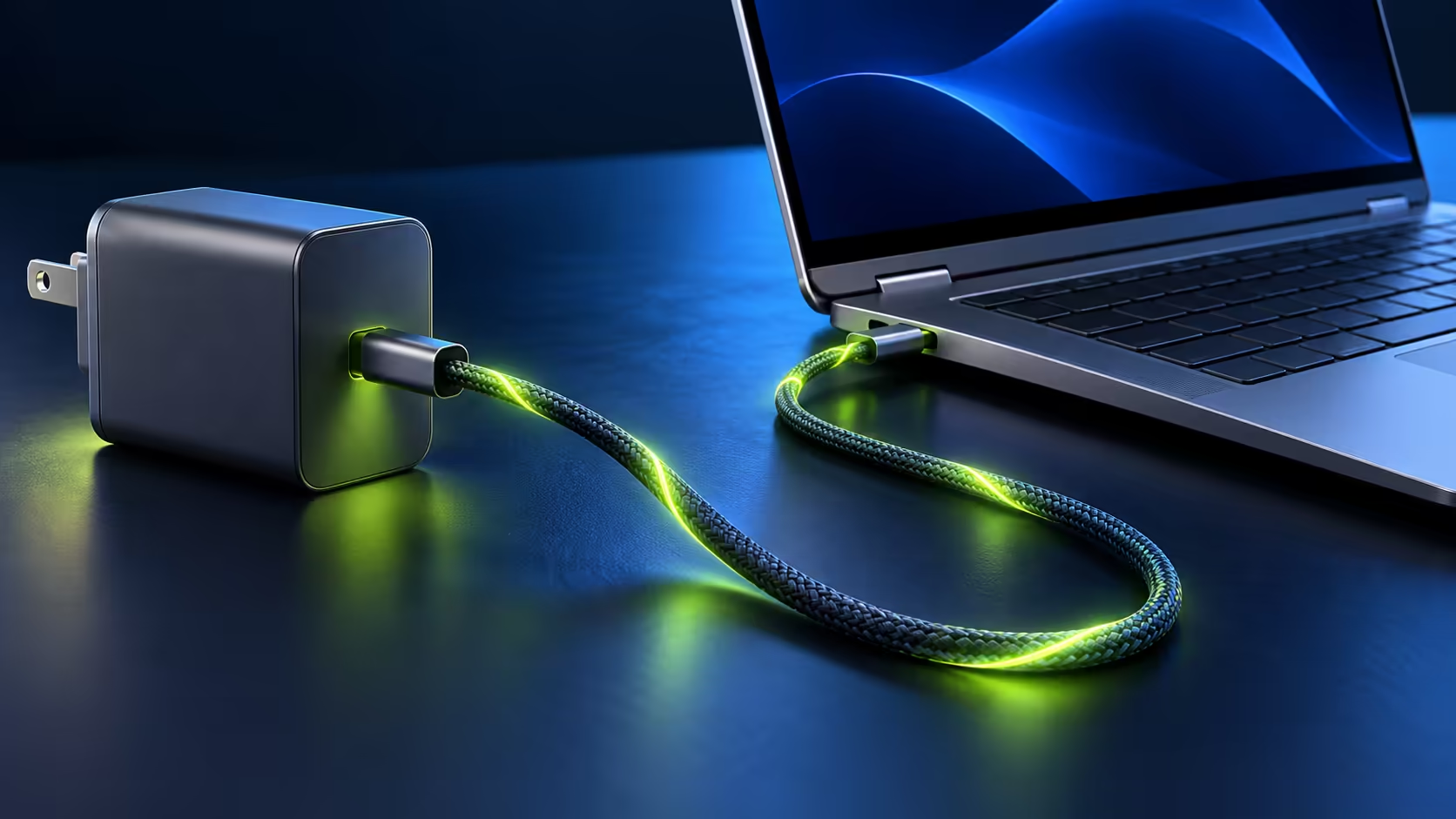
The MSI Prestige N16 Flip AI+ charges over USB-C at up to 140W, which means the right travel charger or power bank can replace the brick in the box. The wrong one still works, just more slowly. MSI publishes exactly which power levels the laptop accepts, so you can pick a spare charger with confidence instead of guessing.
Quick Answer
The Prestige N16 Flip AI+ accepts USB-C Power Delivery from 65W up to 140W while it is running. For full-speed charging, use a USB-C PD 3.1 charger rated for 140W with a cable rated for 5A, such as the Promate 140W PD 3.1 charging station we list at R1,299. A 65W or 100W charger also works, but MSI warns that performance may be reduced while it charges.
🔌 What MSI says the laptop accepts
MSI's specification gives the numbers. With the laptop running or asleep, it supports Power Delivery charging from 65W (20V at 3.25A) up to 140W (28V at 5A). When it is hibernating or switched off, it accepts as little as 15W (5V at 3A), up to the same 140W maximum.
Two practical points follow. First, 140W uses 28 volts, which is part of the USB PD 3.1 standard, so an older PD 3.0 charger tops out at a lower wattage even if it is a good charger. Second, at 5 amps the cable matters as much as the charger. A thin phone cable will hold the laptop back.
MSI also notes that overall system performance may be adjusted to match the charging current, and it recommends the MSI PD charger. The 99.9Wh battery takes a while to fill at low wattage.
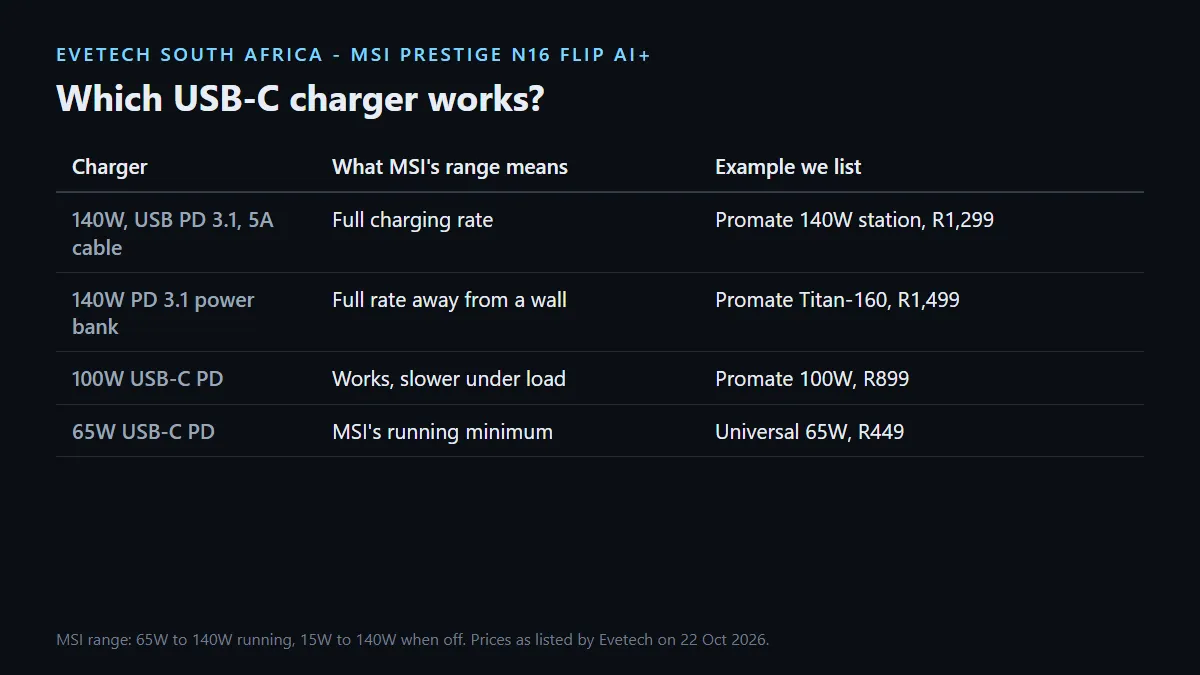
⚡ Chargers and power banks that fit
These are the USB-C options we list that cover the laptop's range, checked on 22 October 2026:
- Promate Super-Speed Charging Station, R1,299: a 140W USB-C PD 3.1 port plus 100W and 30W USB-C ports. The closest match to the laptop's full rate.
- Promate Titan-160 power bank, R1,499: 27,600mAh with 100W and 140W PD 3.1 outputs, for topping up away from a wall socket.
- Promate 100W charger, R899: 100W Power Delivery, inside MSI's supported range for charging while you work.
- Universal USB-C 65W laptop charger, R449: meets MSI's 65W minimum while running. Fine overnight or as an emergency spare, slow under load.
Browse all chargers and power banks for other wattages.
🧳 Desk and travel setups
At a desk, a docking station with USB-C Power Delivery can charge the laptop and connect a monitor, keyboard and network over one cable. Check the dock's PD wattage against MSI's 65W minimum before buying, and expect slower charging below 140W.
On the road, one 140W PD 3.1 charger with a 5A cable covers the laptop, and the extra ports on a multi-port charger keep a phone going at the same time. Both of the laptop's USB4 Type-C ports support Power Delivery 3.1, so either side works.
Frequently Asked Questions
What wattage charger does the Prestige N16 Flip AI+ need?
MSI supports 65W to 140W USB-C Power Delivery while the laptop is running. 140W gives the fastest charging.
Will a 65W USB-C charger work?
Yes. MSI lists 65W as the minimum while running, but expect slow charging and possibly reduced performance under load.
Do I need a special cable for 140W?
Yes. 140W runs at 28V and 5A, so use a cable rated for 5A and USB PD 3.1.
Can I charge it from a power bank?
Yes, with a USB-C PD power bank of 65W or more. The Promate Titan-160 offers a 140W PD 3.1 output for R1,499.
Which USB-C port should I charge from?
Either. MSI lists both USB4 Type-C ports with Power Delivery 3.1.
Can a docking station charge it?
A dock with USB-C Power Delivery of at least 65W can charge it, though it charges faster nearer 140W.
Need a spare charger for the Prestige N16 Flip AI+?
Match a USB-C PD 3.1 charger rated near 140W with a 5A cable, and keep a 65W or 100W unit as a lighter travel backup.