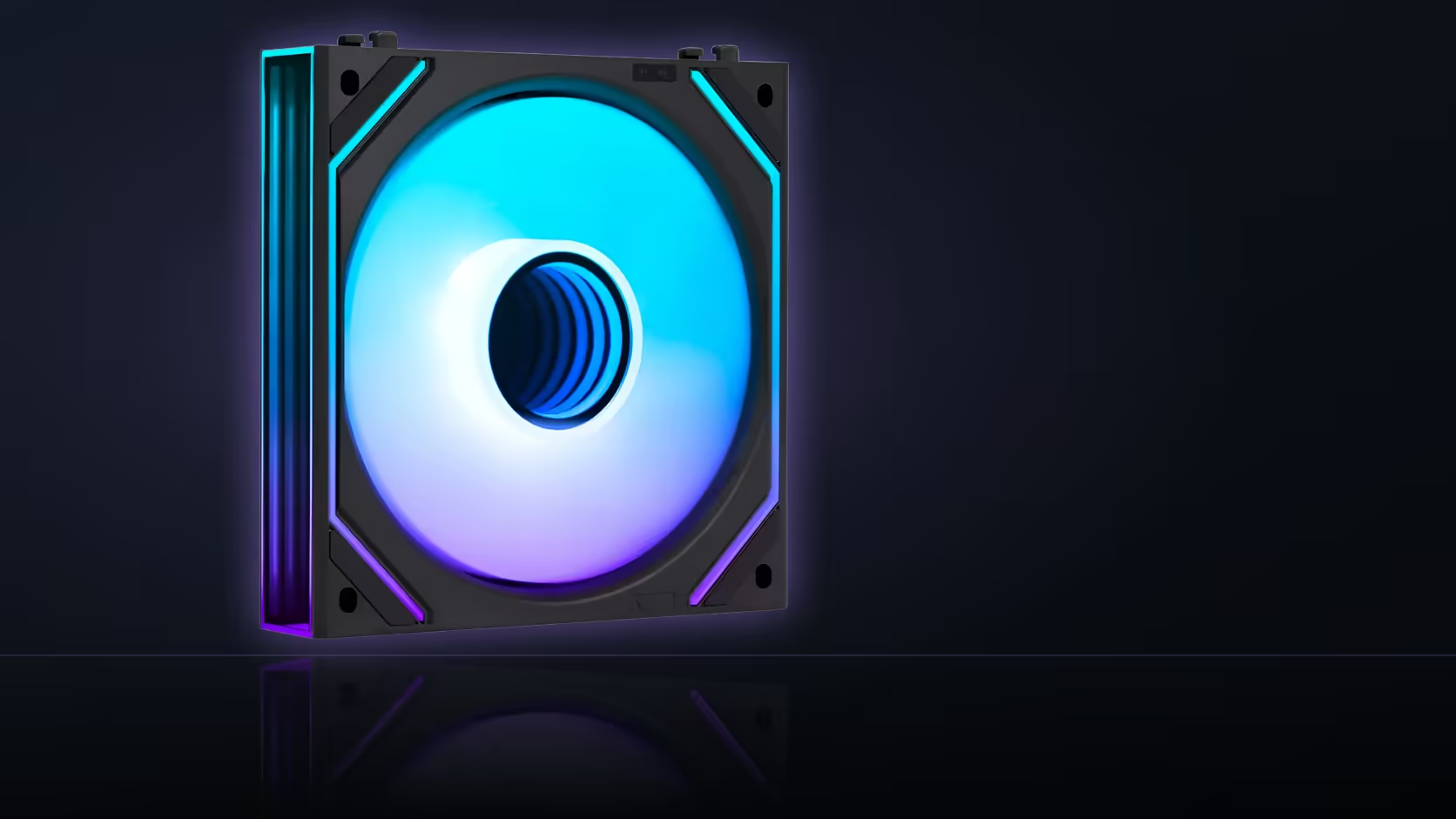
"My fan isn't working right" covers two completely different symptoms that call for two completely different fixes. A fan pinned at full speed regardless of temperature and a fan that never turns at all are opposite problems, and describing which symptom you actually have narrows the search dramatically before a single cable gets touched.
Quick Answer
A fan stuck at full speed generally points toward a control problem - a header in the wrong mode, a fan curve set incorrectly, or a fan connected somewhere no control is being applied at all. A fan that never starts points more toward a connection problem, or a curve requesting less speed than the fan's stated minimum will actually deliver. AsiaHorse fans in this range, priced from R199 to R599, spin at a minimum of 800 RPM, which matters directly to the second symptom.
🌀 A fan that will not slow down
When a fan refuses to drop below full speed no matter what the board is doing, the underlying cause is almost always control rather than the fan itself. Check the header's mode in the BIOS first - most boards offer a choice between PWM and DC voltage control on each header, and a fan set to the wrong mode for its connection type can behave erratically or simply run flat out. Confirm the actual curve assigned to that specific header too, since a curve genuinely set to full speed produces this exact symptom with a completely healthy fan.
Checking the header mode properly
BIOS fan control screens usually let you select PWM or voltage mode per header, alongside the curve itself - both settings are worth reviewing together, since a mismatch between the mode and the fan's actual connection type is a common and easily overlooked cause.
🛑 A fan that never starts at all
A fan that stays completely still points toward a different set of causes: a connection issue somewhere along its cable, or a fan curve requesting a speed genuinely below what the fan can deliver. Several models in this range are rated with a stated minimum of 800 RPM, and a fan simply will not run below that floor - a curve set very low does not slow the fan gradually toward zero, it just holds the fan at its minimum or, in some configurations, stops it from starting at all.
Could the minimum speed floor explain a fan that won't start
Yes - a fan simply will not turn below its rated minimum, so an aggressively low curve setting can present as a fan refusing to start, when what is actually happening is the fan sitting right at its floor or being denied enough signal to spin up in the first place.
🔗 What a broken chain looks like
A break partway through a daisy-chained row of fans can leave every fan positioned after that break entirely unpowered, which presents as several fans failing to start together rather than a single isolated unit. This is worth distinguishing from a genuinely faulty individual fan, since the fix is completely different - reseating a chain connector versus replacing one unit.
🔍 Isolating the actual cause
Moving the affected fan to a header you already know works is the fastest way to separate a fan problem from a header problem - if the fan behaves normally on the known-good header, the original header or its settings are the actual issue. Hub and mounting hardware for fan chains is stocked in the case accessories category, and the matching leads sit in the cable solutions range.
Does the lighting on a fan tell you anything useful here
No - lighting runs over an entirely separate 5V connection from the fan's speed control, so a fan that is fully lit but will not turn points squarely at the speed connection rather than anything to do with the fan's lighting.
🧾 The rated range differs slightly by model
Not every fan in this range shares exactly the same spec, and knowing which model you actually have narrows the "never starts" symptom further. The Nyota A12 and Nyota Pro, both sold as 3-packs, run 800-2000 RPM under PWM control and move up to 61.5 CFM, with the Pro adding an HDB bearing and dual-zone ARGB lighting that needs the separate ASH-S1 hub for independent zone control rather than working through motherboard software alone. The Nyota Ultra, sold singly, covers the same 800-2000 RPM range at up to 58.5 CFM on a hydro bearing, while the Amici 5GT tops out lower, at up to 1800 RPM and 61.5 CFM on its own hydro-dynamic bearing rated for 50,000 hours. None of these differences change the diagnosis logic above, but they do mean a curve requesting, say, 600 RPM will produce the exact same apparent no-start symptom on every model in the range, since 800 RPM is the practical floor across all four.
Confirming actual RPM rather than guessing from sound alone
A fan spinning right at its minimum can be hard to hear over other case fans, which sometimes leads to a fan being reported as "not starting" when it is genuinely turning, just slowly and quietly. Motherboard monitoring software, or the BIOS hardware monitor screen itself, reports the actual measured RPM for each header in real time, and checking that number directly removes the guesswork that listening alone leaves in place - a fan reading 800 RPM on the monitor is working exactly as specified, even if it sounds close to silent next to a fan spinning at 1500.
Frequently Asked Questions
What does a fan stuck at full speed suggest?
Usually a control problem: a header in the wrong mode, a curve set to full speed, or a fan connected where no control is actually being applied.
And what does a fan that never starts suggest?
A connection problem, or a fan curve asking for less speed than the fan's rated minimum, which for several models in this range is 800 RPM.
How do I check a header's control mode?
In the BIOS, where each header usually offers a choice between PWM and voltage control alongside its assigned speed curve.
Could the fan's minimum speed floor be the explanation?
Yes - a fan will not run below its stated minimum, so a very low curve setting simply holds it at that floor rather than stopping it gradually.
What does a broken chain on a row of fans look like?
It can leave every fan positioned after the break entirely unpowered, presenting as several fans failing to start rather than one isolated unit.
Is moving the fan to another header a useful test?
Yes - connecting it to a header you already know works separates the fan itself from the original header, which is the quickest way to isolate the cause.
Does the fan's lighting tell you anything about its speed fault?
No - lighting runs on a separate 5V connection entirely, so a lit fan that will not turn points directly at its speed connection instead.
Trying to work out why a fan is behaving strangely?
Browse cooling accessories in the case accessories range and connection cables in the cable solutions category to sort it out.