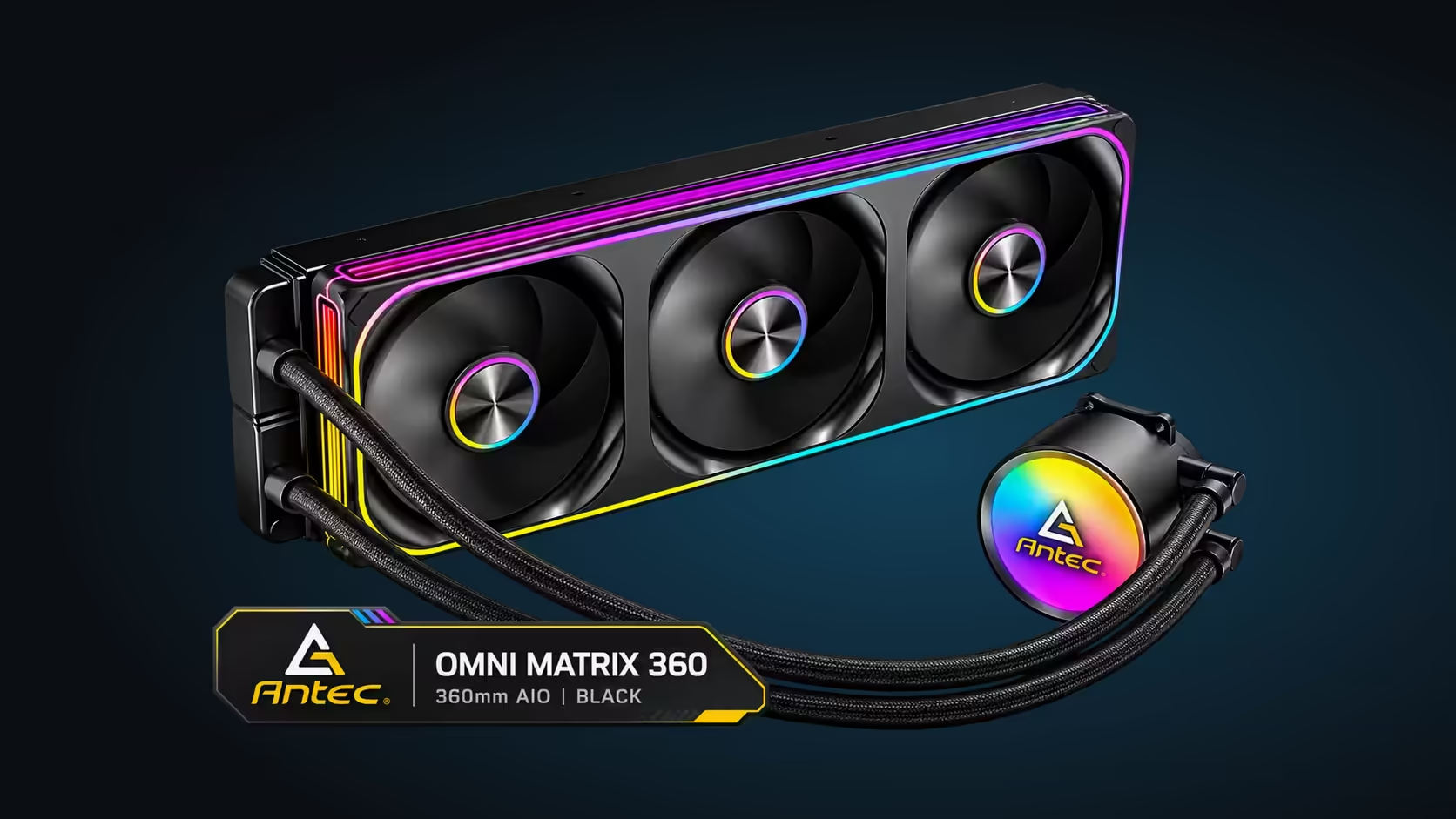
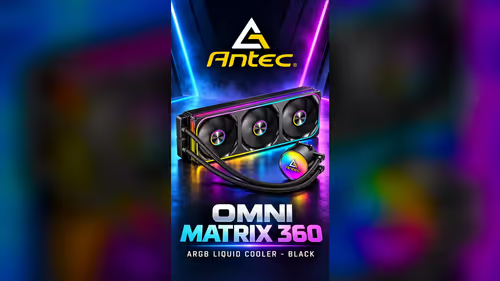
A spec sheet for an AIO cooler reads like a list of numbers, and most of those numbers only matter once you know what they change in a real build. The Antec Omni Matrix 360 lists a 360mm radiator, three 120mm PWM ARGB fans, a 2700RPM pump, braided tubing and support for four sockets. Each line tells you something about fit, noise or compatibility. Here is how to read each part of the spec in practice, and what it means for the cooler you bring home.
Quick Answer
The Antec Omni Matrix 360 pairs a 360mm radiator with three 120mm PWM ARGB fans and a 2700RPM pump. Its fans run between 800RPM and 1800RPM at 42.9CFM each, and it supports Intel LGA 1851, LGA 1700, AM5 and AM4. The cooler is R999 at Evetech, and the spec explains both the fit and the noise.
📐 The 360mm radiator
The radiator size is the first line to read, and it sets the case requirement. The 360mm radiator runs about 394mm and needs a full slot in the case. That length decides which cases can take the cooler, and it is the measurement to check first.
The size also sets the fan count. A 360mm radiator is designed for three 120mm fans, which is why the cooler ships with three. A 240mm radiator takes two fans of the same size, so a builder comparing sizes is really comparing fan counts as well as radiator length.
The radiator's surface area is what carries the heat into the air. A larger area removes more heat at a given fan speed, so the bigger radiator often runs its fans more quietly for a similar result. Read the radiator size as a cooling and noise figure, not only a fit figure.
🌀 The three 120mm PWM ARGB fans
The fan line tells you three things: the size, the control and the lighting. The fans are 120mm, so they fit the radiator's mounts. They are PWM, which means the board controls their speed, and they are ARGB, which means the rings can show colour and effects.
The speed range is the next figure. The fans run between 800RPM and 1800RPM, so the floor is the quiet setting and the ceiling is the full-airflow setting. A fan curve moves between those two points, and the range tells you how much noise and cooling the curve can produce.
The airflow figure is the third. Each fan is rated at 42.9CFM, so three fans together move about 129CFM on paper. That figure is what pulls heat through the radiator, and it is the number to compare when you judge how well the fans will cool.
🔄 The 2700RPM pump
The pump figure tells you how fast the impeller turns. At 2700RPM, the pump turns 45 times every second, and that speed keeps the coolant moving between the block and the radiator. The pump runs at its own rate, and you do not set it in software the way you set the fans.
A pump speed figure is not a flow figure or a noise figure. It tells you how fast the impeller turns, but flow depends on the impeller and the loop, and noise depends on the mount and the tubing. Read the 2700RPM as a sign of the pump's rated speed, and check the pump reading in BIOS once the cooler is running.
🧵 Braided tubing and the loop
Braided tubing protects the coolant loop, and the braid makes the tube harder to kink than a plain rubber tube. That matters when the case is tight, because a kink in the loop restricts the flow. Route the tubing first, then tighten the block, leaving slack so the tubes can bend without pulling on the pump. Leave about 3cm of slack in the tube so the pump is not pulled.
The braid also looks tidy in a lit case. Through a glass side panel the tubing is visible, so a neat route makes the loop look as finished as the fans.
🔌 The socket support line
The socket line decides whether the cooler mounts at all. Its socket list reads Intel LGA 1851, LGA 1700, AMD AM5 and AM4. Those are four sockets from two makers, and each one needs its own bracket.
Check the socket name on your board and match it against the list before you buy. A socket that is not on the list needs a different cooler, and a socket on the list still needs the right bracket. The socket line is the one spec you must match exactly.
Read the tubing line with the case in mind as well. A braided loop that routes cleanly keeps the pump free of strain, and a clean route also makes a later clean-out easier. Take a photo of the finished route before you close the case, so any future service returns the tubing to the same path without guesswork. The photo costs nothing and saves time on a busy evening.
The fan line works the same way. Three fans on one cable means one header and one curve to set, so the fan settings in BIOS stay simple. Set the curve once for the games you play, then leave it alone unless the room or the processor changes.
💰 Putting the spec and the price together
The cooler is R999 at Evetech. Read the spec against your case and your processor, then decide whether the radiator size, the fan speed range and the socket support match the build you have planned. The spec explains the cooler; your case and processor decide whether it suits you.
Specs for the 360mm options sit in the liquid CPU coolers range, while the CPU coolers category lists everything else in cooling.
Frequently Asked Questions
What does 800RPM to 1800RPM mean for the fans?
It is the speed range the board can move the fans through. 800RPM is the quiet floor and 1800RPM is the full-airflow ceiling, and the fan curve sets where between the two they run.
Is 42.9CFM a lot of airflow?
It is the rated airflow for each fan. Three fans together move about 129CFM on paper, and that is the figure to compare against other 360mm coolers.
Does a 2700RPM pump mean the cooler is louder?
Not on its own. Pump noise comes from the mount and the tubing as much as the speed, so check the mounting and the tubing path before you judge the sound.
Which sockets does the cooler support?
LGA 1851, LGA 1700, AM5 and AM4. Match the socket on your board to that list, and use the bracket for that socket.
Reading a cooler spec before you buy?
Browse our liquid CPU coolers and compare the radiator, fan and socket details against your build.