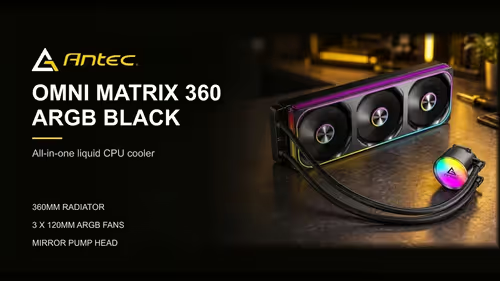
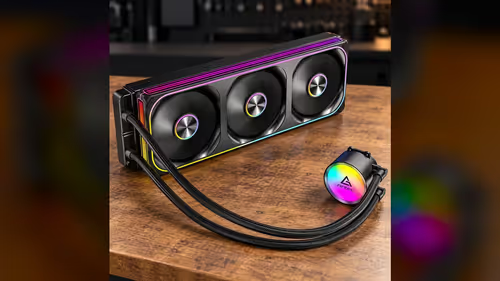
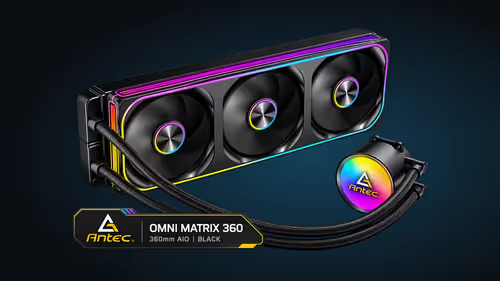
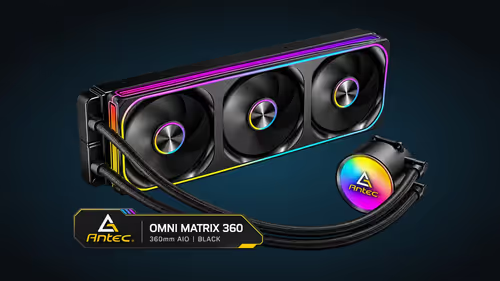
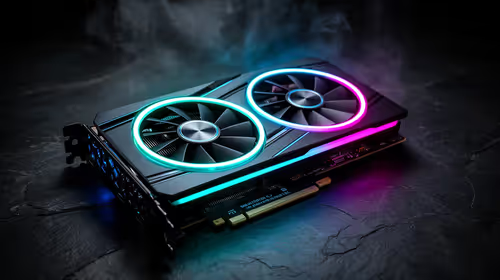
An infinity mirror fan is built around one idea: the light should travel further than the fan itself. On the Omni Matrix 360, the ARGB rings sit on the fan frames and in the fan centres, and the four-sided frame reflects that light across its walls. The result is a glow with layers, and the layers come from design choices you can read on the spec and see on the bench. Here is how those choices fit together, what the light path looks like from the inside and how to set the effects so the design shows its best side.
Quick Answer
Infinity mirror fans use reflective frames, so the light repeats across the sides and each fan looks deeper. The Omni Matrix 360 uses four-sided frames with full ARGB rings on the fan frames and centres. The look comes with the cooler at R999, rather than as an upgrade bolted on afterwards.
🧩 The parts that make the effect
An infinity mirror fan has three parts that work together. The ARGB ring sits on the fan, the frame surrounds the fan and the reflective walls line the inside of the frame. Each part plays a role in the light path, and the effect depends on all three.
The ARGB rings on the Omni Matrix 360 sit on the fan frames and in the fan centres. That placement puts light at two points on each fan, which gives the reflections two sources to work with. Two sources produce a more layered result than one, and the centre light adds depth at the hub.
The four-sided frame is the reflective structure. Its walls catch the light from the rings and bounce it back and forth, so the glow repeats towards the middle of the fan. Four walls give the light more paths than two would, and the repeat looks more even around the fan.
💡 Following the light path
Start at the ARGB ring. The LEDs take their colour from the controller, and the ring sends that colour outwards. Some of the light goes straight through the front of the fan, and some reaches the frame wall, where it bounces. Each 120mm frame sends light inward from its ring, so the glow spreads across the frame's full width.
Each bounce changes the look. A bounce that hits the wall at a shallow angle carries the colour further inwards, and a bounce at a steep angle returns it closer to the edge. The mix of bounces creates the layered look, and the eye reads the layers as depth.
The centre light works in the same way on a smaller scale. A light at the hub reflects off the inner walls, which adds a second set of layers near the middle of the fan. The two sets of layers meet in the middle and make the fan look like a tunnel from the front.
🎛️ Setting the effects for the layers
The effect looks different in each mode, so choose the mode that shows the layers best. A steady colour shows the layers clearly, because each bounce carries the same colour. A chase or a breathing effect moves the light, so the layers blur into a moving band. Start the brightness around 50% and judge the effect from about 1 metre away.
Brightness changes the look too. A bright setting washes out the reflections, while a dimmer setting lets the layers stand out. Set the brightness to a level where the frame edges are clear and the inner layers still show.
Keep the colour order in mind. Some controllers swap two channels, and a red may appear green. Check the colour with a steady test colour before you set an effect, so the layers show the colour you chose.
Think about how often you will look at the case. A frame that glows only when you sit at the desk is a different choice from one that faces the room, and the answer decides whether the glass panel is worth the extra cost. Keep the lit side facing the seat you use most, and the effect earns its place every session.
🪟 Choosing the case for the effect
The case decides how much of the effect you see. A glass side panel shows the whole layered look, while a solid panel hides most of it. A mesh panel sits between the two, and the effect is visible through the gaps.
The viewing distance matters as well. From about 1 metre away, the layers look distinct, and from further back they blur into a soft glow. Place the case where the glass faces the seat you use most, so the design is in view when you are working or playing.
Lighting in the room affects the contrast. A dark room makes the reflections stand out, while a bright room softens them. Plan the lamps around the case as well as the cooler.
Test the frames in a dark room first, with the case closed and the panel on. Run a steady colour, then slowly raise the brightness until the layers appear, and note the level where the frame edges are still clear. That level is the one to keep for everyday use, because a brighter setting in a room with the lamps on will wash the effect out.
🧭 Matching the fans to the rest of the build
Start with the fan count. The Omni Matrix 360 has three fans, so the three frames make a group that looks consistent. A build with other fans should match the lighting controller and the colour settings, so the lights sit in one family. Check that the board has a spare 3-pin ARGB header before you commit to the lit look.
Check the header count next. The three fans come on one PWM cable, and the ARGB lighting needs an addressable header. A board with a spare ARGB header keeps the lights in step with the rest of the case.
Then check the rest of the case. Case fans with a matching frame style give the build a coherent look, and our case fans range shows the frames available. The CPU coolers category covers the liquid coolers with lit fans.
Frequently Asked Questions
What makes an infinity mirror fan look deeper?
Its reflective walls bounce the ARGB light back and forth, and each bounce carries the colour further into the fan. The layers read as depth.
Where are the ARGB lights on the Omni Matrix 360?
The rings sit on the fan frames and in the fan centres, which gives each fan two light sources.
Which effect shows the layers best?
A steady colour at a moderate brightness shows the layers most clearly. Fast chase effects blur them into a moving band.
Do I need a glass panel to see the effect?
For the full depth, yes. A solid panel hides most of the reflections, while a glass panel shows the layers.
Want a lit fan build?
Browse our case fans and liquid coolers, and pick frames that match the glass on your case.