Plug a R6,000 pair of headphones into a laptop jack and wonder why they sound thin, and the answer usually is not the headphones. It is the chain feeding them. DACs, headphone amps and audio gear each solve a separate, specific problem, and knowing which one your setup actually has lets you spend money where it changes the sound rather than on a box that fixes nothing.
Quick Answer
A DAC converts the digital audio your computer stores into a clean analogue signal. A headphone amp supplies the voltage swing that high-impedance headphones (250 to 600 ohm) need to reach proper volume. Easy-to-drive headphones usually need neither; demanding studio cans benefit from both, often in one combined unit costing roughly R2,500 and up.
What a DAC Does, and When It Helps
Every digital device, your PC, phone, or console, stores audio as numbers. A digital-to-analogue converter turns those numbers into the analogue waveform your headphones can actually play. Your motherboard, phone, and laptop all have a built-in DAC already; you are never without one.
So the real question is not whether you need a DAC but whether you need a better one than the chip already inside your device. An external DAC helps in two situations. The first is electrical noise: a built-in chip sitting next to a busy motherboard can pick up a faint hiss or whine, and moving conversion to a separate box outside that interference cleans it up. The second is capability, such as decoding high-resolution files your onboard chip downsamples.
For a lot of people on decent onboard audio with ordinary headphones, an external DAC is a subtle upgrade at best. Be honest about whether you can hear the hiss before you spend. If your current setup is dead quiet and loud enough, the conversion stage is not your weak link.
What a Headphone Amp Does, and Why Impedance Decides
An amplifier does something completely different from a DAC. It takes the line-level analogue signal and boosts it with enough power to drive the headphone drivers to a useful volume. The deciding factor is impedance, measured in ohms.
Low-impedance headphones (under 50 ohm)
Most consumer and gaming headsets sit here, typically 16 to 32 ohm. They are designed to run straight off a phone or laptop and reach full, satisfying volume with no help. Adding an amp to easy-to-drive headphones changes almost nothing audible; the source already delivers what they need.
High-impedance headphones (250 to 600 ohm)
Many studio and audiophile models are deliberately built with high impedance for a flatter, more controlled response. The catch is that they need far more voltage swing to move the driver properly. Run a 300 ohm pair off a laptop and you will crank the volume to maximum and still get quiet, lifeless sound with no dynamics. That is the textbook case where an amp transforms the experience, not subtly but completely.
The honest test is simple. If you turn your headphones near maximum and still want more volume, or the sound feels flat and gutless, the amp stage is starving them. If they get plenty loud with headroom to spare, an amp adds nothing you will hear.
Combined DAC/Amp Units: the Practical Middle Ground
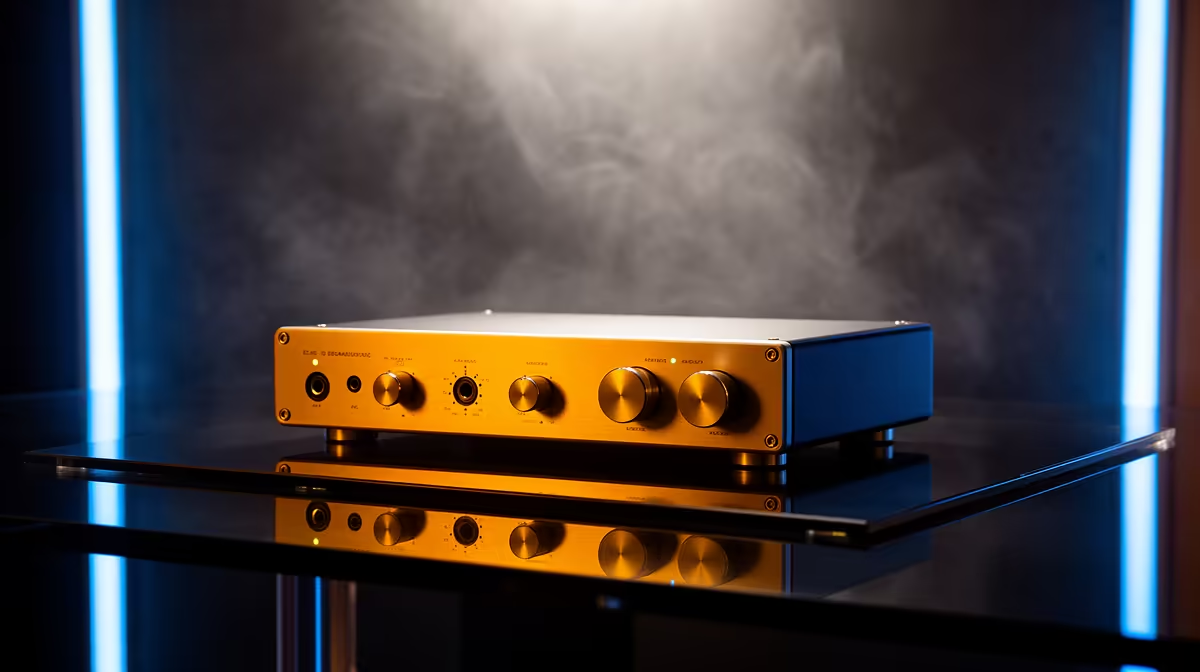
For most people upgrading deliberately, a single box that does both jobs is the sensible buy. A combined DAC/amp takes USB straight from your PC, handles conversion away from motherboard noise, and provides clean amplification for demanding headphones, all in one unit on the desk. It removes guesswork about matching separate components and tidies the cabling.
Desktop combined units start around R2,500 and climb with output power and features. Portable USB dongles that combine a small DAC and amp are cheaper and pair well with phones and laptops, though they deliver less raw power for the most demanding headphones. The split between desktop and portable comes down to whether you sit at one rig or move between devices.
If you are weighing which class of headphones to feed in the first place, it is worth scanning what is currently popular: the headset best sellers show the mix of easy-to-drive gaming sets and higher-impedance pairs people are actually buying, which tells you whether amplification is even part of your decision.
Building a Sensible Audio Chain in South Africa
Start by identifying your weak link rather than buying gear to feel thorough. Run through it in order: are your headphones loud enough and free of hiss on what you already own? If yes, you are done, and any box you add is a solution to a problem you do not have.
If the sound is quiet and flat on demanding headphones, an amp is your fix. If it is noisy or you want high-resolution playback, a DAC earns its place. If both apply, a combined unit covers it in one purchase and one set of cables. Buy the headphones first, then match the source to what they demand, because the headphones make by far the biggest difference to what you hear. To see the range of impedances and driver sizes that drive these decisions, browse the current headphones and headsets at Evetech and check the impedance figure on the spec sheet before you decide whether extra gear is worth it.
Where each piece sits in your budget
A useful way to plan spend is to think in tiers. On a tight budget, put almost everything into the headphones and run them straight off your existing source; for easy-to-drive sets this gives you most of the available quality with nothing extra to buy. At the mid tier, add a portable USB DAC/amp dongle, a modest outlay that cleans up noisy onboard audio and adds a bit of power, suiting people who switch between a phone and a laptop. At the top tier, a desktop combined DAC/amp from around R2,500 upward drives demanding studio headphones properly and stays put on the desk as a permanent part of the rig.
The mistake to avoid is inverting that order. Spending heavily on a DAC and amp while running cheap headphones is backwards, because the source can only reveal what the headphones are capable of, and a budget pair has a low ceiling no matter how clean the chain feeding it. Get the transducers right first, then feed them well.
Frequently Asked Questions
Do I need a DAC if my motherboard already has one?
Only if the onboard chip is audibly noisy or cannot handle the audio quality you want. Many onboard solutions are clean and loud enough, in which case an external DAC is a marginal upgrade rather than a necessary one.
How do I know if my headphones need an amp?
Check the impedance rating. Anything under about 50 ohm runs fine off a phone or laptop, while 250 to 600 ohm headphones usually need an amp to reach proper volume and dynamics. If you max the volume and still want more, that is the tell.
Should I buy a DAC and amp separately or combined?
For most people a combined unit is simpler, tidier and cheaper than two boxes. Separate components make sense only when you want to upgrade one stage independently or chase a very specific sound.
Will a DAC or amp fix bad-sounding headphones?
No. Neither device improves the fundamental quality of the headphones; they only make sure the headphones are fed properly. Spend on the headphones first, then on the source.
Are USB dongle DAC/amps worth it?
Yes, for phones and laptops with easy-to-drive headphones, a dongle is a cheap and genuine improvement over a weak built-in jack. They deliver less power than a desktop unit, so very demanding high-impedance headphones still want a full-size amp.
Work out your weak link, then fix it. Browse the headphones and headsets at Evetech to match impedance to your source, and step up to a combined DAC/amp only where your gear actually needs the extra power.