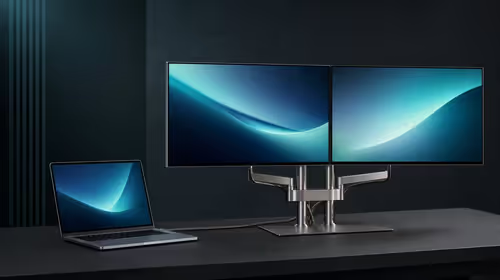
A desk is the foundation every other peripheral sits on, so a flexing or undersized top undermines a good monitor, chair and keyboard at once. Get the width, depth and frame right and the rest of the setup finally feels planted.
Quick Answer
A 100cm to 120cm desk from about R1,500 fits most res and digs rooms while leaving space for a laptop, a second monitor and notes. Check the depth is at least 60cm so a 27-inch screen sits at a comfortable arm's length.
The Measurements That Decide Fit
Three numbers settle most desk choices. Width sets how many monitors and how much working space you get: 120cm for a single screen, 140cm to 160cm for dual or ultrawide. Depth should be at least 60cm so a 27-inch monitor sits an arm's length away and your wrists rest on the surface. Weight rating matters once a heavy monitor arm, a tower on top and speakers add up, so a desk rated to 80kg or more avoids sag. A steel frame resists the wobble that kills precise work.
Sizing A Desk For Res And Digs
Residence rooms and shared digs rarely have wall-to-wall space, so measure before buying. A 100cm to 120cm top leaves room for a laptop riser, a borrowed second monitor and notes without crowding the bed or cupboard. Look for a top that takes a clamp-on monitor arm, because reclaiming the surface under the screen matters more in a small room than in a study.
How To Buy For First-year student setup
Start from the room, not the catalogue. Measure the wall space, then pick the widest stable desk that fits with a little clearance. For first-year student setup, prioritise a steel frame and at least 60cm of depth before any extra. A monitor arm is often the highest-value add-on because it frees the surface and improves posture. Buying the frame right the first time means you only upgrade accessories later, not the whole desk.
Tailored To First-year student setup
First-year and res setups start small and grow, so buy the part that lasts, the frame or the core, then add accessories each term rather than overspending in O-Week. For this use, prioritise a steel frame and at least 60cm of depth, with capable desks from about R1,500 and dual-monitor surfaces near R3,000.
FAQ
How wide should my gaming desk be?
Allow 120cm for a single 27-inch monitor and keyboard, and 140cm to 160cm for dual monitors or a 34-inch ultrawide. Depth of at least 60cm keeps the screen a comfortable arm's length away.
Does a steel frame really matter?
Yes for anyone mounting a monitor arm or doing precise work. Steel frames resist the wobble that thin-leg desks show under a heavy monitor and fast typing, which protects accuracy and reduces fatigue.
Should I get a sit-stand desk?
Only if you work long hours and value posture changes; a manual or electric sit-stand frame costs more and is best added as a later phase. A stable fixed desk plus a good chair covers most buyers first.
wall space and monitor footprint first, then buy the widest steel-framed desk that fits with clearance, and add a clamp-on monitor arm to reclaim the surface.