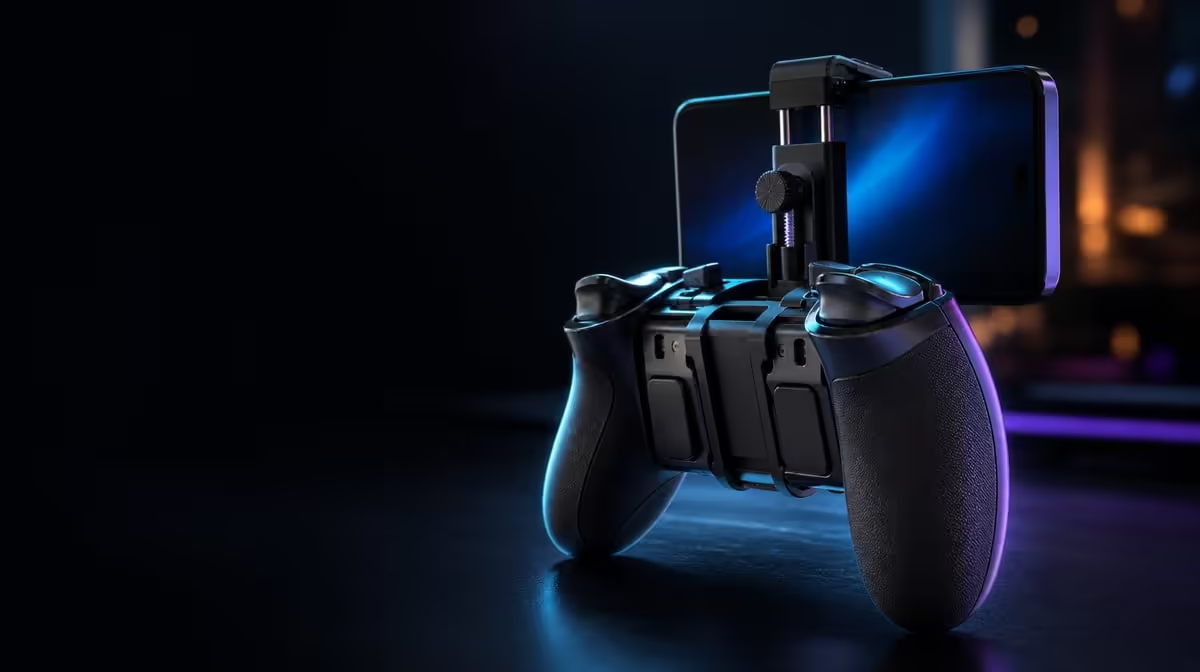
Android and PC can share a controller without sharing every prompt, profile or connection. Software customisation for Android and PC controllers should preserve separate device baselines, align ABXY actions and change only the settings a game can use. The R699 GameSir X5s combines tuning with tri-mode connectivity, swappable buttons and Turbo, making profile discipline more important than the number of available options.
Quick Answer
Create separate Android and PC profiles only after default input works on each device. At R699, the X5s combines software customisation, physical ABXY changes and Turbo across a tri-mode design. Name profiles by device and game, keep an untouched baseline, and retest after switching connection modes.
📱 Build the Android baseline first
Pair the X5s over Bluetooth and confirm that the Android game accepts external controller input. Test the default ABXY actions, Hall sticks and analog triggers before opening customisation software.
Record which features the title recognises. An Android pairing does not guarantee external gyro, HD Vibration or partial trigger response in every game. The profile should reflect supported behaviour rather than attempt to force a feature the title does not expose.
If visible ABXY labels do not match the convention, photograph the original caps and rearrange them separately from digital mapping. Then press each button and write down the command. Physical letters and software actions are different layers.
Give the profile a clear name containing the Android game, and note its purpose in one sentence. "Android layout for matching prompts" is easier to maintain than "profile 2".
Add the connection to the note if it affects the routine. A profile might be intended for Bluetooth mobile play, but the mapping itself should not be asked to repair pairing. Keeping connection and control purpose visible prevents one layer from absorbing the other's faults.
Run a combined Android test after saving: menu navigation, gameplay ABXY, slow stick movement, a trigger press and any supported gyro action. The sequence proves that custom settings did not break an input outside the original goal.
The Evetech gaming controller category provides context for comparing profile features with other mobile control priorities.
🖥️ Give PC play its own evidence
Connect the controller to the PC through the intended route. USB-C supplies a direct reference. Bluetooth may serve a receiver-free wireless role, while 2.4GHz requires a compatible dongle that is not included.
Do not load the Android profile immediately. Test the default PC input and record prompts, button actions and game support. This clean result reveals which differences come from the platform or title before custom settings enter the picture.
Create a PC profile only for the gaps that matter. A mapping may need to follow different prompts, or a supported stick response may suit the game. Change one item, test a menu and gameplay sequence, then save.
Keep the Android profile closed while building the PC version. Shared notes can list the differences, but each working state should remain restorable. This is safer than repeatedly editing one profile as the controller moves.
The X5s controller remains R699, while any separate 2.4GHz receiver belongs in the full PC setup plan. Software cannot compensate for an absent or incompatible dongle.
🎯 Tune Hall sticks and gyro with restraint
Hall Effect sticks sense position magnetically and reduce contact-related drift wear. Check neutral with the controller still, move each stick around its range and preserve the stable baseline.
If supported software exposes response settings, reduce deadzone gradually and test fine movement after every change. Do not copy an Android value blindly to PC, because games can interpret input differently.
Six-axis gyro requires separate calibration. Disable it during the stick check, then calibrate while still and add moderate motion response in a game that recognises the input. Broad turns can stay on the stick while tilt handles fine correction.
HD Vibration may disturb motion aiming or alter grip. Adjust it after stick and gyro behaviour is understood. A per-game profile should organise these supported settings, not mask a connection or performance problem.
Compare the same local action over USB-C and the intended wireless mode before using sensitivity to solve delay. If the response problem survives the connection change, inspect the game, device and display. Software tuning cannot shorten online server travel either.
Browse Evetech gaming accessories once Android and PC input are stable.
⚡ Keep Turbo and mode changes traceable
Turbo repeats an assigned action. Add it to one suitable input, verify the repetition, then confirm that disabling it restores a normal press. Save the feature only in the profile that needs it.
After switching between Bluetooth, USB-C or planned 2.4GHz, reconnect and test default input before deciding that a custom profile disappeared. The device or game may have recognised a different state.
Use a simple handoff checklist between platforms: connection, device recognition, default ABXY, intended profile, one stick test and the Turbo state. This routine prevents a PC mapping from being "fixed" for Android and then broken again on return.
Keep one short revision note whenever a profile changes. Record the reason and the outcome. The important part is traceability: a later player should know why the profile differs from default.
Review profiles after game updates or a long gap. Begin from default input, confirm the title still recognises the controller and only then load the custom arrangement. This protects an old mapping from being mistaken for a new hardware fault.
Run the platform handoff in both directions before calling the setup complete. Move from Android to PC, restore the expected controls, then return to Android without editing the working mobile profile. A reversible round trip is stronger evidence than one successful switch, because it proves the notes, names and baselines remain understandable.
Software cannot improve network routing, create game support or repair an unstable physical connection. Diagnose those layers outside the profile. Customisation earns value by making known-good input feel familiar and repeatable.
At R699, the X5s offers enough physical and digital flexibility to serve different devices, but clear baselines are what make that flexibility manageable. The Evetech accessories best-seller page can help complete either setup after the profiles are dependable.
Frequently Asked Questions
Why use separate Android and PC profiles?
Games and platform prompts can differ. Separate profiles preserve working layouts without repeatedly changing one shared set of controls.
What should be confirmed before opening software?
Confirm the connection, device recognition, game support and default inputs. Custom settings should begin from a working baseline.
How do physical ABXY caps affect a profile?
They change visible labels, not the transmitted actions. Record the cap layout and align digital mappings separately.
Can Hall stick settings differ between games?
Yes. A game's response can change the useful deadzone or sensitivity, so test each profile rather than copying values blindly.
What does the software-ready X5s cost?
The GameSir X5s costs R699. The 2.4GHz dongle remains outside that controller price.
Ready to move between Android and PC without losing a working layout?
Explore Evetech gaming controllers and organise connections, defaults and profiles around each device you actually use.