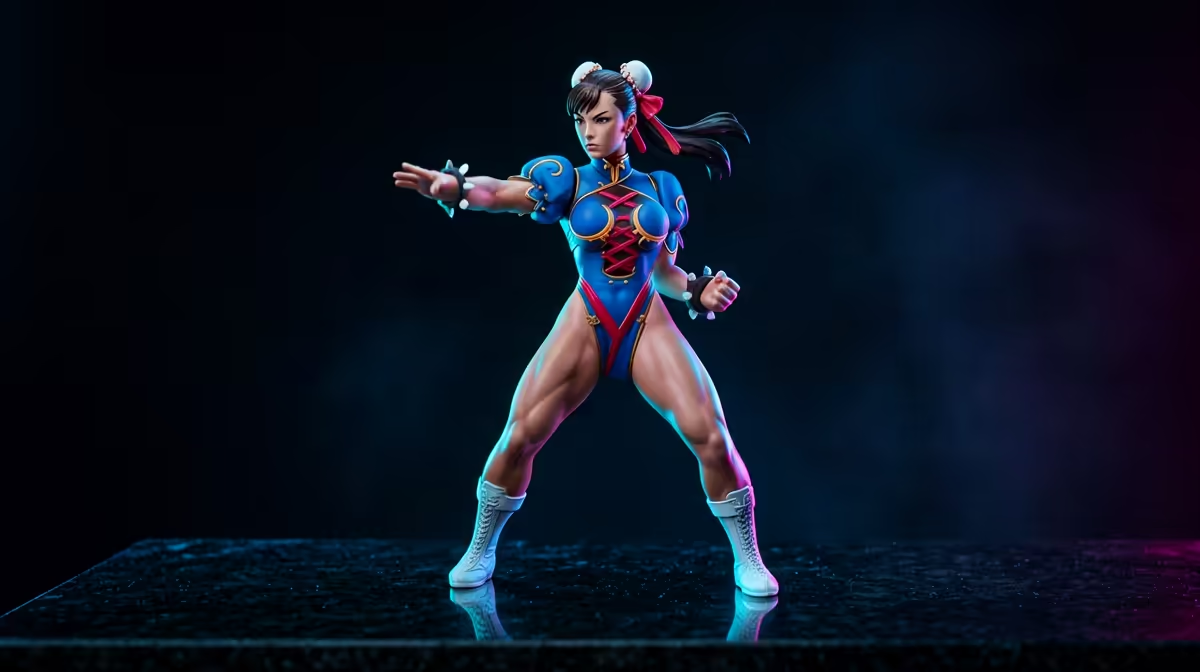
Your gaming rig is a beast. You’ve got the GPU, the high-refresh-rate monitor, the mechanical keyboard that sounds just right. But what about your desk? If it’s just a blank surface, you’re missing a trick. It’s time to give your space some soul. A Chun-Li figure desk setup isn't just about plonking down a statue; it’s about creating an environment that inspires you to win. It’s your personal HQ. Let's get it sorted. ✨
Why a Themed Battlestation Matters
A well-styled battlestation does more than just look good for your Discord streams. It creates a focused, immersive zone that’s uniquely yours. Choosing a central character, like the iconic Chun-Li, gives you an instant theme and colour palette to build around. It transforms your setup from a collection of parts into a cohesive, personalised command centre. Forget generic... let's build something legendary.
Your journey into styling your battlestation starts with finding that perfect centerpiece. The world of awesome collectables is massive, but we're focusing on a legend today.
Building Your Chun-Li Figure Desk Setup
Creating the ultimate Chun-Li figure desk setup is all about the details. It's a fun project that lets you express your fandom while optimising your gaming space. Here’s a simple blueprint to follow.
1. Choose Your Champion: The Centrepiece Figure
This is the heart of your setup. You want a figure that captures the energy of the character. Look for dynamic poses and high-quality sculpts. Whether it’s a classic battle stance or a more stylised interpretation, this figure sets the tone. There are incredible high-quality scale figures that offer stunning detail, perfect for being the main attraction. For those with a bigger budget looking for a true showstopper, the craftsmanship on some premium figures is simply next-level.
2. The Colour Palette: Blue, Gold, and White
Chun-Li’s classic costume provides the perfect colour scheme.
- Primary Colour: A strong, vibrant blue. Use this for your main RGB lighting on your keyboard, mouse, and PC case fans.
- Accent Colour: Gold or yellow. A splash of this on a few keycaps, your desktop wallpaper, or a secondary lighting effect adds that authentic pop.
- Neutral Colour: White. Use this for your cables, monitor stand, or even your PC case to create a clean, sharp contrast that makes the blue and gold stand out.
RGB Pro Tip ⚡
Use software like SignalRGB or OpenRGB to synchronise the lighting across all your different branded peripherals. You can create a custom profile using Chun-Li's colours (try Hex codes #0070D1 for blue and #FFD700 for gold) and apply it to your entire setup with a single click. This creates a truly cohesive and immersive look.
3. Supporting Cast: Building Out the Theme
One figure is great, but a curated collection tells a story. You don’t want to clutter the desk, but adding a few smaller pieces can enhance the theme. You could add other characters from the Street Fighter universe using more affordable prize figures to create a diorama.
Don't be afraid to mix styles, either. A few cute Kawaii figures can add a bit of fun and personality, showing another side of your fandom. For a softer touch and some extra character, you can even mix in some themed plushies and other accessories on a nearby shelf. 🚀
4. Cable Management & Final Touches
A great setup can be ruined by messy cables. Use white or blue cable sleeves, zip ties, or under-desk cable trays to keep everything tidy. This clean background makes your Chun-Li figure desk setup the undisputed star of the show. Finally, find a high-resolution wallpaper of Chun-Li or a stylised Chinese landscape to tie everything on your screen together with your physical space. Now, you're ready to play in style.
Ready to Style Your Own Battlestation?
Your gaming space is an extension of you. From iconic characters to subtle accents, the right figure can transform your desk from just a desk... to your personal command centre. Find the perfect centrepiece to start your journey.
Explore our massive range of collectables here!