Hey, fellow South African coder. You spend hours glued to your screen, your fingers dancing across the keyboard, building digital worlds one line at a time. But what if your most crucial tool is holding you back? The wrong keyboard switch can lead to finger fatigue, frustrating typos, and a drop in productivity. This coder's guide will help you find the best switches for programming, ensuring every keystroke is comfortable, accurate, and satisfying. ⌨️
Why Your Keyboard Switch Matters for Coding
Choosing a keyboard isn't just about RGB lighting or a slick design. The magic happens underneath the keycaps. The switch determines the feel, sound, and responsiveness of every single press. For a programmer, this translates directly to performance.
A good switch provides clear feedback, reduces the force needed to register a keypress, and helps prevent bottoming out (smashing the key all the way down). This minimises strain on your fingers and joints over long sessions, letting you focus on debugging that pesky bit of code instead of your aching hands. Finding the best keyboard switches for your workflow is a real investment in your comfort and efficiency.
The Best Switches for Programming: A Deep Dive
While personal preference is king, most developers find their perfect match in one of two categories: Tactile or Linear.
Tactile Switches: The Coder's Favourite
This is the sweet spot for most programmers. Tactile switches have a small, noticeable "bump" on the way down, right at the point of actuation. This bump gives you physical confirmation that your keystroke has been registered, so you can move to the next one without bottoming out.
- Why they're great for coding: The feedback improves typing accuracy and reduces errors. It's satisfying without being overly loud.
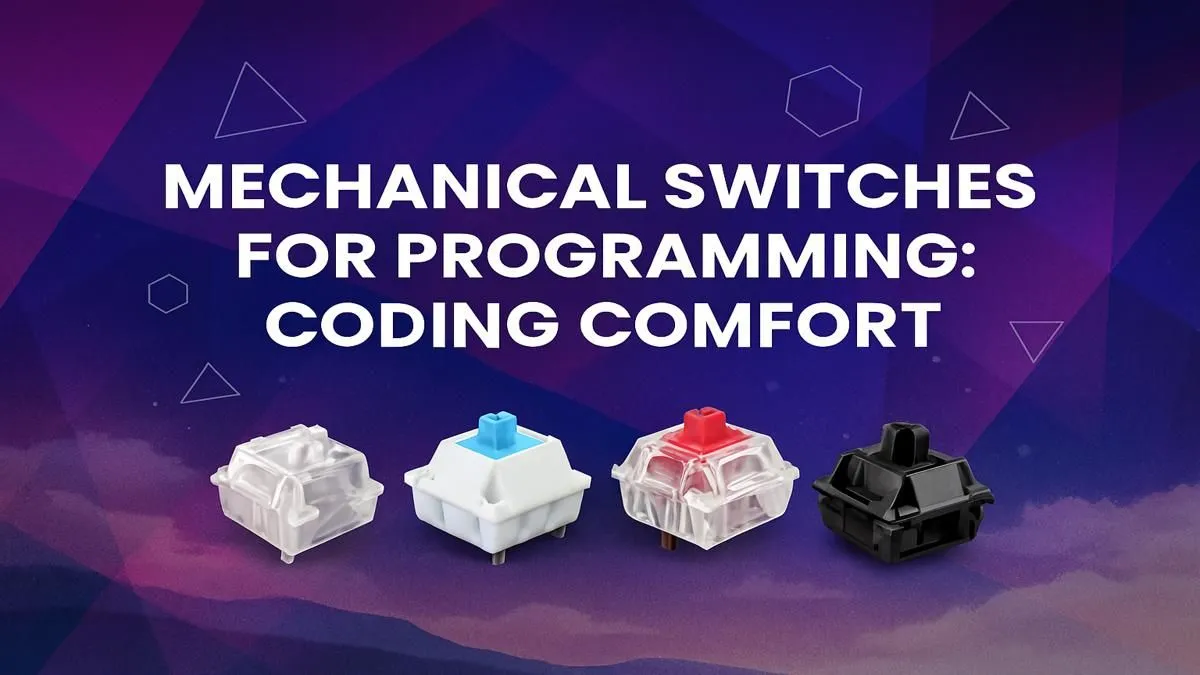
- Popular Choice: Cherry MX Brown and its equivalents are the industry standard for a reason. They offer a perfect balance of comfort and feedback.
Exploring the world of tactile switches is a great starting point. You can find a huge variety of standalone keyboard switches to customise your board or find them pre-installed in many professional keyboards.
Linear Switches: Smooth & Silent Operators
Linear switches offer a smooth, consistent keystroke from top to bottom, with no tactile bump. They are often favoured by gamers for their speed and responsiveness, but many coders love them too.
- Why they're great for coding: Their light actuation force can feel effortless, reducing finger fatigue. They're also much quieter, making them ideal for shared office spaces or late-night coding sessions.
- Popular Choice: Cherry MX Red switches are a common favourite, known for their light and fast feel.
Many of the best gaming keyboards on the market use high-quality linear switches, making them a fantastic dual-purpose option for work and play.
What About Clicky Switches?
Clicky switches (like Cherry MX Blues) provide a tactile bump and a loud audible "click." While incredibly satisfying to type on, the noise can be a deal-breaker for colleagues or family members. They're fantastic for solo work but are often not the best switches for programming in a shared environment.
Ergonomics Pro Tip ⚡
Don't let your wrists bear the burden of long coding sessions. A sloped keyboard or adjustable feet can help, but positioning is key. Try to keep your wrists as straight as possible, floating just above the keyboard rather than resting them on a hard desk edge. This reduces the risk of strain and discomfort.
Beyond the Switch: Optimise Your Coding Setup
Finding the right switch is a huge step, but it's part of a bigger picture. Creating the ultimate coding environment involves a few more pieces.
Your journey doesn't have to break the bank; there are many affordable keyboard options that offer a fantastic typing experience right out of the box. For a truly seamless desk, consider grabbing one of our curated keyboard and mouse combos to get a perfect match from the start.
Want to add a personal touch? Upgrading your keycaps can change the entire feel and look of your board. A set of high-quality PBT custom keycaps provides a better texture and will last for years without showing shine. Finally, protect your wrists for the long haul with one of our comfortable and supportive ergonomic wrist rests. It's a small addition that makes a massive difference during marathon coding sessions. ✨
Ready to Upgrade Your Keystrokes?
From silent linears to satisfying tactiles, the perfect switch is waiting to transform your coding experience. Explore our massive range of mechanical keyboards and find the perfect tool to build your next big project.