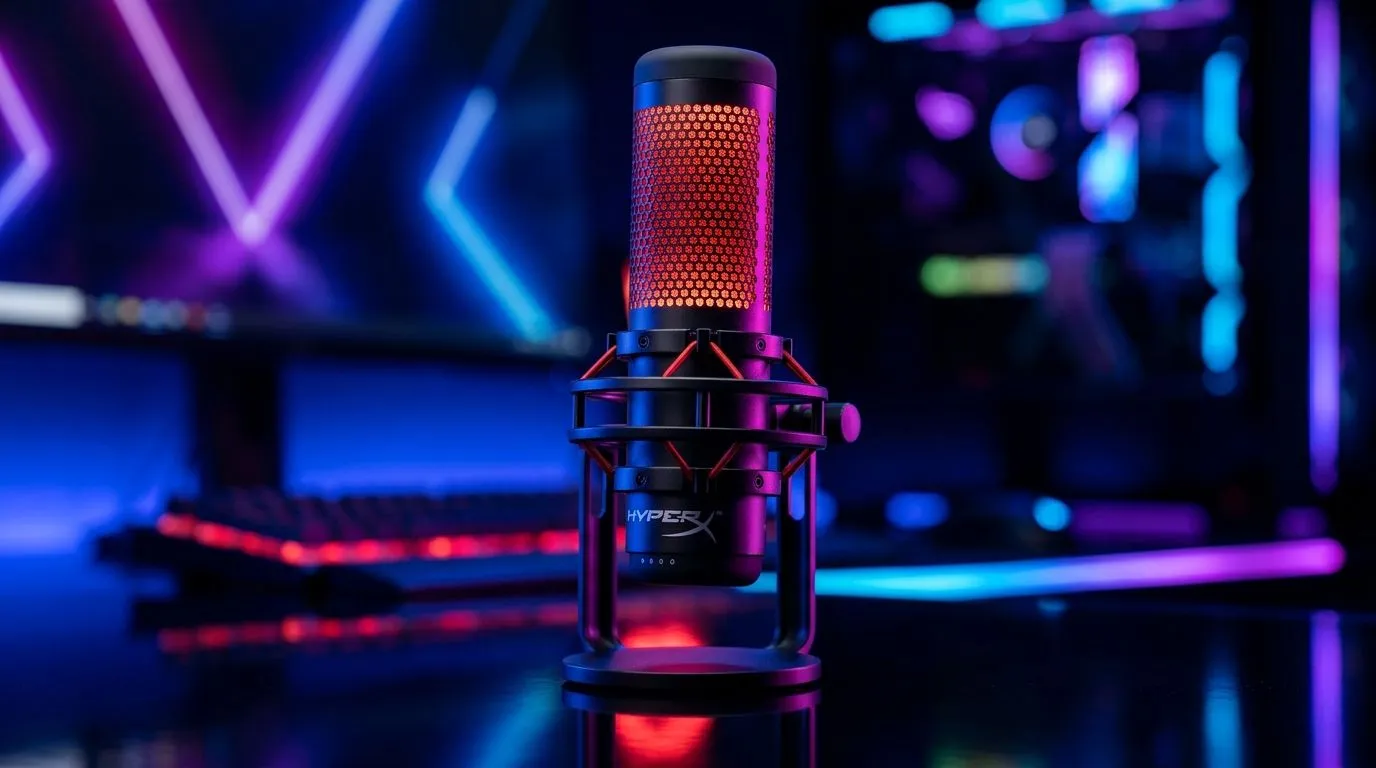
HyperX QuadCast 2 USB Microphone for Streaming in South Africa
If your stream sounds flat, scratchy, or drowned out by keyboard clacks, viewers notice fast. South African gamers know the struggle… good visuals matter, but audio is what keeps people watching. That is where a solid USB mic earns its keep. The HyperX QuadCast 2 USB Microphone for Streaming in South Africa is built for creators who want cleaner voice capture without wrestling with a full studio setup 🔧
Why the HyperX QuadCast 2 makes sense for local streamers
For many South African setups, the ideal mic is one that is simple, reliable, and easy to place on a desk. A USB microphone removes a lot of the friction. No audio interface. No confusing gain chain. Just plug in, set levels, and get going.
That matters whether you are streaming Apex after an unexpected outage, recording a YouTube tutorial, or joining Discord for a late-night squad session. The best mic is not always the most expensive one. It is the one that helps you sound clear every time.
If you are still building out your creator desk, it can help to compare your whole setup rather than one component in isolation. Evetech’s streaming essentials range is a good place to start if you want to pair audio with lighting and accessories. For buyers who prefer a matched ecosystem, the CORSAIR streaming essentials options are worth a look too.
What matters most in a USB mic setup
A microphone should do three things well:
1. Keep your voice front and centre
You want your teammates, viewers, or podcast listeners to hear your voice clearly. Not the fan in the room. Not the tap on your desk. Not your keyboard doing its best drum solo.
2. Stay easy to manage
If you are live, you need fast controls. If you are recording, you need predictable levels. Simple controls save time and reduce mistakes.
3. Fit your room
A mic can only do so much in a bad room. Hard walls, loud fans, and open windows all affect clarity. A decent USB mic helps, but placement still matters.
Streaming Desk Tip ⚡
Use a boom arm or shock mount if you can. It helps reduce desk vibration and gives you better mic placement, which often improves voice clarity more than turning the gain up ever will.
A practical buying angle for South African creators
In South Africa, value is not just about the spec sheet. It is about what arrives in the box, how easy it is to use, and whether it fits your current setup without extra spending.
That is why it makes sense to browse the full ecosystem. A strong webcam can improve your on-camera presence just as much as a mic improves your voice. Evetech’s webcams section is useful if you are trying to build a cleaner, more professional stream without overcomplicating things.
And if your room lighting is doing you no favours, small upgrades can make a huge difference on camera. Bright, even lighting helps viewers focus on you, not the shadows behind you. If you are comparing visual upgrades too, the Cololight streaming essentials page is another neat place to browse.
Who should consider the HyperX QuadCast 2?
This kind of microphone suits you if:
- You want a straightforward USB setup
- You stream from a bedroom, study, or shared space
- You are upgrading from a headset mic
- You want cleaner voice audio for gaming, calls, or content creation
- You prefer gear that is easy to learn and quick to use
Final thoughts for buyers
The HyperX QuadCast 2 USB Microphone for Streaming in South Africa is the kind of upgrade that can make your content feel more polished without forcing you into a complicated audio workflow. That is important for local creators who need gear that is practical, not precious.
If you are building a better streaming desk, think in layers. Start with voice, then add camera quality, then lighting. That order usually delivers the best results for the money. A clearer mic can instantly make your stream feel more serious, even before you touch the rest of the setup ✨
Ready to Find Your Perfect Match?
The Mac vs Windows debate is complex, but for maximum power, choice, and value in South Africa, Windows is hard to beat. Explore our massive range of laptop specials and find the perfect machine to conquer your world.