


Why a Mechanical Keyboard for Artists Makes Perfect Sense
Let's be honest. As a digital artist, designer, or video editor in South Africa, you've likely obsessed over screen colour accuracy, GPU performance, and tablet sensitivity. But what about the tool you use for every shortcut, every filename, every command? Your keyboard. That standard, mushy membrane keyboard that came with your PC might be holding you back.
A mechanical keyboard for artists isn't just for gamers. It's about precision, speed, and a satisfying tactile response that can genuinely improve your creative workflow. Each keypress is a distinct, registered action. No more second-guessing if you actually hit Ctrl+Z. This deliberate feedback loop reduces errors and speeds up repetitive tasks, from complex Photoshop actions to scrubbing through a Premiere Pro timeline. The durability is also a major plus; these keyboards are built to withstand millions of keystrokes, making them a worthy long-term investment. Even an affordable mechanical keyboard can offer a significant upgrade in feel and reliability over a standard office model.
Finding Your Creative 'Click': Choosing the Right Switches
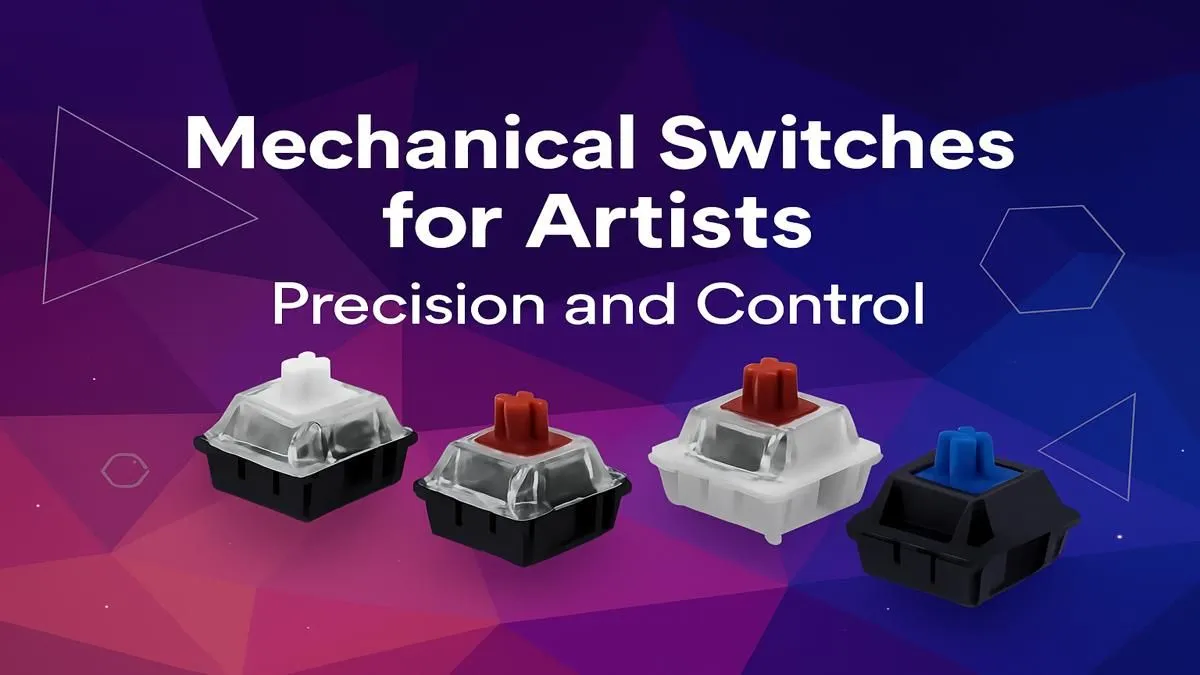
The heart of any mechanical keyboard is the switch under each key. This tiny mechanism determines how a key feels and sounds. Understanding the three main types is key to finding your perfect creative partner. 🎨
Linear Switches (e.g., Cherry MX Red)
- Feel: Smooth, consistent travel from top to bottom with no bump.
- Best For: Video editors, animators, and anyone who frequently holds down keys for tasks like scrubbing timelines or panning across a large canvas. The effortless press is less fatiguing over long sessions.
Tactile Switches (e.g., Cherry MX Brown)
- Feel: A noticeable but quiet "bump" in the middle of the press to let you know the key has been activated.
- Best For: The ultimate all-rounder. Graphic designers and photographers love tactile switches for the confirmation they provide when firing off complex shortcuts. It's precision without the noise pollution of a clicky switch.
Clicky Switches (e.g., Cherry MX Blue)
- Feel: The same tactile bump as above, but with an accompanying audible "click".
- Best For: Primarily writers or coders who thrive on auditory feedback. While incredibly satisfying, they might not be the best choice for a quiet shared studio or late-night editing sessions.
Making the final decision comes down to personal preference, but exploring the different keyboard switches available is the first step toward a more intuitive workflow.
Workflow Pro Tip ⚡
Use your keyboard's software (or AutoHotkey on Windows) to create powerful macros. For example, you can assign a single key to perform a multi-step action in Photoshop, like 'Duplicate Layer, Apply Gaussian Blur, and Create Clipping Mask'. It's a massive time-saver for repetitive tasks.
More Than Just Keys: Ergonomics and Customisation
Your creative space is an extension of you, and your keyboard should be no exception. Beyond the switches, consider the keyboard's layout and ergonomics. Long hours leaning over a tablet or editing suite can take a toll. A compact "tenkeyless" (TKL) layout ditches the number pad, giving you more space for mouse or tablet movement.
Investing in a quality wrist rest can also make a world of difference, promoting a more natural hand position and reducing strain during marathon projects. ✨
And let's talk about customisation. A mechanical keyboard for artists can also be a canvas for self-expression. You can swap out the standard keys for vibrant custom keycaps that match your brand's colour palette or just add a splash of personality to your desk. It’s a small touch that makes your primary tool feel truly your own.
Getting Started: Great Options for SA Creatives
Ready to make the switch? You don't have to look far. Many of the features that make mechanical keyboards great for gaming—like programmable keys, robust build quality, and responsive switches—are exactly what make them perfect for demanding creative work. Exploring some of the best gaming keyboard deals is a fantastic starting point for finding a high-performance board that won't break the bank.
For a truly streamlined desk, you can also complete your setup with a keyboard and mouse combo, ensuring your two most-used peripherals are perfectly in sync. 🚀
Ready to Revolutionise Your Workflow? Your art deserves the best tools. A mechanical keyboard isn't just an upgrade; it's an investment in your creativity, precision, and comfort. Explore our massive range of keyboards and find the perfect board to bring your vision to life.










