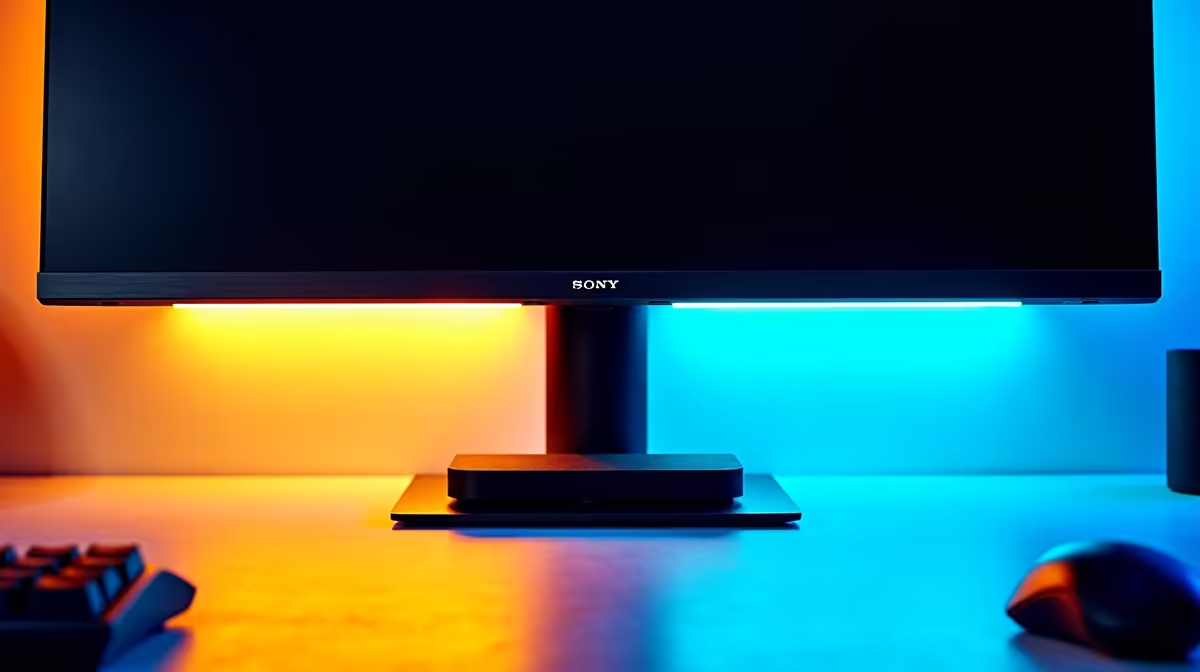
You know the scene... it’s well past midnight in Jozi, the only light in the room is the glow from your screen. Your eyes feel like sandpaper, but you just need one more win. We’ve all been there. But what if a simple gadget could make those late-night sessions more comfortable and your setup look cleaner? Enter the monitor light bar. Is this sleek accessory just hype, or is it genuinely worth it for gaming in 2025?
What Exactly is a Monitor Light Bar?
Think of it as a desk lamp that’s been hitting the gym. A monitor light bar is a long, thin LED light source that clips onto the top of your monitor. Unlike a traditional lamp that creates a pool of light (and often, annoying glare on your screen), a monitor light bar is designed with asymmetrical optics.
This means it casts light forwards and downwards across your desk, illuminating your keyboard and workspace without shining back onto your screen or directly into your eyes. It’s a simple but clever piece of engineering designed for one purpose: better desk lighting.
The Big Wins: Why Gamers Love Monitor Light Bars
So, why are these things suddenly popping up in every "Rate My Setup" post? The benefits are surprisingly practical, especially for anyone spending hours at their PC.
Reduced Eye Strain and Fatigue
The biggest advantage is comfort. Staring at a bright screen in a pitch-black room forces your eyes to constantly adjust to extreme differences in light, leading to strain and headaches. A monitor light bar provides "bias lighting"—a soft, ambient light around your viewing area. This reduces the harsh contrast, making it easier for your eyes to focus for longer periods. It’s an upgrade that complements the perfect PC monitor by making the entire experience more comfortable.
Major Desk Space Saver 🚀
For anyone with a compact setup, desk real estate is precious. A bulky lamp takes up valuable space that could be used for your mousepad, stream deck, or a well-deserved snack. Since a monitor lamp clips directly onto your screen, it frees up that space entirely, giving you a more organised and functional battle station. This minimalist approach works beautifully with the clean lines of modern popular HP displays.
A Cleaner, More Focused Setup ✨
Let's be honest, aesthetics matter. A cluttered desk is a cluttered mind. A monitor light bar contributes to a clean, professional-looking setup with no messy cables from a traditional lamp. The focused, downward light creates a "cocoon" of productivity or immersion, helping you zone in on your game or task without distractions from the rest of the room. It’s the final touch on a setup built around sleek, gaming-focused AOC screens.
Customise Your Colour 🔧
Most monitor light bars let you adjust the colour temperature. Use a cooler, white light (around 5000K) during the day to stay alert and focused. In the evening, switch to a warmer, yellowish light (around 2700K-3000K). This reduces blue light exposure and can help your brain wind down, preventing your gaming session from messing with your sleep schedule.
Potential Downsides to Consider
It's not all sunshine and headshots. A monitor light bar isn't a perfect solution for everyone, and there are a few things to watch out for.
The Glare Factor
While designed to prevent glare, cheaper or poorly designed models can still cause a slight reflection at the very top of your screen, especially on glossy displays. It's often not noticeable in-game but might be a minor annoyance during dark loading screens. Investing in a quality bar and pairing it with a monitor that has a good anti-glare coating is key. Many modern gaming displays, including a great FreeSync monitor or even high-end premium G-Sync monitors, feature excellent matte finishes that minimise this issue.
Cost vs. Benefit
A decent monitor light bar can cost anywhere from R800 to over R2000. For some, that money might be better put towards a bigger SSD or a RAM upgrade. You have to ask yourself: is eye comfort and a clean desk a priority? If you already have a lighting solution that works for you, this is definitely a "want," not a "need."
The Verdict: Is a Monitor Light Bar Worth It for You?
So, back to the big question. For the average South African gamer in 2025, a monitor light bar is a fantastic quality-of-life upgrade, not an essential component.
It's absolutely worth it if you:
- Frequently play or work in a dim or dark room.
- Suffer from eye strain or headaches after long sessions.
- Are passionate about maintaining a clean, minimalist, and organised desk setup.
- Have limited desk space.
Ultimately, a light bar enhances the experience, but the screen is still the star of the show. Whether you're looking for budget-friendly options like value-packed Dahua monitors or silky-smooth displays with Adaptive Sync, the foundation of a great setup is the display itself. The light bar is just the cherry on top.
Light Up Your Game with the Perfect Display
A monitor light bar is a brilliant upgrade, but nothing beats the immersive power of a phenomenal screen. From high-refresh-rate beasts to stunning 4K panels, the core of your gaming experience starts here. Explore our massive range of PC monitors and find the perfect display to dominate the competition.