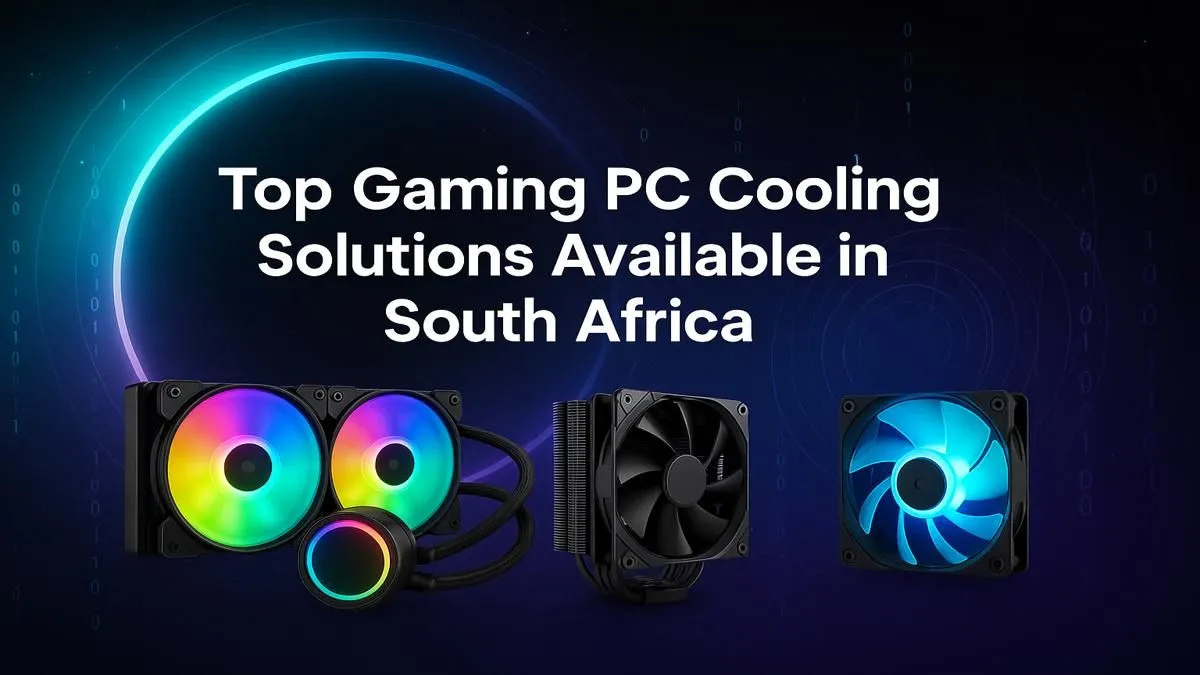
Staring at your PC's temperature monitor climbing during a South African summer heatwave is a special kind of gaming anxiety. 🌡️ Is that lag from the server, or is your CPU sweating more than you are? Proper gaming PC cooling in South Africa isn't just a luxury; it's a critical part of protecting your investment and ensuring you get the performance you paid for.
Why Proper Gaming PC Cooling is Non-Negotiable in SA
Your PC's components, especially the CPU and GPU, generate a massive amount of heat. When they get too hot, they automatically slow down to prevent damage—a process called thermal throttling. Suddenly, your smooth 144 FPS drops to a stuttery mess in the middle of a firefight. For graphically intense titles, this is a performance killer. A high-end system built to master the neon-drenched streets on a Cyberpunk 2077 gaming PC can be brought to its knees by poor cooling.
Effective PC cooling in South Africa means lower temps, higher sustained clock speeds, and ultimately, a better, more stable gaming experience. It also extends the lifespan of your valuable hardware.
Air vs. AIO: Choosing the Best Cooler for Your Rig
The biggest choice you'll face is between a traditional air cooler and an All-in-One (AIO) liquid cooler. There's no single "best" answer... it all depends on your budget, case, and performance goals.
The Case for Air Cooling 🔧
Air coolers are the reliable workhorses of the PC world. They use a combination of heat pipes and a fin stack (the big metal block) to draw heat away from the CPU, which is then dissipated by a fan.
- Pros: Highly reliable with fewer points of failure, generally more affordable, and often surprisingly quiet at idle.
- Cons: Can be very bulky, potentially blocking RAM slots or not fitting in smaller cases. Aesthetics are... functional.
They are a fantastic, cost-effective choice for most builds. If your gaming diet consists of long, creative sessions on a Minecraft gaming PC or chasing victory royales on a Fortnite gaming PC, a quality air cooler is more than enough to keep things running smoothly.
The Allure of AIO Liquid Cooling ❄️
AIOs use a closed loop of liquid to transfer heat from a block on your CPU to a radiator, where fans cool it down. They offer a clean, high-tech look and excellent performance.
- Pros: Superior cooling potential for high-end CPUs and overclocking, sleek aesthetics (hello, RGB!), and can be quieter under heavy load.
- Cons: More expensive, more complex installation, and a (very small) theoretical risk of leaks or pump failure.
If you're pushing your hardware to its absolute limit, like rendering the entire globe on a Microsoft Flight Simulator gaming PC or dominating the map on a top-tier Call of Duty: Warzone gaming PC, an AIO is the clear winner for taming those temps.
Cooling Pro Tip ⚡
When comparing fans (for cases or coolers), look beyond just size. Check the CFM (Cubic Feet per Minute) rating, which measures airflow, and the static pressure (mmH2O), which measures the fan's ability to push air through obstacles like a dense radiator or heatsink. Higher static pressure is crucial for AIOs and beefy air coolers!
What to Look for When Buying a CPU Cooler
Before you click "add to cart," here are a few final checks to ensure you're getting the right fit for your rig.
- Socket Compatibility: Make sure the cooler supports your motherboard's CPU socket (e.g., LGA 1700 for modern Intel, AM5 for modern AMD).
- Case & RAM Clearance: This is a big one for air coolers. Check the cooler's height specification against your case's maximum CPU cooler height. Also, check if it overhangs your RAM slots.
- TDP Rating: A cooler's Thermal Design Power (TDP) rating indicates how much heat it can dissipate. It should comfortably exceed your CPU's TDP, especially if you plan to overclock.
Maintaining stable temperatures is the secret to consistent performance. Whether you're grinding ranked matches on an Overwatch 2 gaming PC or landing headshots with a dedicated Counter-Strike 2 gaming PC, a good cooler prevents performance dips. The same logic applies to long sessions in battle royales on a PUBG gaming PC or causing chaos for hours on a GTA V gaming PC—cool components are happy components.
Ready to Beat the Heat? 🔥
The Air vs. AIO debate is all about your specific needs and budget. But one thing is certain: the right cooling solution unlocks your PC's true potential. Explore our wide range of CPU coolers and find the perfect fit to keep your rig frosty.