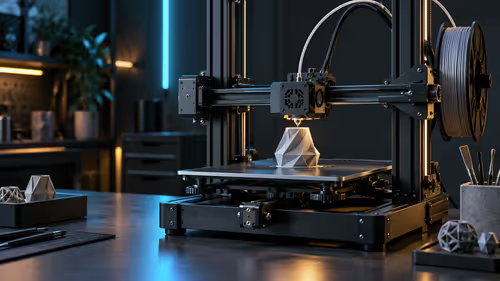
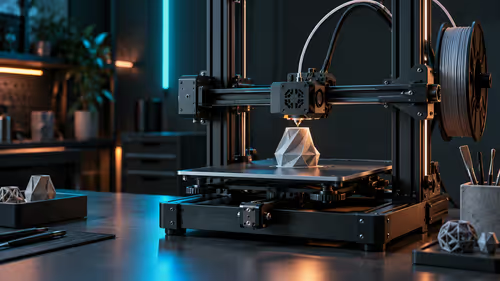
Ask how long a print will take and the honest answer needs four numbers, not one. High-speed 3D printers get marketed on a single headline figure, but real print time comes from an interaction between that figure and three others most listings never mention together.
Quick Answer
Print time comes from four things, and rated speed is only one of them. Nozzle diameter and layer height set how much plastic needs to move per second, melt rate caps how fast the hotend can actually supply that plastic, and acceleration decides how often the toolhead ever reaches its rated speed at all. Read the R5,799 Ender-3 V3 KE's 500mm/s and 8000mm/s2 figures as that backdrop, not as a promise that every single print will run at either one.
🔢 Four factors, not one number
A specification sheet leads with top speed because it is the easiest single number to compare between machines, but it answers only one part of a much bigger equation. The other three factors, nozzle diameter, layer height and melt rate, interact with each other and with the model's own shape to decide what speed a specific print actually achieves layer by layer. Reading all four together across the 3D printer range gives a far more honest comparison than the top-line number alone.
Treat the headline speed as the ceiling for the whole system, not as a prediction for any particular print, and the other three factors below explain why two different objects on the same printer can finish at very different average speeds despite sharing the same top-line spec.
🕳️ Nozzle diameter and layer height set the baseline
A wider nozzle or a taller layer height moves more plastic per pass at a given speed, which sounds like a pure win but actually shifts where the next limiting factor kicks in. A 0.4mm nozzle at a fine 0.12mm layer height moves comparatively little plastic per second and rarely strains the hotend, while the same nozzle at a thick 0.28mm layer height demands far more flow at the same travel speed, which brings melt rate into the picture much sooner.
This is why changing layer height changes achievable speed in a way that is easy to overlook: a finer layer height is not just about surface finish, it also buys headroom before the next factor becomes the bottleneck.
🔥 Melt rate is the hidden ceiling nobody puts on the box
There is a hard ceiling, often somewhere around 15mm3/s to 20mm3/s on a typical direct drive hotend, on how quickly any hotend can melt and deliver plastic through the nozzle, and past that ceiling, extra requested speed simply produces a thinner, under-extruded line rather than a genuinely faster print. This limit rarely appears on a spec sheet as its own number, which is why two printers rated for the same top speed can behave differently once a 0.28mm layer height and a wide nozzle push flow demand up near what each hotend can actually supply.
A well-tuned slicer profile caps requested speed automatically once flow demand would exceed a sensible limit, which is a feature protecting print quality rather than a fault, even though it means the printer will not always chase the number on the box.
🛑 Acceleration decides how often you actually cruise at top speed
Even with plenty of melt-rate headroom, reaching a rated top speed needs enough straight, uninterrupted travel distance to accelerate up to it in the first place. A machine's acceleration figure sets how quickly it can do that: higher acceleration needs less distance to reach full speed, which means more of a typical, corner-heavy object actually benefits from the rated ceiling rather than spending its whole print time accelerating and decelerating without ever settling into a cruise.
This is why acceleration, not top speed, tends to matter more for how a printer actually feels on everyday objects. Put an Elegoo machine and any other candidate side by side on this number rather than trusting whichever one quotes the bigger top-line speed. Creality's published time for a Benchy on the Ender-3 V3 KE, 15 minutes and 8 seconds, is a real-world illustration of exactly this: a Benchy is small and covered in corners, so that result comes mostly from the acceleration figure doing its job, not from 500mm/s ever being sustained for long. A poorly wound spool from the filament range undermines all four factors at once, since an uneven diameter feeds a slightly different amount of plastic into the nozzle from one moment to the next, which no amount of tuning the other three factors corrects for.
Frequently Asked Questions
Which of the four factors matters most for everyday printing?
Acceleration usually has the biggest practical effect, since most everyday objects have enough corners that reaching top speed at all depends heavily on it.
Does a wider nozzle always mean faster prints?
Not automatically. It moves more plastic per pass, which can hit the hotend's melt-rate limit sooner unless layer height and speed are adjusted together.
Why does my slicer sometimes ignore the speed I set?
A maximum volumetric flow limit built into the profile is likely capping speed automatically to stay within what the hotend can reliably melt.
Is top speed a useless number, then?
No, it still sets the outer ceiling the other three factors work within. It is simply not the whole story on its own.
Ready to judge a fast printer by more than one number?
Check nozzle diameter, layer height and acceleration together with top speed before comparing machines.