The Wanbo X5S has a short spec sheet, and every line on it does a different job. Read the numbers in the wrong order and you can talk yourself into a projector that will not suit the room. Read them in the order they affect the picture on your wall, and the sheet gives a clear answer. Here is what each figure means in practice, and which one to check first.
Quick Answer
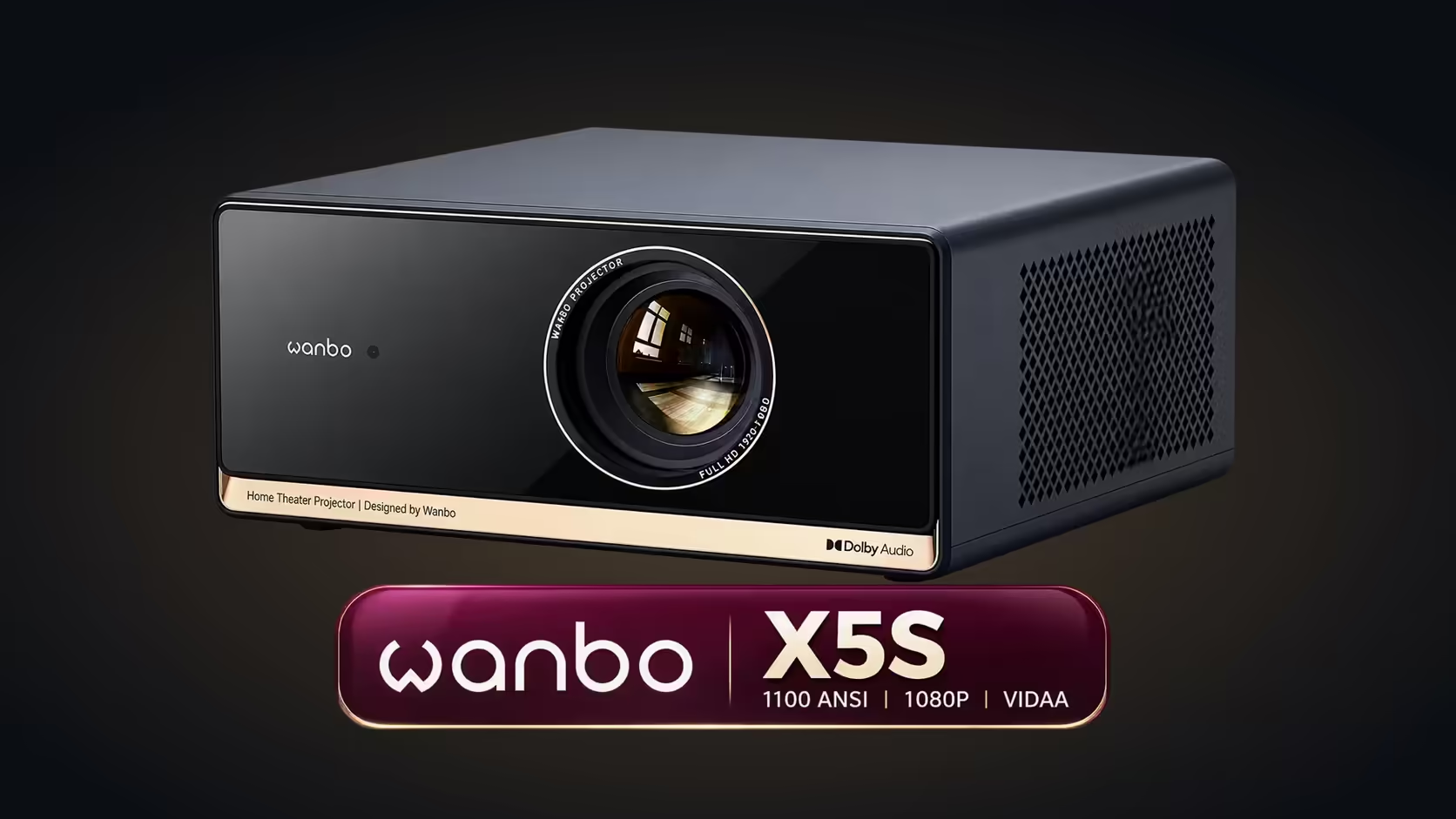
Rated at 1100 ANSI lumens, the Wanbo X5S is a 1080p Full HD smart projector with HDR10 support and a 3000:1 contrast ratio. Lumens set how much light the picture carries in the room, contrast sets how deep the blacks look, and the 40 to 140-inch range sets the wall size. Its price is R6,899 including VAT.
🖥️ 1080p Full HD: the pixel count
Resolution is the number of pixels in the picture. The X5S has a 1080p Full HD panel, which means 1920 by 1080 pixels, roughly 2 million in all. At lounge distances that is a clean, sharp picture for films and series. A 4K source is scaled down to fit the panel, so you keep the film's framing and colour, though not the extra pixels.
💡 1100 ANSI lumens: the light on the wall
Lumens measure the light the projector puts on the wall. The ANSI rating is averaged across nine points on the picture, which makes it a fair figure to compare. A rating of 1100 lumens gives a clear image where the room can be darkened after dark, and it struggles when daylight comes through a window. That is the rule for the whole sheet: the room decides how much of the number you actually see.
🌗 3000:1 contrast: the depth of the blacks
Contrast is the gap between the brightest white and the darkest black the projector can show. A 3000:1 ratio means the brightest part of the picture is 3,000 times brighter than the darkest. It is the figure that makes a night scene look deep rather than grey. Contrast and lumens work together: a bright projector in a lit room can still look washed out, and a darkened room lets the contrast show.
🎞️ HDR10: the wider range
HDR10 is a format that stores brighter highlights and deeper shadows than a standard picture carries. The X5S supports it, so HDR films can show their full range if the room is dark enough to let the shadows hold their detail. HDR needs headroom, so the lumens and the room matter as much as the label.
📐 40 to 140 inches: the wall size
The X5S projects from 40 inches up to 140 inches. At 100 inches the picture measures about 2.2 metres across and wants the lens about 2.8 metres from the wall; at 140 inches it wants about 3.9 metres. The 1.25:1 throw ratio ties the wall size to the depth, so measure the depth before you choose the size.
🔈 Speakers and apps
Sound comes from two 6W speakers with Dolby Audio, enough for everyday viewing in a small lounge. Bluetooth 5.0 connects an external speaker, and HDMI 2.1 connects a console or laptop. Apple AirPlay covers the phone side, and VIDAA adds 1,800-plus apps, where Netflix, YouTube and Prime Video all sit. For a home that streams every night, the apps are often the feature that matters most.
✅ Read the sheet in the right order
Start with the room: can it be darkened in the evening? Then check the depth and the wall width, which set the size. Next read the lumens against the room, and the contrast and HDR against the films you watch most. Finally, check the apps against your streaming list. Priced at R6,899 including VAT, the X5S ticks each line for a dim lounge.
Open the projector range to see the full X5S specification beside its rivals, and the projector category to compare the wider selection.
Frequently Asked Questions
Which spec should I check first?
The room. Whether you can darken it decides how much of the lumens and contrast figures you will see.
Is 1080p enough for a 100-inch picture?
For a lounge with the couch three to four metres back, yes. The pixels stay close to the limit of normal eyesight at that distance.
What does the 1.25:1 throw ratio mean?
It means the lens needs 1.25 times the picture width in clear depth, so the ratio tells you how far back to place the projector for each wall size.
Read the spec against your room.
Measure the depth and light first, then browse the projector range on Evetech to compare the units.