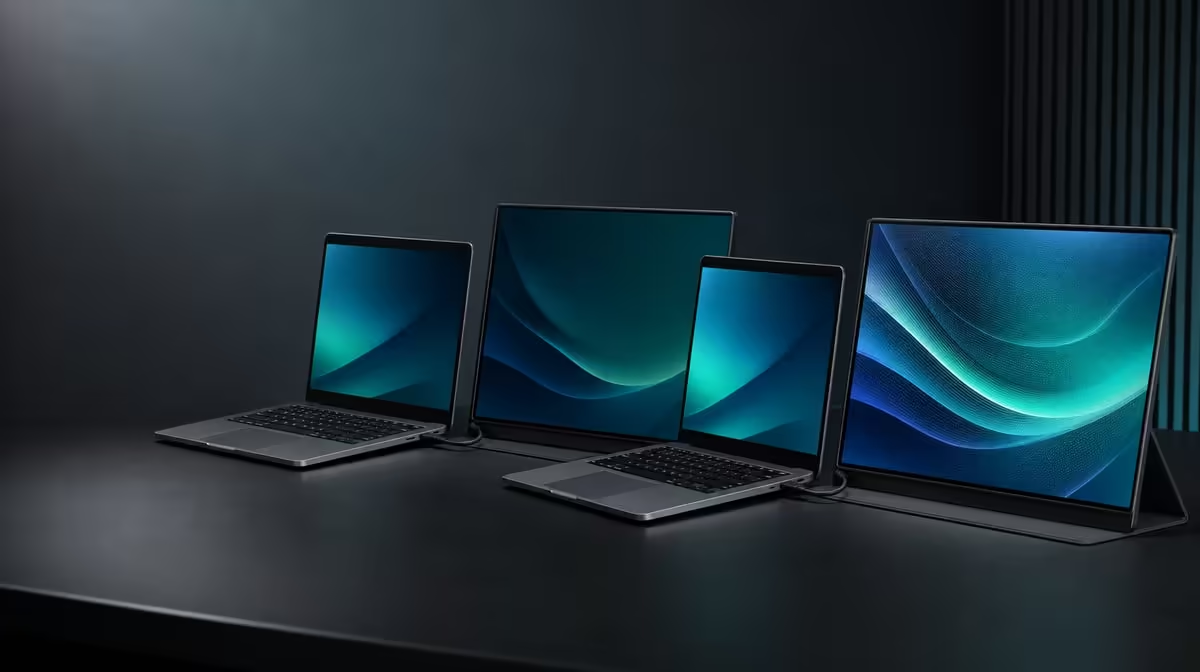
More pixels are not automatically more practical on a travel screen. 1080p versus 4K portable monitors is a choice between the lighter demands and straightforward scaling of Full HD and the finer detail plus larger pixel workspace of Ultra HD.
Quick Answer
Choose 1080p when broad source compatibility, readable scaling and a lighter graphics workload matter more than maximum pixel detail. The R2,399 UPERFECT UFree V is a 15.6-inch IPS monitor with a native 1920 x 1080 panel; it must not be described as 4K.
🔍 Compare usable detail
At 15.6 inches, 1920 x 1080 can provide clear documents, video and a practical second desktop when native resolution and suitable scaling are selected. It also allows many laptops to drive the extra display without rendering four times the Full HD pixel count.
4K provides 3840 x 2160 pixels, so compatible content and applications can show finer detail. That advantage may matter for dense creative interfaces or close inspection, but interface scaling often needs adjustment on a compact panel.
Do not feed a high-resolution source to the UFree V and call the screen 4K. Its physical pixel grid remains 1920 x 1080. Browse Evetech's portable monitor category when native resolution is the primary comparison.
⚙️ Consider source workload
Gaming and graphics work require the source to create each frame. A 1080p target generally asks less of the graphics system than 4K at equivalent settings, though actual performance depends on the laptop, game and connection.
For office work, open the real applications at native resolution. Adjust operating-system scaling until menus and text are comfortable instead of lowering the resolution as a first fix.
The UFree V's 125% sRGB, 350cd/m2 and 1500:1 contrast describe colour and visibility, not pixel count. A Full HD screen can have broad gamut, while a 4K label alone says nothing about colour accuracy.
💼 Match resolution to the job
Choose 1080p for a portable document screen, communication panel or media display when the applications fit comfortably. Its simpler scaling can make moving between a laptop and second screen less disruptive.
Choose 4K when the source supports it and fine detail or pixel workspace produces a repeatable benefit. Account for scaling, graphics workload and the cost of the complete model rather than treating resolution as the whole purchase.
The full PC monitor range helps compare portable Full HD with larger fixed screens where viewing distance and permanent desk space change the value of 4K.
✅ Test before deciding
On the UFree V, select 1920 x 1080, open a document, a high-detail image and a representative game or video. Check text size, app layout and smoothness through the intended USB-C or Mini HDMI route.
Then write what 4K would solve. If the answer is only "more pixels", the R2,399 FHD choice may already match the task. If a named application genuinely needs finer detail, compare a native 4K model instead.
Review Evetech's popular monitor page with that workload note in hand.
Run a window-density comparison at the normal viewing distance. Place two readable documents and a communication window on the UFree V, then ask whether the layout supports the task without shrinking text. The test shows what its 1080p workspace means in practice.
For media, compare a native Full HD clip with higher-resolution source material displayed on the same panel. Extra source detail may improve downsampled content, but the screen still cannot reveal a native 4K pixel grid.
Include battery and power behaviour only through direct observation of the complete laptop setup. Do not turn a lower rendering workload into a universal runtime claim.
Record the final choice beside the applications tested. A practical 1080p decision should name the readable layout and acceptable source workload, while a 4K preference should name the detail that genuinely changed the task.
Frequently Asked Questions
What is the UFree V's native resolution?
It is 1920 x 1080, which is Full HD.
When is 1080p the more practical choice?
When the source, applications and 15.6-inch viewing size benefit from simpler scaling and a lower graphics workload.
What does 4K add on a portable screen?
It adds finer pixel detail and more native workspace when the source and applications can use it.
Can a 1080p panel display 4K detail?
No. Its physical grid remains 1920 x 1080 even if a source can output higher-resolution content.
Does lower resolution mean poor colour?
No. Resolution and colour capability are separate; the UFree V states 125% sRGB.
How does 1080p affect gaming workload?
It generally requires fewer rendered pixels than 4K, though performance still depends on the complete system.
What is the price of this FHD reference?
The UPERFECT UFree V costs R2,399.
Ready to choose pixels by workload rather than prestige?
Compare Evetech's portable screens and test the UFree V at native 1080p with the apps your laptop will actually run.