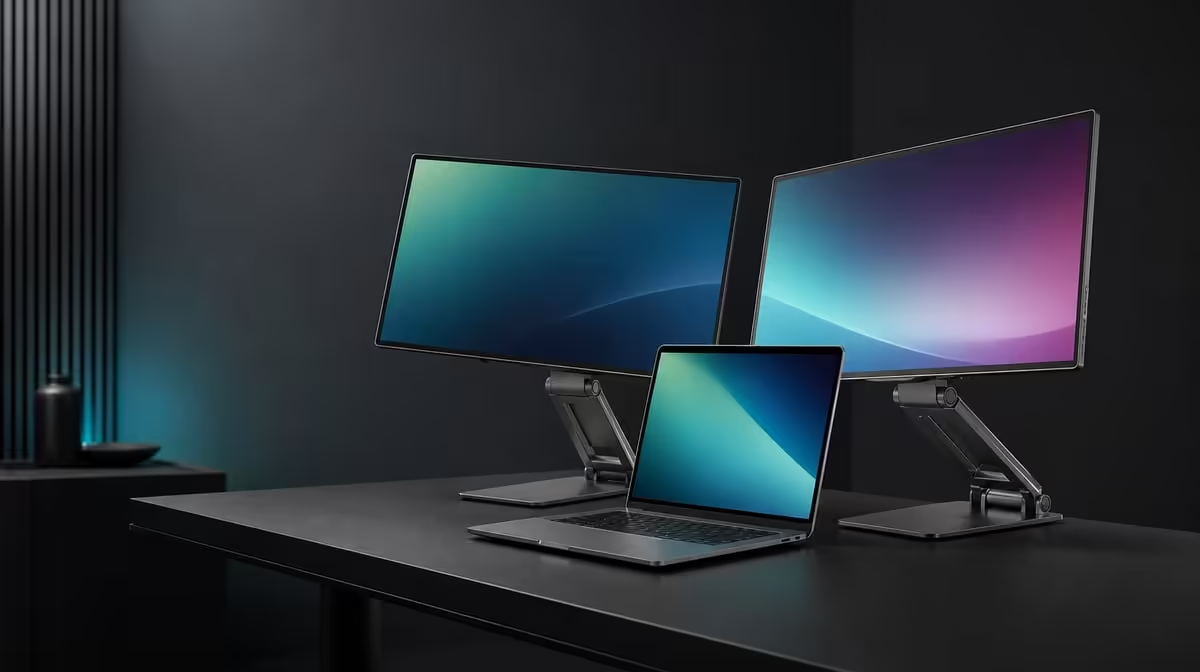
A flexible office changes screen roles without rebuilding the whole computer setup. Building a South African office with folding screens means planning horizontal work, a vertical stack and sharing around the same laptop, stable stand and clear cable route.
Quick Answer
The R6,899 UPERFECT Delta Mega can support a flexible office with two 23.8-inch Full HD panels that fold through 360 degrees. Use Type-C or HDMI from a compatible Windows or Mac laptop, save each layout's display map and keep both screens balanced during changes.
🗂️ Define useful office layouts
Use side by side for equal task zones, stack the screens to save width, or turn one panel towards another person for discussion.
Assign one named workflow to each arrangement. A flexible mechanism adds little when every position shows the same unused desktop.
Keep the laptop screen active only when it carries communication, controls or another clear role.
Compare folding displays through Evetech's portable monitor selection after measuring the office.
🔄 Fold with a stable base
Clear the movement path, support both panels and move slowly. Keep the Type-C or HDMI lead outside the joints.
Recheck the stand after each fold. Two full-size panels require a firm desk even when a vertical arrangement saves width.
Use 1920 x 1080 on both screens and update their software positions. Test cursor travel across every shared edge.
💻 Save laptop-specific profiles
Create separate Windows or Mac cards with port, cable, input, panel order, scaling and 100Hz. Platform support does not make every laptop output equal.
For a presentation, choose duplicate or extended mode intentionally and close private windows before turning a screen towards another person.
Compare fixed options in Evetech's PC monitor category if the office never needs to rearrange.
🔊 Complete the office routine
Test the built-in speakers for meetings and casual playback. Save the selected audio device after reconnection.
Use low blue light as an optional reading profile and preserve neutral settings for colour comparison.
Run all layouts across a week and retain only those that remove recurring friction. At R6,899, flexibility is valuable when another user can restore the physical fold and laptop map without guesswork.
Review Evetech's current popular monitors with those office profiles.
Create an office layout board with photographs of the three arrangements and screenshots of their corresponding laptop maps.
Label which applications belong on each panel, who sees the sharing screen and where the source cable runs.
Test transitions between profiles with the desk occupied as it normally is. A fold that requires removing several essential items may not be practical during the workday.
Include an audio check in the presentation profile and a low-blue-light state in the reading profile. Keep both features outside the neutral default.
Ask another staff member to restore the horizontal baseline after sharing. If they cannot identify the screens, improve the labels.
Review the board after a month and remove layouts that remain unused. Flexibility is strongest when a small set of configurations solves recurring office needs.
Keep a laptop-only fallback for days when the dual display is disconnected, returning all important windows to the computer before removal.
Create a transition checklist: close private work, return key windows, support both panels, clear the cable path, fold, identify screens and load the next map.
Run that sequence under normal office pressure rather than a quiet setup session. It should remain understandable when another person is waiting to present.
Test the built-in speakers after each source handover because Windows or Mac may select a different audio output.
Use 100Hz only after the new laptop restores two stable Full HD panels. Keep refresh outside the physical folding step.
At the end of the week, count transitions completed without rework. That figure gives the 360-degree design a more useful value than the number of theoretical layouts.
Frequently Asked Questions
Which layouts make an office more flexible?
Horizontal task zones, a vertical stack and a panel turned for sharing cover distinct needs.
How does 360-degree folding help?
It lets the two panels change physical relationship around the same stand.
What desk requirement remains constant?
The stand needs a firm, clear surface with enough space for the chosen panel path.
Why plan cable routing before folding?
A tight lead can pull the display, strain a connector or enter the movement path.
Can the same setup serve Windows and Mac users?
Yes, with platform-specific connection and display-map cards for compatible laptops.
What office task can built-in speakers simplify?
They can handle meetings, notifications or casual playback when their sound suits the room.
Ready to make each fold answer a different office task?
Explore Evetech's dual displays and build Delta Mega profiles for focused work, vertical stacking and safe laptop-based sharing.