


How Evetech Warranty Works: Complete Claims Guide for SA Buyers
How Evetech Warranty Works: Complete Claims Guide. Comprehensive checklist covering every spec and feature you should verify before buying in SA.
Read moreConnect laptop to VGA monitor quickly with USB-C, HDMI or DisplayPort adapters. Step-by-step setup, troubleshooting tips, and recommended adapters 🔌🖥️
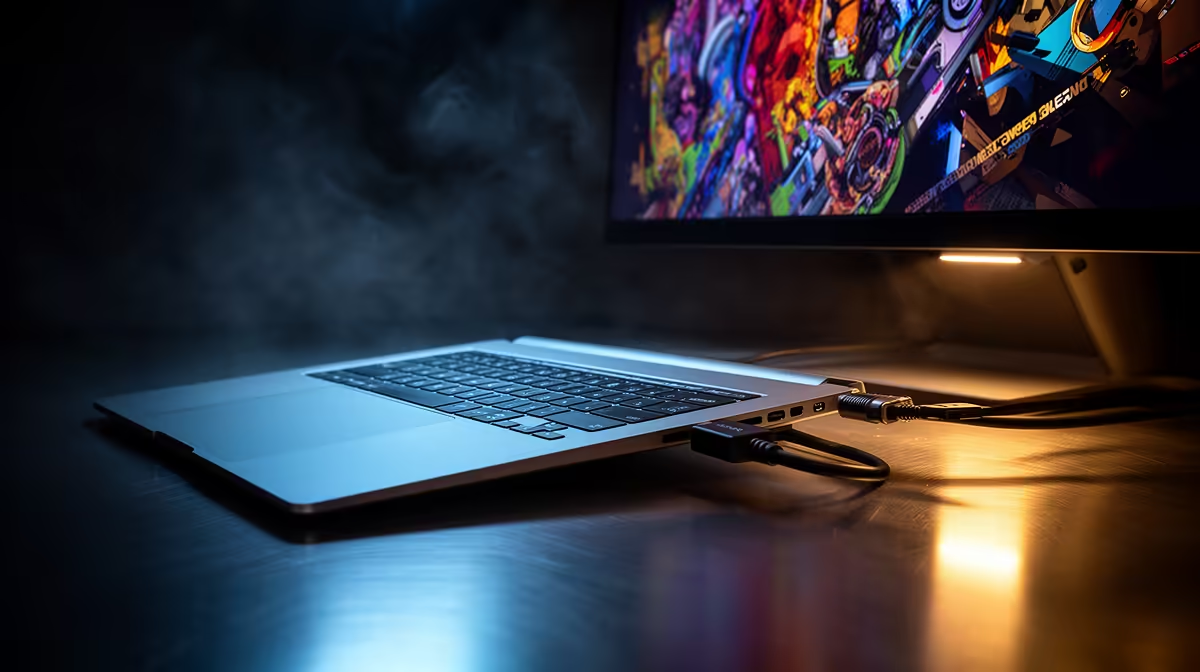
Struggling to connect laptop to VGA monitor before a LAN or for dual-display work? You’re not alone. This short guide walks you through the simple, reliable setup that gets your screen mirrored or extended in minutes — no driver drama, just practical advice for gamers and buyers in South Africa.
Most modern laptops lack a native VGA port, so check your laptop first. If it doesn’t have VGA, you’ll need a compatible adapter or active converter. For clean cable management and reliable signal, consider purpose-made extensions and sleeves — they last longer on the move and look tidy in a gaming den.
If your laptop has HDMI, Mini DisplayPort or USB-C, use a quality adapter matching that output to VGA. For signal stability and to avoid fuzzy image issues, an active adapter is recommended when converting digital to analog.
Small upgrades can make a big difference. A short, well-shielded VGA cable reduces ghosting. If you like tidy rigs, premium sleeved cables pair well with modern builds — check out Evetech’s individually sleeved premium cables for neat setups. https://www.evetech.co.za/PC-Components/nzxt-individually-sleeved-premium-cables-93
If you prefer RGB flair near your ports, ARGB extension cables keep things neat and bright without stress; this ARGB extension cable is a handy addition. https://www.evetech.co.za/gamemax-12vhpwr-cable-b-argb-extension/best-deal/24244
On Windows, use the PowerToys FancyZones utility to create custom snap layouts for your windows. It's a lifesaver for managing multiple apps on an ultrawide monitor, letting you organise your timeline, preview window, and asset folders perfectly for video editing.
Small micro-story: I once brought only a digital-only dongle to a LAN and had no VGA adaptor. A quick pop to an online shop and a trusty active HDMI-to-VGA adapter saved the night. Always carry the right adapter for the monitors you expect to meet.
Ready to Find Your Perfect Match? The Mac vs Windows debate is complex, but for maximum power, choice, and value in South Africa, Windows is hard to beat. Explore our massive range of laptop specials and find the perfect machine to conquer your world.
Use a USB-C, HDMI or DisplayPort to VGA adapter. Plug the adapter into your laptop, connect the VGA cable to the monitor, then set display output in OS.
Get a USB-C to VGA adapter that supports DP Alt Mode. That ensures video signal conversion without extra drivers for most laptops.
Yes if it's an active HDMI to VGA converter. Passive cables only work for VGA-capable HDMI ports, which are rare on modern laptops.
Check adapter power, cable seating, and laptop display settings. Try a different adapter or test the monitor with another device to isolate the issue.
Yes — DisplayPort to VGA adapters or cables convert the signal. Choose an active adapter if your DP port doesn't output legacy signals natively.
Most passive adapters need no drivers. Some active converters may require drivers or firmware updates—check the adapter notes and vendor site.
Choose branded active adapters: USB-C to VGA (DP Alt Mode), active HDMI to VGA converters, or DisplayPort to VGA adapters for reliable results.
How Evetech Warranty Works: Complete Claims Guide. Comprehensive checklist covering every spec and feature you should verify before buying in SA.
Read more
Handheld Gaming PCs for entry-level PC should be shortlisted around the job it must do. South African buyers should compare fit, performance, compatibility, and upgrade room, warranty path, and upgrade room before treating any pick as best.
Read more
Handheld Gaming PCs for low-latency online should be shortlisted around the job it must do. South African buyers should compare fit, performance, compatibility, and upgrade room, warranty path, and upgrade room before treating any pick as best.
Read more
Should SA buyers pay more for boom arm support should be shortlisted around the job it must do. South African buyers should compare panel type, resolution, refresh rate, and ports, warranty path, and upgrade room before treating any pick as best.
Read more
Should SA buyers pay more for noise rejection should be shortlisted around the job it must do. South African buyers should compare audio quality, mic clarity, comfort, and connection type, warranty path, and upgrade room before treating any pick as best.
Read more
Should SA buyers pay more for pickup pattern should be shortlisted around the job it must do. South African buyers should compare audio quality, mic clarity, comfort, and connection type, warranty path, and upgrade room before treating any pick as best.
Read more
Wondering if a TKL wireless mechanical keyboard is worth it for everyday productivity? We break down latency, battery life, comfort, and workflow gains for real work. ⚡⌨️

Maximise battery life on a fanless 15-inch laptop using efficiency core architecture. Cut idle drain, tune power profiles, and improve thermals for longer runtime. 🔋⚙️

Learn how to reduce desk clutter with a TKL wireless keyboard using fewer cables, smart placement, and tidy essentials. Get a faster, calmer workspace with better ergonomics. ✅🧼

RGB keyboard lighting too distracting? Learn how to manage backlight modes, set brightness, and reduce distraction for focus and productivity 😌🖱️

Are themed gaming keyboards worth the extra cost? Compare build quality, switch options, features, and resale value to find the best fit for your setup 🎮⌨️

Full-Size vs Tenkeyless mechanical keyboards for gaming: find out if a smaller layout truly improves aim, speed, and comfort. We break down layout, desk space, latency-feel, and keybinds 🎮⌨️

Dedicated media rollers vs function key shortcuts: learn which setup gives you better workflow control, faster media access, and fewer mistakes. 🖱️🎧

Best Mechanical Switch Type for Gaming: Clicky vs Linear vs Tactile. Find your feel, speed, and noise balance with practical guidance for FPS, MOBA, and productivity 😄🎮

Direct mouse answer: Mouse not keeping up with your work? Everything that matters about dual-mode 2.4GHz + BT 5.0: DPI behaviour, channel switching, battery curves and per-app button mapping. Covers when 2.4GHz USB wins (low-latency desk) and when BT 5.0 wins (laptop, d

Plain wireless mouse guide: Mouse not keeping up with your work? Everything that matters about wireless productivity mouse: DPI behaviour, channel switching, battery curves and per-app button mapping. Includes DPI tuning tips, channel switch shortcuts, and ZAR-aware fea

Real productivity numbers: Set up your wireless mouse in this order: everything that matters about wireless productivity mouse: DPI behaviour, channel switching, battery curves and per-app button mapping. Includes DPI tuning tips, channel switch shortcuts, and ZAR-aware

Pen not feeling like paper? Stylus lag and skipping usually trace to old drivers, dirty nibs, or display refresh mismatches, not the pen itself. Covers pressure curve tuning, tilt thresholds, nib swap timing, and SA pricing brackets.