


How Evetech Warranty Works: Complete Claims Guide for SA Buyers
How Evetech Warranty Works: Complete Claims Guide. Comprehensive checklist covering every spec and feature you should verify before buying in SA.
Read moreUSB headset microphone sounds miffled? Fix muffled voice fast with simple Windows/driver, gain, and cable checks 🎧🔧 and get crisp communication back.
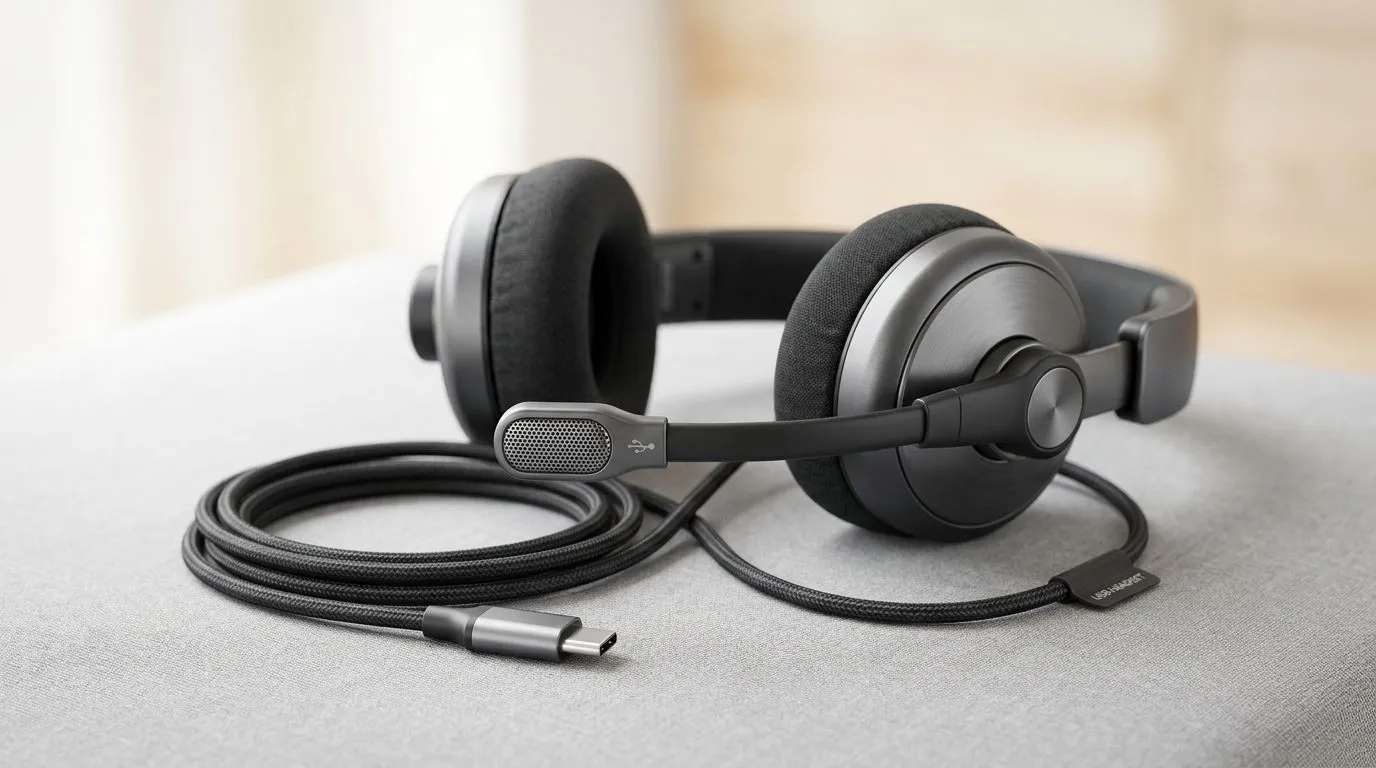
A muffled USB headset microphone can wreck a clutch call, a Discord chat, or a work meeting in seconds. One minute you sound ready for ranked... the next, your voice comes through like you’re speaking from a cupboard. The good news? Most cases are quick to fix. If you game in South Africa, you do not need a full replacement just yet. Start with the basics, then work through the device settings before you spend rand you may not need to spend.
Before you dive into software settings, check the physical setup. Is the mic boom fully extended? Is the mic angled towards your mouth? A small adjustment can make a big difference. Also check for dust, lint, or a blocked mic grille. Even a tiny obstruction can soften your voice and make it sound distant.
If your headset uses a USB dongle or inline controls, make sure nothing is partially disconnected. Try another USB port too. Front-panel ports on some cases can be noisier or less stable than rear motherboard ports.
Open your sound settings and confirm the correct input device is selected. Windows sometimes defaults to the wrong mic after an update or a restart. Also check input volume. If it is too low, the mic may sound weak or “underwater”.
Sometimes the headset is fine, but the app is the problem. Discord, Zoom, Steam, and game launchers can each store their own input settings. That means your mic can sound different depending on where you use it.
Test the headset in Windows Sound Recorder first. If the recording sounds clear there, the hardware is likely okay. If it still sounds muffled, the issue is probably device-level, not app-level.
Driver issues can cause strange audio behaviour. Visit your motherboard or laptop support page, or use Windows Update if you need a quick first pass. If the headset includes its own software, check for firmware updates too. Manufacturers sometimes release fixes for microphone gain, sidetone, or connection stability.
Try disabling audio enhancements in Windows if your USB headset mic sounds muffled. Some enhancement features over-process voice input and make it sound dull, compressed, or oddly distant.
If you have tested another port, another PC, and the recording still sounds poor, the headset itself may be the issue. Cheap cables, worn mic capsules, or ageing inline controls can all affect clarity. This is especially frustrating when the headset still plays audio perfectly, because the problem hides in the mic side only.
If you are comparing options, it helps to browse a focused range instead of guessing. Evetech’s Razer headset selection is a useful starting point if you want something built for gaming chat and long sessions. For broader options, the full headphones and headsets range gives you a wider view of what’s available right now.
If you do end up replacing the headset, think beyond the spec sheet. Comfort matters during long raids. Mic placement matters for clear voice chat. Wireless convenience can help if your desk is crowded, but only if you want fewer cables. A solid all-round option like the Razer Barracuda X Chroma Wireless Headset in Phantom White may appeal if you want flexibility and a cleaner setup.
The real trick is matching the headset to how you actually use it. If you split time between gaming, calls, and streaming, choose a model that keeps voice clarity front and centre. That saves you from upgrading twice.
Try this order:
If it still sounds muffled after that, the headset may need replacement. At least you’ll know for sure before spending more than you need to.
Ready to Find Your Perfect Match? The Mac vs Windows debate is complex, but for maximum power, choice, and value in South Africa, Windows is hard to beat. Explore our massive range of laptop specials and find the perfect machine to conquer your world.
Common causes include wrong input device, low mic gain, outdated drivers, or audio effects like noise suppression. Start by confirming your USB headset is the default mic.
Open Sound settings, select your USB headset as the input, then adjust input volume and disable extra enhancements/noise suppression to see if clarity improves.
Yes. Too-low gain can dull your voice, while aggressive processing can compress it. Try moderate input volume and then test the mic again.
They can. If your voice becomes thick or distant, turn off noise suppression and echo cancellation temporarily and check whether the muffled quality disappears.
Outdated or corrupted USB audio drivers may change sample rates or processing. Update the device driver, or reinstall the USB audio device.
Absolutely. Try a different USB port and cable (if detachable). A faulty connection can reduce audio fidelity and cause distortion or dullness.
Use the correct input level, disable problematic enhancements, set a sensible sample rate if needed, and keep distance consistent while speaking.
If clarity stays poor across ports, PCs, and cables, the mic capsule or internal preamp may be failing. At that point, test a different headset to confirm.
How Evetech Warranty Works: Complete Claims Guide. Comprehensive checklist covering every spec and feature you should verify before buying in SA.
Read more
Handheld Gaming PCs for entry-level PC should be shortlisted around the job it must do. South African buyers should compare fit, performance, compatibility, and upgrade room, warranty path, and upgrade room before treating any pick as best.
Read more
Handheld Gaming PCs for low-latency online should be shortlisted around the job it must do. South African buyers should compare fit, performance, compatibility, and upgrade room, warranty path, and upgrade room before treating any pick as best.
Read more
Should SA buyers pay more for boom arm support should be shortlisted around the job it must do. South African buyers should compare panel type, resolution, refresh rate, and ports, warranty path, and upgrade room before treating any pick as best.
Read more
Should SA buyers pay more for noise rejection should be shortlisted around the job it must do. South African buyers should compare audio quality, mic clarity, comfort, and connection type, warranty path, and upgrade room before treating any pick as best.
Read more
Should SA buyers pay more for pickup pattern should be shortlisted around the job it must do. South African buyers should compare audio quality, mic clarity, comfort, and connection type, warranty path, and upgrade room before treating any pick as best.
Read more
Wondering if a TKL wireless mechanical keyboard is worth it for everyday productivity? We break down latency, battery life, comfort, and workflow gains for real work. ⚡⌨️

Maximise battery life on a fanless 15-inch laptop using efficiency core architecture. Cut idle drain, tune power profiles, and improve thermals for longer runtime. 🔋⚙️

Learn how to reduce desk clutter with a TKL wireless keyboard using fewer cables, smart placement, and tidy essentials. Get a faster, calmer workspace with better ergonomics. ✅🧼

RGB keyboard lighting too distracting? Learn how to manage backlight modes, set brightness, and reduce distraction for focus and productivity 😌🖱️

Are themed gaming keyboards worth the extra cost? Compare build quality, switch options, features, and resale value to find the best fit for your setup 🎮⌨️

Full-Size vs Tenkeyless mechanical keyboards for gaming: find out if a smaller layout truly improves aim, speed, and comfort. We break down layout, desk space, latency-feel, and keybinds 🎮⌨️

Dedicated media rollers vs function key shortcuts: learn which setup gives you better workflow control, faster media access, and fewer mistakes. 🖱️🎧

Best Mechanical Switch Type for Gaming: Clicky vs Linear vs Tactile. Find your feel, speed, and noise balance with practical guidance for FPS, MOBA, and productivity 😄🎮

Direct mouse answer: Mouse not keeping up with your work? Everything that matters about dual-mode 2.4GHz + BT 5.0: DPI behaviour, channel switching, battery curves and per-app button mapping. Covers when 2.4GHz USB wins (low-latency desk) and when BT 5.0 wins (laptop, d

Plain wireless mouse guide: Mouse not keeping up with your work? Everything that matters about wireless productivity mouse: DPI behaviour, channel switching, battery curves and per-app button mapping. Includes DPI tuning tips, channel switch shortcuts, and ZAR-aware fea

Real productivity numbers: Set up your wireless mouse in this order: everything that matters about wireless productivity mouse: DPI behaviour, channel switching, battery curves and per-app button mapping. Includes DPI tuning tips, channel switch shortcuts, and ZAR-aware

Pen not feeling like paper? Stylus lag and skipping usually trace to old drivers, dirty nibs, or display refresh mismatches, not the pen itself. Covers pressure curve tuning, tilt thresholds, nib swap timing, and SA pricing brackets.