A new AIO that runs hot straight after installation is usually a mounting or a flow problem, not a faulty cooler. Most readings trace back to thermal paste, pump seating or fan speed, and each one has a quick check. Work through them in that order, because the cheapest fixes come first and the readings often settle once the mount is right. Here is what to check, in what order, and what a healthy reading looks like once the fix is in.
Quick Answer
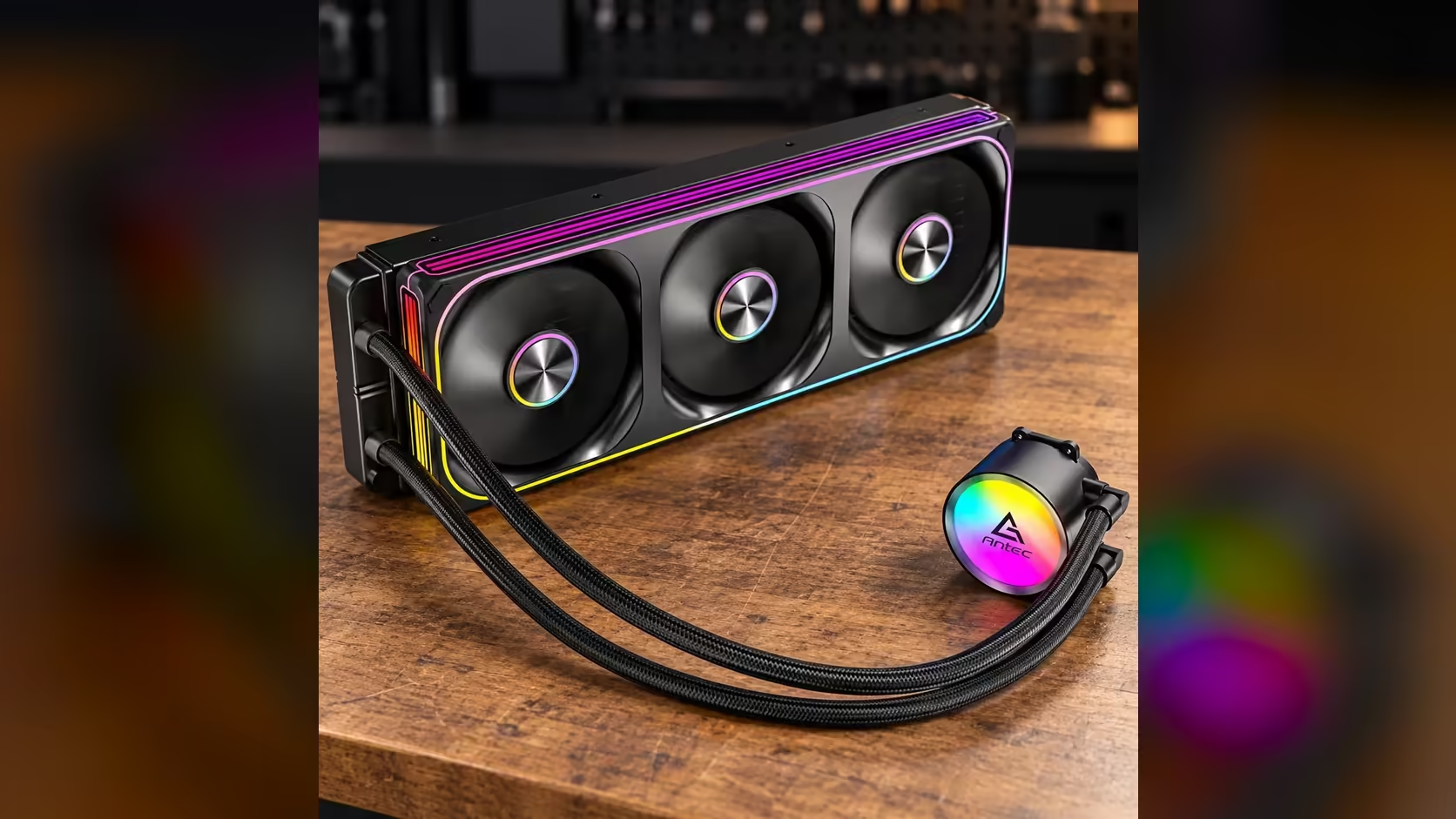
Most hot readings after installation trace back to paste, pump seating or fan speed, so check those first. In a Pretoria summer with no aircon, room heat can add a few degrees on top of any reading. The Antec Omni Matrix 360 at R999 needs a snug mount and a working pump before its temperatures can settle.
🧴 Check the paste and the mount
Thermal paste is the first suspect. A pea-sized dot in the middle of the CPU is the usual amount for a liquid cooler, and too much or too little paste leaves a gap that the heat cannot cross. If the cooler was mounted without paste, or the paste was spread by hand, reseat the block and apply a fresh dot. Give the paste 10 minutes to spread before the first test.
The mount comes next. The block must sit flat on the processor, and the bracket screws should be tightened in a cross pattern in small steps. A block that is tilted or tightened on one side leaves part of the processor uncovered, and that shows up as one hot core in the readings.
Reseat the block and let the paste settle for about ten minutes before you run a test. A fresh mount needs time to spread, so testing in the first minute tells you very little.
🔄 Check the pump and the fans
The pump has to be turning. Look at the pump reading in BIOS, and check it against the cooler's rated speed of 2700RPM once the PC is under load. A pump reading of zero means the loop is not moving, and the CPU will heat quickly.
Next check the fans. The three 120mm fans on this cooler run between 800RPM and 1800RPM, so a fan that stays low under load is the usual cause of a hot radiator. Set the fan curve so the fans rise with the CPU temperature, rather than sitting at a fixed low speed.
🌡️ Allow for the room
Room heat is the last factor, and it is easy to miss. In a Pretoria summer with no aircon, the afternoon air can sit near 30C, and the radiator hands its heat to that air. A reading that is a few degrees higher in January than in June may be the room, not the cooler.
Measure both figures together. Write down the CPU temperature and the room temperature at the same time, and compare them across several days. A steady gap is the room; a sudden jump points to the mount or the pump.
If the readings stay high after all three checks, the cooler's mount is the next place to look. Our liquid CPU coolers range shows the options if you want to compare a different size, and the thermal solutions category has the paste and pads for a clean reseat. The CPU coolers page covers the full range.
Frequently Asked Questions
How much thermal paste does a liquid cooler need?
A pea-sized dot in the centre of the CPU is the usual amount. Too much paste spreads over the edges, and too little leaves gaps that trap heat.
How long should I wait before testing a new AIO?
About ten minutes after a reseat, so the paste can spread and settle. Testing in the first minute tells you very little about the final temperatures.
What is a healthy pump reading?
A healthy reading sits near the rated 2700RPM under load. A reading of zero means the pump is not turning, and the cooler will not carry heat away.
Does a hot room explain a high reading?
It can add several degrees, especially in a Pretoria summer. Log the room temperature with each CPU reading to see whether the gap is steady or sudden.
Reseating a cooler?
Browse our thermal solutions and CPU coolers to find the paste and mounting parts for a clean install.