


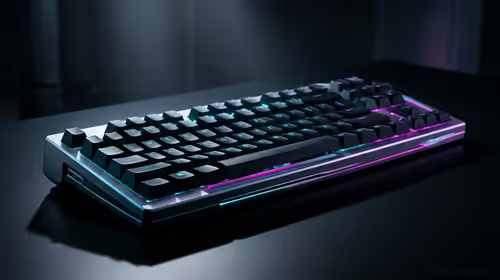
Stuck Pixel Checks for a Mechanical Keyboard Setup
Stuck pixel on a Mechanical Keyboard is likely a display symptom around that setup, not the part itself. Check the monitor, cable, GPU output, drivers, and warranty path first.
Read moreFind the best gaming motherboards under R2000 for your next PC build! 🚀 We've tested and reviewed top budget-friendly options from ASUS, MSI, and Gigabyte to help you maximize performance without breaking the bank. Get the perfect foundation for your rig. 💪
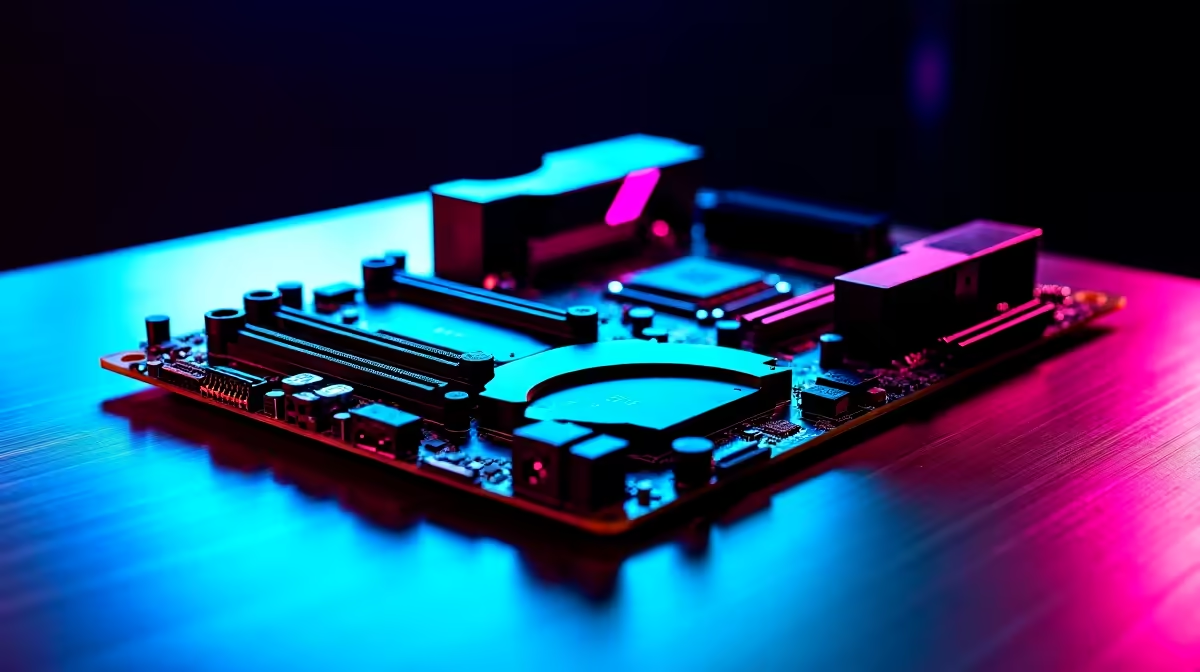
Building a solid gaming PC in South Africa without breaking the bank is the ultimate goal, right? Your graphics card and CPU get all the glory, but the unsung hero is the motherboard. It’s the foundation of your entire rig. Choosing wisely means stable performance and future upgrade paths. Finding the best gaming motherboards under R2000 isn't just possible... it's the smartest first step to building a budget beast. Let's dive in. 🔧
When you're hunting for a gaming motherboard under R2000, you're looking for the sweet spot: reliability and essential features without paying for extras you'll never use. The goal isn't to find the cheapest board, but the one that offers the best value and won't bottleneck your other components. A well-chosen, affordable motherboard is the heart of many excellent budget gaming PCs, providing a stable platform for both your CPU and GPU to shine.
Think of it as the central nervous system of your PC. It dictates what processor you can use, how much RAM you can install, and what storage speeds you can achieve.
Don't get lost in a sea of technical specs. For a budget gaming build in SA, focus on these three core areas. Getting them right is crucial for assembling one of the best gaming PC deals you can build yourself.
The chipset determines compatibility with your CPU. In the sub-R2000 range, you're typically looking at:
VRMs (Voltage Regulator Modules) are tiny components that ensure your CPU gets clean, stable power. Better VRMs mean more stability, especially during intense gaming sessions. You don't need a 20-phase power design for a budget build, but look for boards with decent heatsinks over the VRM area. This indicates the manufacturer has paid attention to thermal performance. ✨
Always double-check your motherboard's CPU socket against your chosen processor before you buy. For example, modern Intel CPUs use sockets like LGA 1700, while AMD uses AM4 or AM5. A simple mismatch can bring your entire build to a halt. It's the most common rookie mistake!
Even on a budget, don't skimp on connectivity. Ensure your chosen board has:
Choosing one of the best gaming motherboards under R2000 is a strategic move. The money you save here can be reallocated to a more powerful graphics card or a faster CPU. This balanced approach is the secret to building truly impressive gaming PCs under R20,000. A smart motherboard choice ensures you're not overspending on a foundation for components you don't have.
Of course, this approach differs from high-end systems. For enthusiast-level rigs like those powerful PCs over R20,000, a more feature-rich motherboard is necessary to support extreme overclocking and top-tier hardware. But for most gamers, a solid budget board is more than enough. If sourcing and matching components sounds like a mission, exploring pre-built PC deals is a smart, hassle-free alternative that guarantees compatibility. 🚀
Ready to Build Your Foundation? A great gaming PC starts with the right motherboard. Now that you know what to look for, you can build a powerful, affordable rig that punches well above its weight. Explore our huge range of gaming motherboards and find the perfect starting point for your next PC.
Prioritize CPU socket compatibility (AM4/AM5 or LGA1700), good VRM cooling for stability, at least two M.2 slots for storage, and four RAM slots for future upgrades.
Absolutely. A B550 motherboard is a fantastic budget gaming motherboard choice for AMD Ryzen 5000 series CPUs, offering PCIe 4.0 support and great value for money.
Yes, you can find excellent entry-level gaming motherboards under R2000. Look for models with essential features like good VRMs, sufficient RAM slots, and M.2 support.
A motherboard does not directly increase FPS, but a quality one ensures your CPU and GPU perform at their peak without throttling, providing stable gaming performance.
Brands like MSI (PRO series), Gigabyte (DS3H models), and ASUS (Prime series) all offer reliable and feature-rich budget gaming motherboards perfect for South African builders.
For a build with a motherboard under R2000, DDR4 is the more cost-effective choice. It offers excellent gaming performance and allows you to allocate more budget to the GPU.
While not essential, built-in Wi-Fi offers convenience. If your budget is tight, you can opt for a motherboard without it and use a wired connection or add a Wi-Fi card later.
Stuck pixel on a Mechanical Keyboard is likely a display symptom around that setup, not the part itself. Check the monitor, cable, GPU output, drivers, and warranty path first.
Read more
How to fix stuck pixel Windows 11 USB DAC issues starts with display-only tests. Check HDR, scaling, monitor input, USB cable movement, and safe South African support options before connecting the pixel issue to audio hardware.
Read more
Windows 11 Steam Deck monitor issues often start with display mode, USB-C output, drivers, or dock power. Use this how to fix monitor not detected windows 11 steam deck checklist for SA handheld PC setups.
Read more
Stalker 2 Heart of Chornobyl PC build planning at R100,000 should stay cautious about parts and settings. Balance GPU, CPU, RAM, storage, cooling, and upgrade room before picking a South African gaming PC.
Read more
RX 9070 XT build stuttering needs a step-by-step check before replacing parts. Review drivers, settings, thermals, power, background apps, display limits, cables, and game options before changing hardware.
Read more
GTA 6 on R15,000 needs careful part balance. This SA build guide frames CPU, GPU, RAM, SSD, cooling, and upgrade trade-offs without promising live prices, stock, or exact FPS.
Read more
NVIDIA lists 550W required system power for the RTX 5060 reference specification, based on a high-end test system. A quality 550W unit can be enough, but CPU draw, transient load, connectors and ageing decide real headroom.

80+ Gold vs 80+ Platinum for couch co-op gaming is about PSU efficiency, heat, fan behaviour, quality, and wattage headroom, not direct FPS. SA buyers should compare the whole build.

Upgrade your setup with the best USB-C hubs for creators. Discover why high-capacity card readers and dual 4K output are essential for professional South African content production. 🚀💻

B850 motherboard FPS drops needs a methodical troubleshooting pass. Review drivers, thermals, power settings, background apps, cables and game settings before replacing parts in an SA gaming setup.
NVIDIA lists 550W required system power for the RTX 5060 reference specification, based on a high-end test system. A quality 550W unit can be enough, but CPU draw, transient load, connectors and ageing decide real headroom.

OpenRGB's master branch now carries changes labelled for 1.0 final, including translation and platform work, but the official tags page still lists 1.0rc3.1 as the newest packaged release. Stable users should wait for the signed release channel.

A motherboard can remain useful for many years when power, cooling and connectors stay healthy. Replace it for confirmed faults, damaged power delivery or a blocked platform need, not simply because the calendar reaches a fixed age.

The VAIO T combines a 13.3-inch display with a multi-flip mechanism for laptop, tablet and outward-facing viewing modes. Orders begin in Japan on 18 September; South African availability is unconfirmed.

The smallest ATX case 2026 buyers should choose is the smallest chassis that still fits their exact graphics card, cooler, power supply and airflow plan. ATX support alone does not prove a case has the smallest footprint or volume.

In a 6 bit + FRC vs 8 bit comparison, native 8-bit panels can produce 256 levels per colour channel directly, while 6-bit plus FRC rapidly alternates nearby values to approximate the wider palette. Panel quality still depends on more than bit depth.

The UGREEN LinkStation Pro eGPU dock combines Thunderbolt 5 and OCuLink connections with an integrated 850W ATX 3.1 power supply and up to 140W laptop charging. South African availability is unconfirmed.

Windows 11 KB5124008 can leave some USB Audio Class 1.0 devices with no sound, Code 10 or failed multichannel output. Microsoft confirms the issue and says switching to two-channel stereo can restore audio for some users.