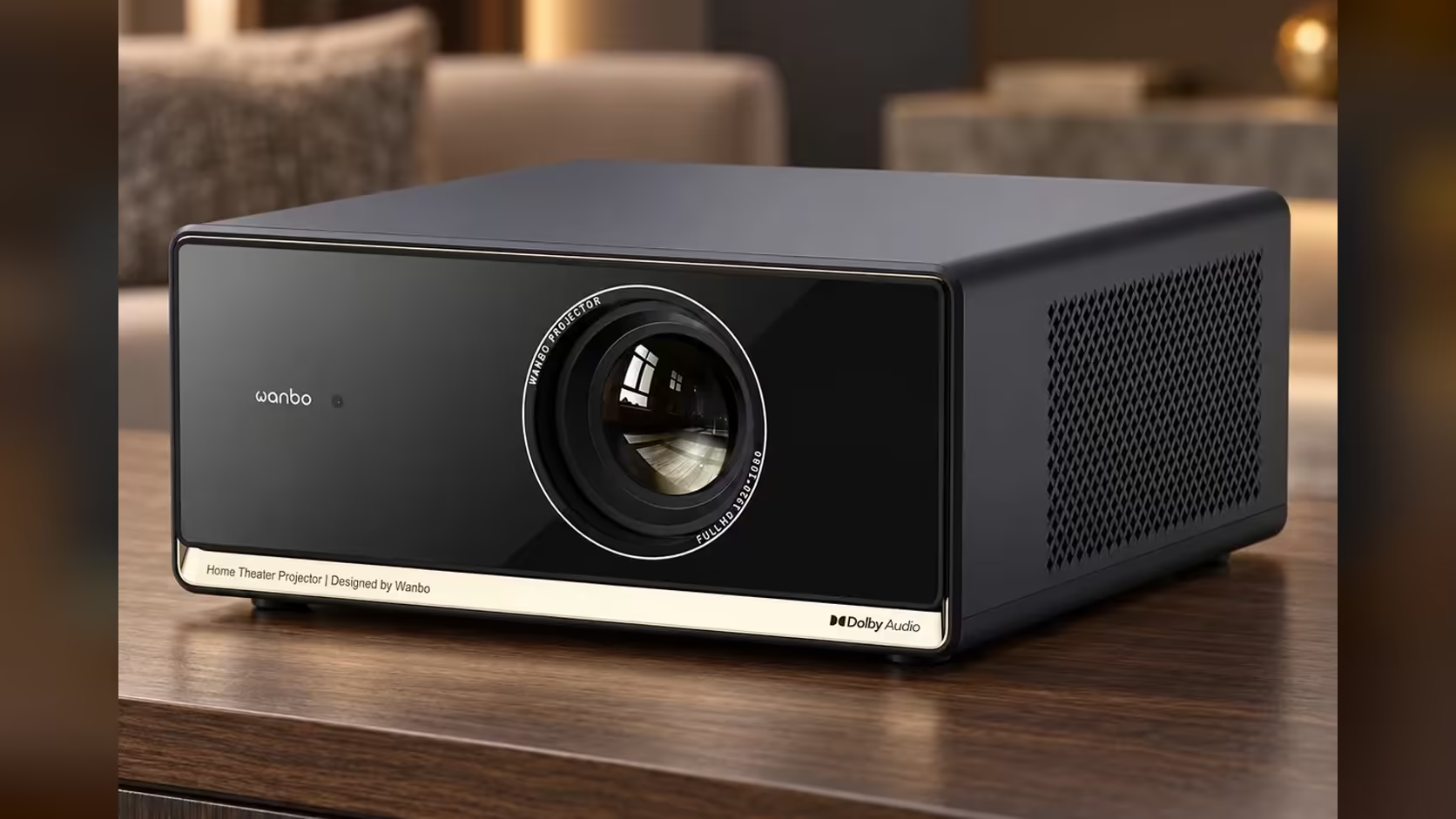
Before you order the Wanbo X5S, run three checks in your own home, in order: the room, the connection and the family's apps. The room decides the picture size and how bright it looks. The connection decides whether the streams arrive smoothly. The apps decide whether the projector replaces the devices you already own. Work through the three with a tape measure, a phone and a list of services, and the order is almost always clear by the end.
Quick Answer
Check the room first: a 100-inch picture needs about 2.2 metres of clear wall and a lounge that can be darkened. Then check the fibre line, the 230V socket and whether your family's apps sit in VIDAA. The X5S brings 1100 ANSI lumens, 1080p Full HD and VIDAA with more than 1,800 apps for R6,899 including VAT.
📏 Step one: measure the room
Take three measurements. The first is the clear width of the wall where the picture will land, which must be at least the width of your chosen size; a 100-inch picture is about 2.2 metres wide. The second is the clear height, at least about 1.2 metres for that size. The third is how far back the projector will sit from the wall, about 2.8 metres for a 100-inch picture.
Then check the light. Sit on the couch at the time you plan to watch, switch on the lamps you normally use, and close the curtains. If the picture still holds its contrast with the curtains closed, the X5S's 1100 lumens will suit the room. If the room stays bright at the time you watch, buy blackout fabric before the projector, not after.
🌐 Step two: check the connection
Streaming starts with the line. An HD stream wants roughly 5 Mbps by Netflix's guidance, which a 1080p picture from the X5S needs. Test your speed at night, once the household is online, rather than at breakfast. A fibre line that holds that speed is in good shape. A line that drops at night, or an LTE or capped plan that runs out of data, will limit the streams whatever projector you buy.
Check the signal where the projector will sit, too. A strong signal at the router is no use if the lounge is at the far end of the house behind a brick wall. Load a page on a phone at the spot where the projector will go, and if it loads slowly, plan a better placement or an extender before the first film.
🔌 Step two and a half: the 230V socket
The X5S runs on South African 230V mains, and you will want a socket close to the spot where it sits. Keep the power on a surge-protected board rather than a loose extension lead, and keep the cable out of the path where people walk past the screen. If the only socket is across the room, plan the cable run before you order, because a cable stretched across a passage is a hazard.
📺 Step three: check the apps
List the services your family uses every evening. The X5S runs VIDAA with more than 1,800 apps, and the spec names Netflix, YouTube and Prime Video. Check each service you use against the list, and check that you have the sign-in for each one. A service not on the list needs a second device, and the projector will not replace the box you were hoping to remove.
Decide who signs in to what. A family with several accounts should agree which profile sits on the projector before the first night, so the recommendations stay sensible for everyone.
✅ Put the checks together
If the room takes the size you want, the line holds up in the evening, the socket is close and the apps are on the list, the X5S is a clear fit. If one check fails, the fix is usually the room or the network rather than the projector. Blackout curtains, a better router position and a surge-protected board solve most of the problems that appear after the first film.
Start with the projector range for the X5S spec, and the projector category for the other projectors we sell, so you can run the three checks against each one.
Frequently Asked Questions
What is the most common reason a projector disappoints?
The room. A bright lounge with no blackout curtains takes the contrast out of any picture, so measure the light before you measure the budget.
Does the X5S need a special socket?
It needs a standard 230V socket, ideally on a surge-protected board close to where the projector sits.
Can I check my internet speed before I order?
Yes. Run a speed test once the household is online, and compare the result with the roughly 5 Mbps an HD stream needs.
Run the three checks first.
Measure the room, check the line and list your apps, then browse the projector range on Evetech to see whether the X5S fits.