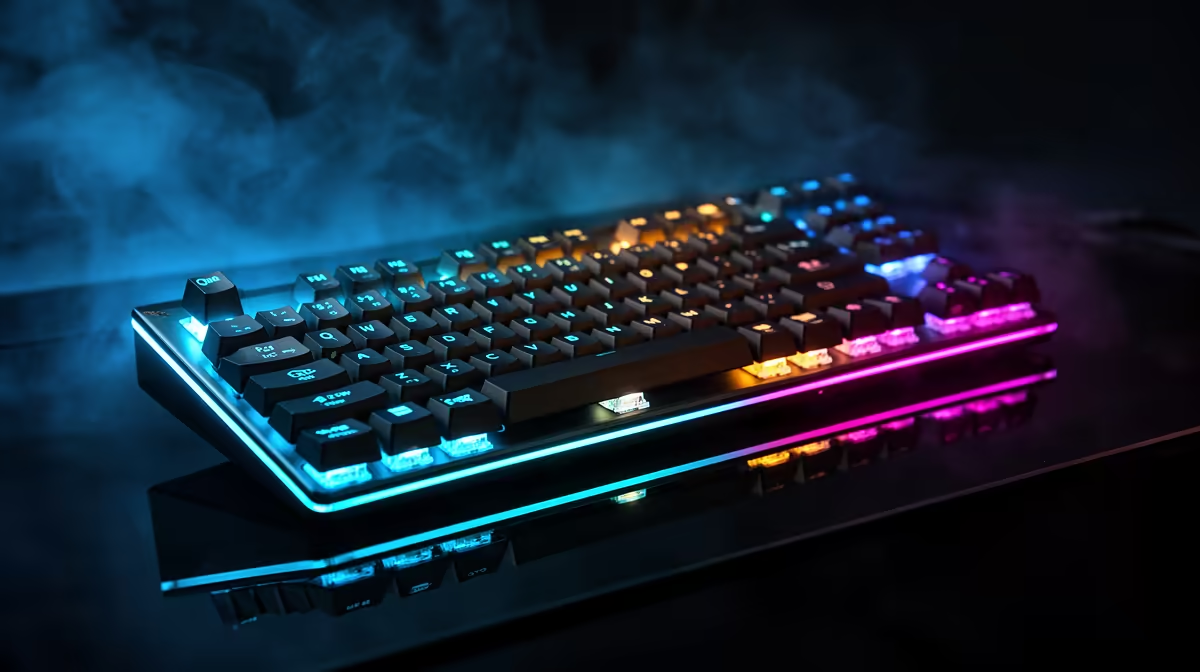
So you've unboxed your new Corsair K55 RGB PRO? Lekker! This keyboard is a legend in the making, offering premium features without the hefty price tag. But just plugging it in is only half the fun. To truly get your money's worth and gain an edge in everything from Helldivers 2 to your daily grind, you need to master its setup. This guide will take you from default settings to a fully optimised command centre. 🚀
First Steps: The Foundation of Your K55 RGB PRO Setup
Before you can customise colours and program macros, you need the right software. The entire Corsair K55 RGB PRO setup hinges on one powerful tool: iCUE.
- Connect Your Keyboard: Plug the USB cable into a port on your PC. The keyboard will light up with a default rainbow effect.
- Download iCUE: Head over to the official Corsair website and download the latest version of their iCUE software. This is non-negotiable... it’s the brain behind your keyboard's brawn.
- Install & Detect: Run the installer. Once it's done, iCUE should automatically detect your K55 RGB PRO.
This keyboard proves you don't need to spend a fortune to get incredible features, which is why it's one of the most popular affordable gaming keyboards on the market.
Unleash the Power of iCUE: Customisation Central
This is where the real magic happens. Opening iCUE for the first time might seem a bit intimidating, but it’s where you'll refine your Corsair K55 RGB PRO setup from good to great.
Lighting Effects: More Than Just a Rainbow ✨
The five-zone RGB is a standout feature. Instead of a generic rainbow wave, why not create profiles that actually help you play?
- Game-Specific Profiles: Set up a profile for Apex Legends where the keyboard flashes red when you're taking damage. For an MMO, maybe have it glow blue to match your mana bar.
- Work & Play: Create a simple, static white light profile for work to keep things professional, and switch to a vibrant pattern when it's time to game.
Macro Magic: Your Secret Weapon 🔧
The six dedicated macro keys on the left are a massive advantage. Macros are sequences of key presses recorded to a single button.
- For MMOs & RPGs: Record complex ability rotations to one key.
- For Shooters: Bind a key to instantly buy your favourite loadout in CS2 or Valorant.
- For Productivity: Program a key to open your most-used applications or paste a common email response.
A great keyboard is even better with a great mouse. Pairing them up correctly is key, and exploring keyboard and mouse combos can often land you a fantastic deal.
Pro Macro Tip: Add Delays
When recording a complex macro in iCUE, add small, manual delays (around 20-50ms) between key presses. This makes the macro more reliable in-game, as it mimics human timing and prevents the game engine from ignoring inputs that are too fast.
Pro Tips for Peak Performance
You've got the basics of your K55 RGB PRO setup sorted. Now let's look at a few extra tips to get the absolute most out of it.
The K55 RGB PRO is one of the best reliable wired keyboards out there, meaning you get zero-latency input, which is critical for competitive play. There's no chance of a dropped signal during a final-circle firefight. Of course, if a minimalist desk is your main goal, there are always some excellent clutter-free wireless options to consider for a different kind of setup.
Don't forget to use the dedicated Windows Lock key (top right) before jumping into a game. There is nothing worse than accidentally hitting the Windows key and minimising your screen in the middle of a clutch moment. It’s a simple press, but it’s a lifesaver.
Ready to Complete Your Command Centre?
A proper keyboard setup puts you ahead of the competition. Explore the latest and best gaming keyboard deals at Evetech and find the perfect hardware for your playstyle and budget.