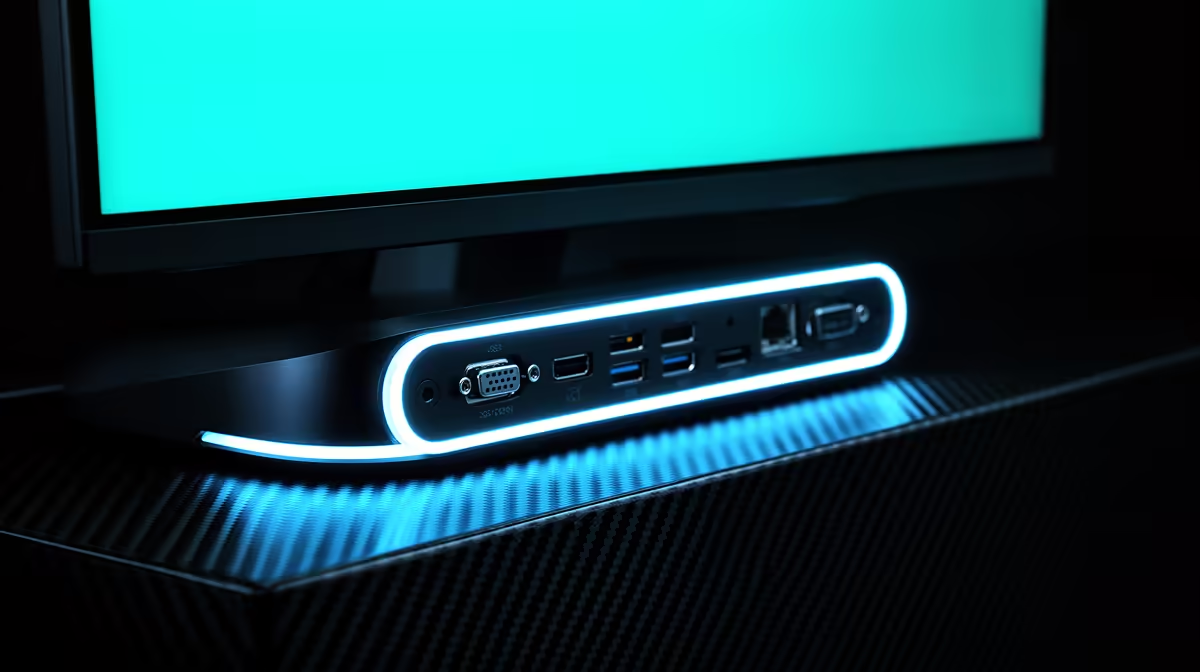
You’ve just unboxed your shiny new gaming monitor. The smell of fresh electronics is in the air. You plug it in, but... wait. The port on your graphics card doesn’t match. Or worse, it connects, but you can’t get that buttery-smooth 144Hz you paid for. Getting your gaming monitor ports in South Africa right is crucial, and this guide will make you an expert, ensuring you never waste a single frame of performance again.
Why Your Monitor's Ports Are a Bigger Deal Than You Think
Think of a monitor port as the pipeline between your PC and your screen. A tiny pipe can't deliver enough water, and the wrong port can't deliver the data needed for high resolutions and refresh rates. This is the single biggest bottleneck that can cripple your expensive hardware. Choosing correctly ensures you unlock every bit of performance, from vibrant colours to lightning-fast response times, across all kinds of PC monitors. 🚀
Making the right choice in this gaming monitor ports South Africa guide isn't just about getting a picture on the screen; it's about getting the best picture your gear can produce.
The Main Event: DisplayPort vs. HDMI
For decades, this has been the ultimate showdown in the world of display connectivity. While both can get the job done, they have distinct advantages, especially for gamers.
DisplayPort: The PC Gamer's Best Friend 🔧
If you're a dedicated PC gamer, DisplayPort (DP) should be your default choice. Why? It was designed from the ground up for computer monitors and typically offers more bandwidth than its HDMI equivalent at the time of release.
- Key Advantage: DisplayPort 1.4 is the current standard on most gaming monitors and GPUs. It has enough bandwidth to comfortably run 1440p at 240Hz or 4K at 120Hz.
- Variable Refresh Rate (VRR): It’s the native standard for NVIDIA G-Sync and works flawlessly with AMD FreeSync, which is essential for eliminating screen tearing.
- Daisy-Chaining: A cool feature that lets you connect multiple monitors to a single DisplayPort output on your graphics card.
If you're browsing all our gaming monitors, you'll notice the high-performance models almost always feature DisplayPort.
HDMI: The Versatile King of Connectivity
HDMI is everywhere—on your TV, your PlayStation 5, your laptop... and your gaming monitor. While older versions gave it a bad rap for PC gaming, modern HDMI is incredibly capable.
- Key Advantage: HDMI 2.1 is a massive leap forward. It matches and sometimes exceeds DP 1.4's bandwidth, making it the go-to for console gamers wanting 4K at 120Hz on their PS5 or Xbox Series X.
- Simplicity: One cable for audio and video that connects to almost any device you own. It's the universal standard for a reason.
Cable Quality Matters! ⚡
Having the right port is only half the battle. A cheap, uncertified cable can cause flickering, signal loss, or prevent you from accessing higher refresh rates. For HDMI 2.1, make sure you use a certified 'Ultra High Speed' cable. For DisplayPort 1.4, look for a VESA-certified cable to guarantee performance. Don't let a R200 cable bottleneck your R10,000 hardware!
The Rise of USB-C and Thunderbolt
The newest players on the block are USB-C and Thunderbolt. These ports are brilliant for simplifying your setup, especially if you game on a laptop. A single USB-C cable can often handle video, power delivery, and data transfer simultaneously. This is especially handy for the latest generation of modern portable monitors, allowing you to create a dual-screen setup anywhere with just one cable. ✨
Matching Ports to Your Gaming Goals
So, what should you use? Here’s a quick breakdown.
For High Refresh Rate Esports
If you play competitive titles like Valorant or Apex Legends, every frame counts. Your goal is the highest refresh rate possible.
- Your Best Bet: DisplayPort 1.4. It’s the most reliable option for pushing 240Hz, 360Hz, or even higher, giving you the smoothest gameplay on one of our immersive curved monitors.
For Glorious 4K Visuals
If you prefer stunning single-player experiences with breathtaking graphics, resolution is your priority.
- Your Best Bet: HDMI 2.1 or DisplayPort 1.4. Both can handle 4K at high refresh rates. If you're gaming on a console, HDMI 2.1 is a must. For PC, either will deliver an incredible experience on one of our stunning 4K monitors.
Understanding gaming monitor ports in South Africa is your final step to building the perfect setup. Now you have the knowledge to check the specs and ensure your new screen and GPU can communicate perfectly.
Ready to Find Your Perfect Match?
Now that you're an expert on connectivity, you can choose with confidence. The right port unlocks your hardware's true potential. Explore our massive range of gaming monitors and find the perfect screen to conquer your world.