


Tired of staring at loading screens while your mates are already dropping into the action? We've all been there. That agonising wait for your game to load isn't your internet's fault... it's probably your storage drive. In South Africa, the SSD vs HDD for gaming debate is one of the most critical upgrade decisions you can make. It's the difference between instant action and making a cup of coffee while your PC catches up. Let's settle it.
The Core Difference: Mechanical vs. Flash Memory
Before we dive into frame rates and load times, it's crucial to understand what you're actually choosing between. The fundamental difference in the SSD vs HDD gaming comparison comes down to moving parts.
A traditional Hard Disk Drive (HDD) is like a tiny, high-tech record player. It uses a spinning magnetic platter and a mechanical arm that reads and writes data. It’s proven technology and offers massive storage for a low price, but that physical movement creates a speed bottleneck.
On the other hand, a Solid State Drive (SSD) has no moving parts at all. 🚀 It uses interconnected flash-memory chips, working like a massively powerful USB drive. By sending data electronically instead of mechanically, it can access information almost instantly.
How Your Drive Impacts Your Gaming Experience
So, what does this technical difference mean for your daily gaming sessions? Everything. The choice between an SSD or HDD for gaming directly affects speed and responsiveness in ways you can feel.
Blazing-Fast Boot & Load Times
This is the most dramatic improvement. An SSD can slash your PC's boot time from over a minute to under 15 seconds. In-game, this means the loading screen for a massive world like Cyberpunk 2077 or Baldur's Gate 3 transforms from a long pause into a brief transition. You'll spend less time waiting and more time playing.
Smoother In-Game Performance
Speed isn't just about loading. Modern open-world games constantly stream assets like textures, models, and audio from your drive. A slow HDD can cause noticeable stuttering or "texture pop-in," where surfaces appear blurry before suddenly snapping into focus. An SSD feeds your GPU data so quickly that these immersion-breaking moments disappear, leading to a much smoother experience. ✨
Not All SSDs Are Created Equal: NVMe vs. SATA
Just when you thought you'd decided on an SSD, there's another choice to make. The two main types you'll find are SATA and NVMe.
- SATA SSDs: These use the same rectangular shape and connection type as traditional hard drives. They are a fantastic and affordable first step into the world of solid-state storage, offering a massive speed boost over any HDD. For most gamers, these affordable 2.5-inch SATA SSDs provide the best bang-for-your-buck upgrade.
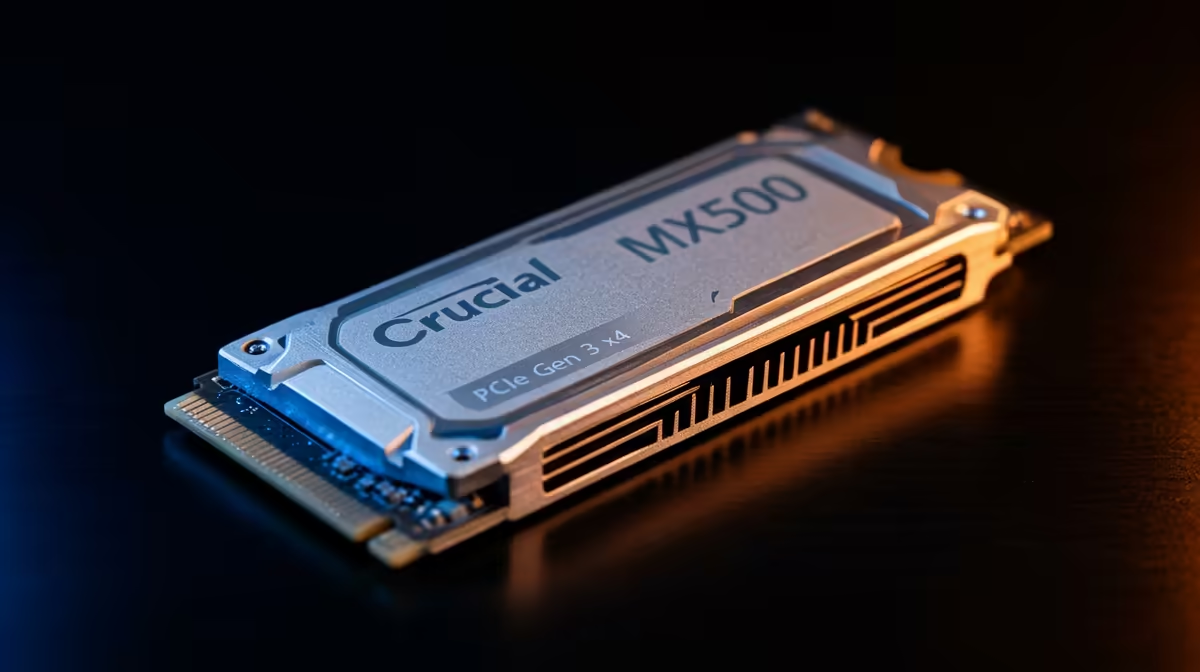
- NVMe SSDs: These look more like a stick of RAM and plug directly into a special M.2 slot on your motherboard. By bypassing the older SATA interface, blazing-fast NVMe SSDs achieve speeds that are orders of magnitude faster than anything else. They are the premium choice for enthusiasts who demand zero compromises.
Check Your Motherboard! 🔧
Before buying an NVMe SSD, check your motherboard's specifications online to ensure it has a compatible M.2 slot. Most modern boards do, but it's always best to confirm. Look for slots labelled "M.2 PCIe" or "NVMe" to get the full speed benefit. Some slots might only support the slower M.2 SATA standard.
The Big Question: What About the Cost in ZAR?
Let's talk rands and cents. For years, the main argument for HDDs has been their incredible value. You can get multiple terabytes of storage for a fraction of the cost of an equivalent-sized SSD. And for mass storage of movies, photos, or your massive "play-later" game library, they're still the undisputed king of cost-per-gigabyte.
However, SSD prices have dropped dramatically. The performance jump is so significant that it's now considered the single most impactful upgrade for any PC. Instead of thinking of it as a cost, think of it as an investment in your time and enjoyment. Luckily, you don't have to break the bank to get in on the action; you can always check out the latest SSD deals to find exceptional value.
The Verdict: The Ultimate Setup for SA Gamers
So, in the battle of SSD vs HDD for gaming, who wins? The answer is... both.
The smartest strategy for most South African gamers is a hybrid setup.
- Primary Drive (SSD): Use a fast 500GB or 1TB SSD for your Windows operating system and your most-played games. This gives you lightning-fast boot times and instant access to your favourite titles.
- Secondary Drive (HDD): Add a large 2TB or 4TB HDD for everything else. Your massive back-catalogue of games, media files, and documents can live here, where access speed isn't as critical.
This approach gives you the incredible performance of an SSD where it counts most, combined with the affordable mass storage of an HDD. It's the perfect balance of speed and capacity, optimised for a savvy gamer's budget. ⚡
Ready to Kill Lag for Good? The storage you choose is the foundation of a fast, responsive gaming rig. Stop waiting and start playing. Explore our massive range of PC components and find the perfect drive to unleash your PC's true potential.









