Closing the last browser window does not always mean every browser process disappears. Edge startup boost deliberately keeps a small part of Edge ready on supported Windows PCs, trading some background presence for a quicker opening experience.
Quick Answer
Review Startup boost in Edge's System and performance settings and choose whether you want that standby behaviour. Test opening the browser with the setting on and off under similar conditions. The switch costs R0 to try and does not promise faster downloads, game frame rates or every webpage interaction.
🚀 Understand the launch it is trying to improve
Microsoft describes core Edge processes starting in the background so they are ready when you open the browser. That can affect launching from the taskbar, a desktop shortcut or a link in another application. It is a browser-readiness feature, not a new processor mode for the entire computer.
If your complaint is that a particular website takes too long after the browser is already open, identify that as a different symptom. The connection, site and page content still matter. A launch setting cannot establish that a slow remote service is fixed. Keep the test close to the function the feature actually describes.
⏱️ Compare similar openings
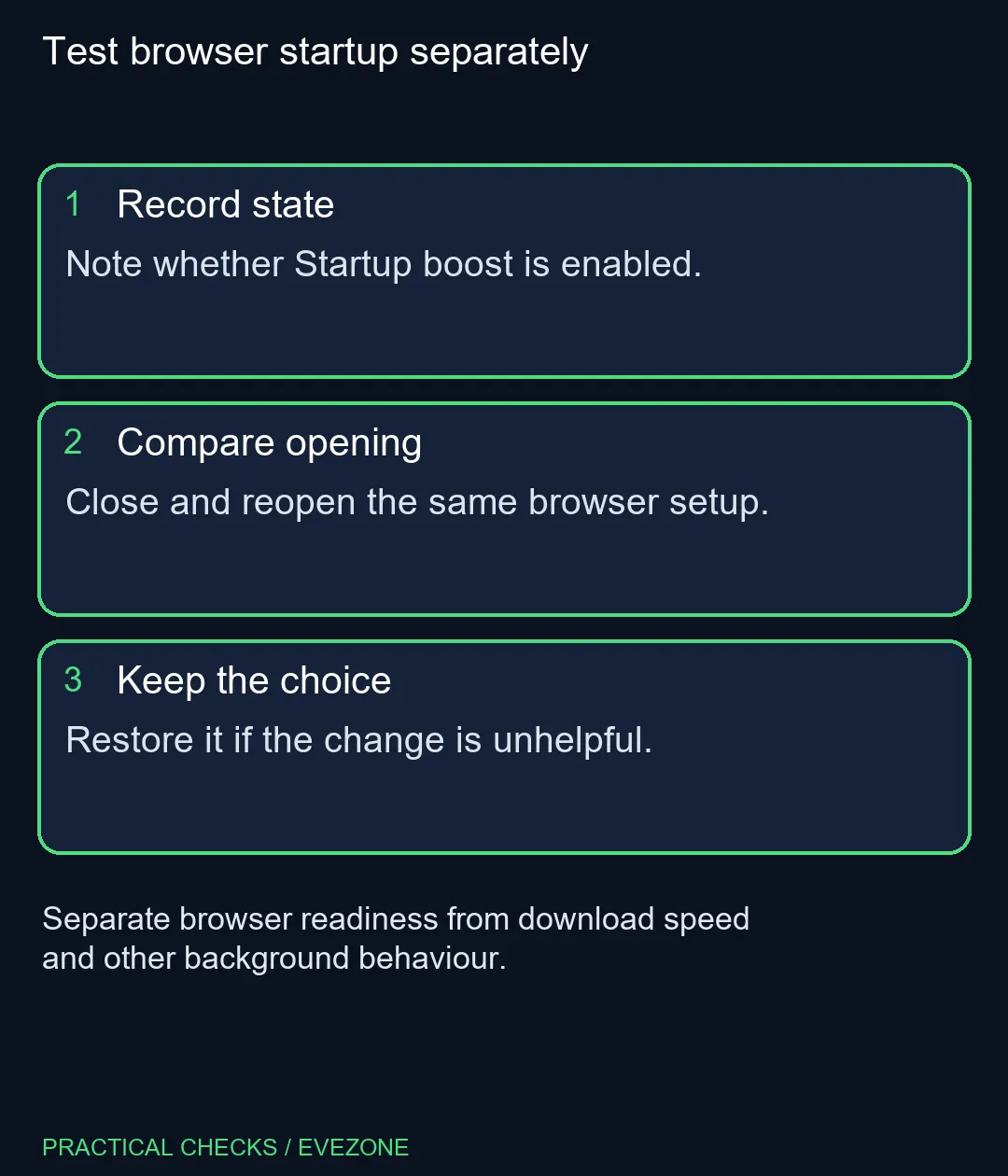
Note the current switch position before changing it. Close the browser, reopen the same setup and observe the delay that matters to you. Repeat with the other setting while keeping the tabs, extensions and other work as similar as practical. A busy update or a different restored session can make a casual comparison misleading.
You do not need to force-terminate every process or edit the registry to perform this preference check. Use the supported settings interface and restore the original choice if the result is unhelpful. If the option is unavailable or centrally controlled, leave the management decision with the administrator.
🧩 Distinguish the other background controls
Microsoft's policy documentation discusses Startup boost separately from Background mode. Extensions and other applications may therefore need their own investigation when processes remain after you close a window. Turning off one option is not proof that every process bearing a related name must disappear.
Look at the exact application and its purpose before changing additional settings. Avoid disabling unrelated services simply to make a process list look shorter. An understandable result is more useful than a smaller number reached through changes you cannot explain, especially on a work machine that relies on managed software.
💻 Buy hardware for the broader need
A browser preference is worth testing before replacing a notebook. Our dated 27 October catalogue read included an ASUS Vivobook Go 15 Core i3 at R8,499, but that price says nothing about how your current browser profile will launch. Use intel gaming laptops when you have identified wider computing requirements beyond this one setting.
Storage can also be a separate consideration, but internal ssds should be compared against the machine's actual interface and capacity needs. Startup boost is not a drive-health diagnosis, and a new SSD does not decide the browser's background policy for you. Choose the standby behaviour you prefer, check that the normal opening experience remains usable, and leave a hardware purchase for a clearly defined hardware limitation.
Frequently Asked Questions
What does Startup boost do?
It keeps core Edge processes ready in the background so the browser can open more quickly.
Where is its switch?
Look in Edge Settings under System and performance, including the System area in current layouts.
Does it accelerate websites or downloads?
Its documented purpose is browser startup. It is not a guarantee of faster internet, rendering or game performance.
Is it available on every platform?
No. The current policy documentation supports Windows and lists macOS, Android and iOS as unsupported.
Is Background mode the same setting?
No. Microsoft documents separate background-mode behaviour, so one switch does not explain every remaining process.
What if the option is managed?
A mandatory policy can control it. Ask the device administrator rather than attempting to override the policy.
Choosing how your browser waits between sessions?
Try the supported Startup boost switch and keep hardware comparisons tied to the wider computer requirements.