The missing translation icon often sends people towards the wrong setting. Edge translate not working can be a preference the browser is following, rather than a damaged installation or a reason to replace a slow-feeling laptop.
Quick Answer
Open Edge Settings and review Languages, the offer to translate, and any saved Never translate choice. Test a different page in the same language. These browser checks require R0 of new equipment; translation still depends on the page, supported language and access to the service.
🌍 Check what Edge thinks you read
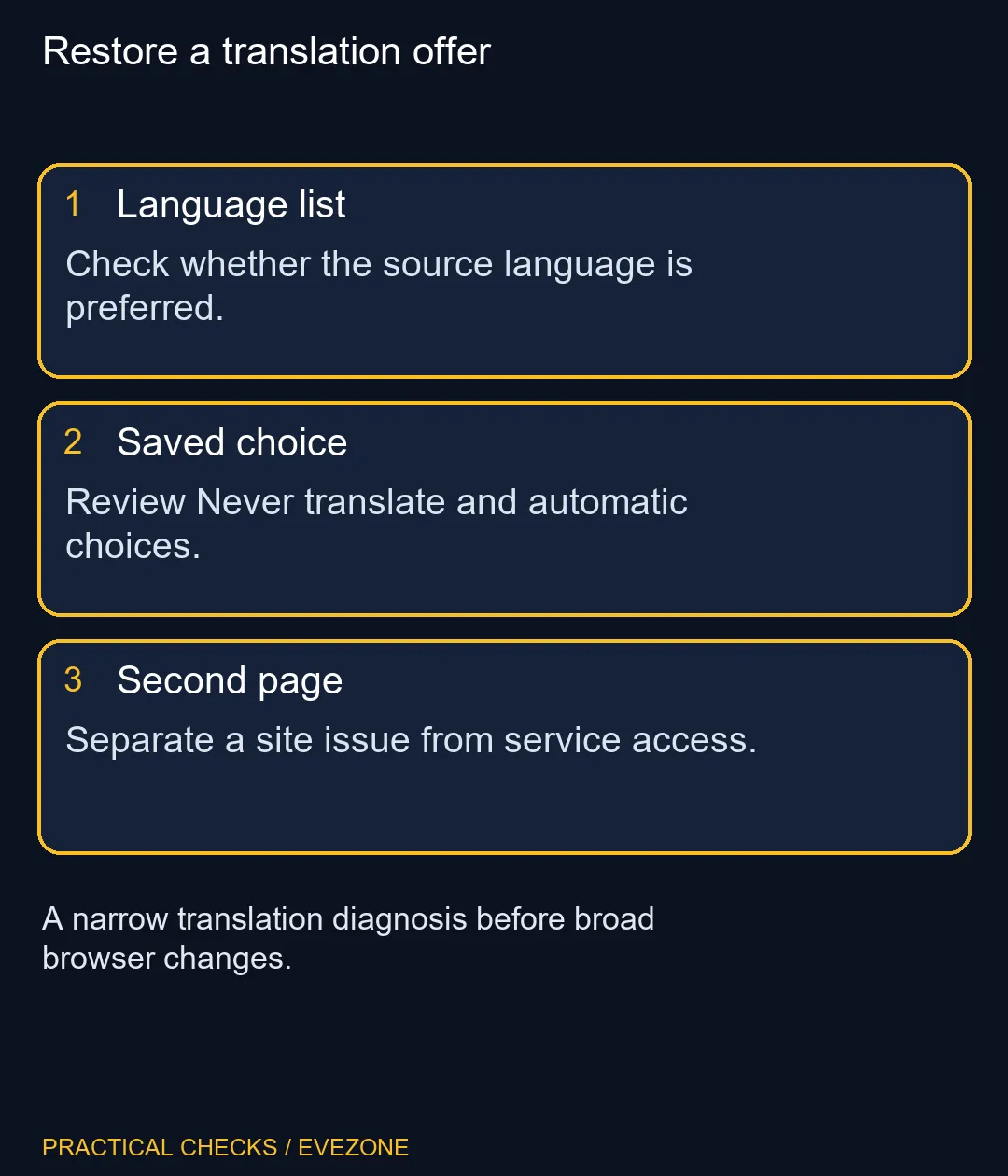
Edge normally offers translation when a page is in a language outside your Preferred languages list. If that language is already included, the absence of an automatic offer can be expected behaviour. Inspect the list before deciding that an update removed translation from every site.
The language list and the browser's display language serve different purposes. You may want menus in English while still reading another language without an automatic prompt. Decide which behaviour you want, then adjust that preference deliberately. Record the original setting if you are helping someone else, so their familiar browsing arrangement can be restored.
🧭 Review the choice saved for that language
The translation panel can remember whether you always want a language translated or never want an automatic offer. A past click can therefore explain why one language behaves differently from another. Review the relevant exception instead of repeatedly closing and reopening the same page.
When a translation is active, Show original lets you return to the original wording. That is useful when a technical model name or an instruction looks odd after translation. Compare the original wording before using translated text to make a product-compatibility decision. A translated label is a reading aid, not a new specification for the item you are considering.
🧪 Separate the webpage from the connection
Test a straightforward article in the same source language. If that translates and the original page does not, focus on the page-specific difference. If several pages fail, consider the connection, extensions and any management policy documented for the browser. Change one variable, retest, and restore changes that did not help.
No particular replacement computer is implied by this symptom. The intel gaming laptops category belongs to a separate hardware decision, while gaming monitors can help when screen size is your actual reading problem. Neither purchase substitutes for checking which language rule the browser is applying.
🔐 Keep managed settings with their owner
Microsoft's troubleshooting guidance includes policy as a possible reason for translation being unavailable. A school or work machine can therefore differ from your personal browser even when the visible page is the same. Ask the administrator about the setting instead of trying registry changes or an unofficial extension to get around it.
Once translation works, return to the page that started the problem and verify the original and translated views. Keep the settings that match how you read. Avoid deleting unrelated browsing data simply because it is a familiar troubleshooting suggestion; the useful result is understanding whether the cause was a saved choice, a page limitation or wider service access.
Frequently Asked Questions
Why is there no automatic translation panel?
The page language may already be preferred, translation offers may be off, or a Never translate choice may apply.
Where do I enable the offer?
In Edge Settings, open Languages and review the offer to translate pages outside the languages you read.
Can I undo a translated page?
Use the translation control and choose Show original to restore the original language view.
Does changing Windows language fix this?
Start with Edge language preferences. Changing the whole Windows display language is unnecessary for this check.
What if only one website fails?
Compare a simple page in the same source language, then investigate the original site rather than resetting everything.
Can work policy control translation?
Yes. On a managed device, ask the administrator to check the policy rather than trying to bypass it.
Reading product details in another language?
Restore the translation controls first, and compare hardware only when the screen or computer itself needs an upgrade.