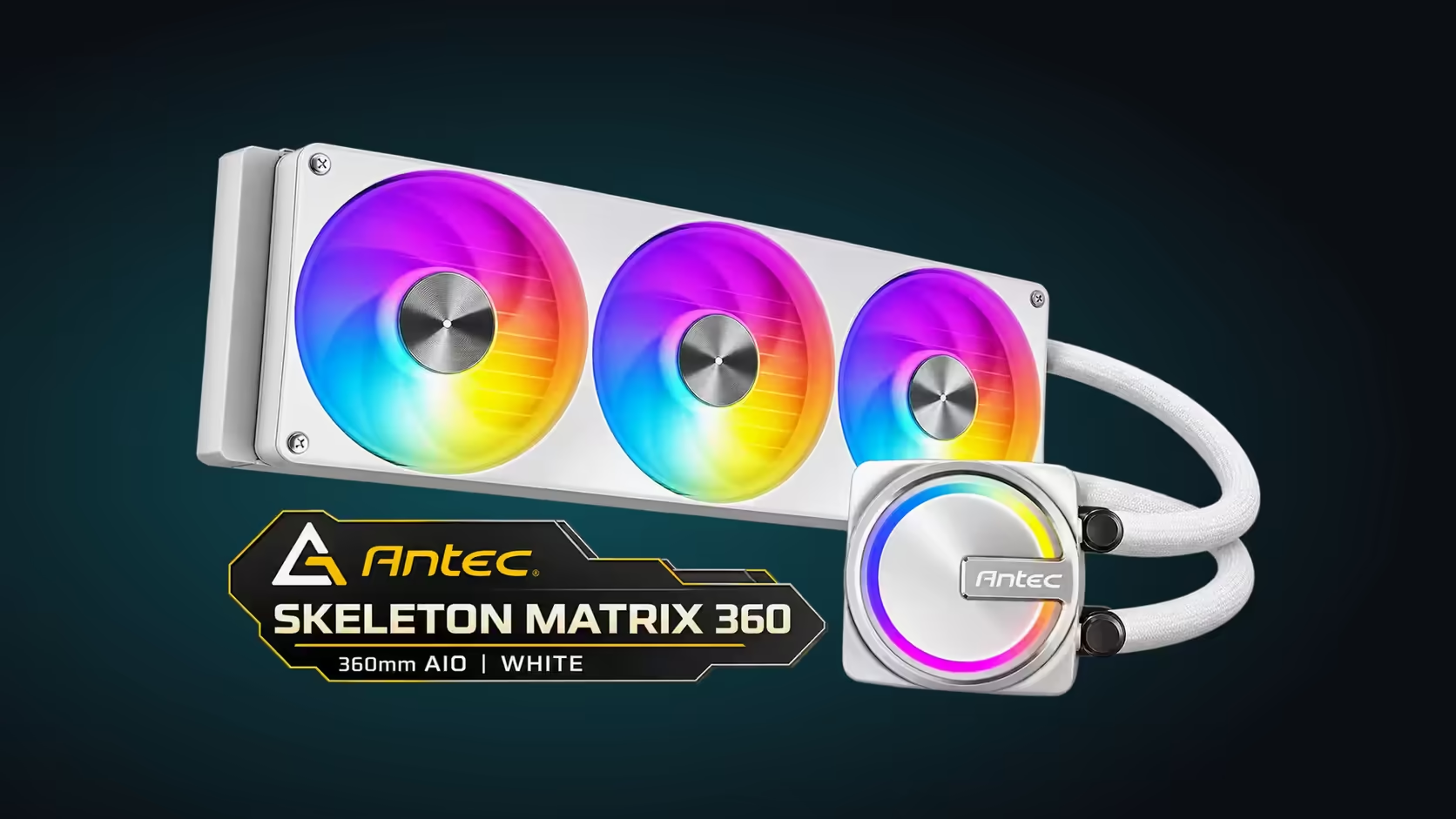
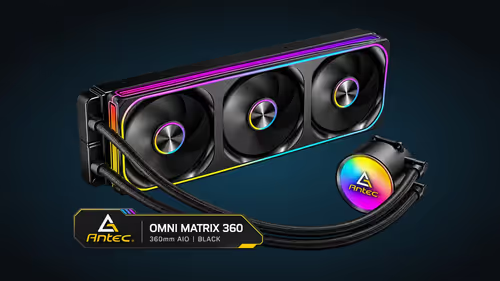
A spec line such as "360mm radiator, 2800RPM pump, socket support" is a short list of numbers, and most buyers read it once and move on. Each figure controls a specific part of the loop, though, and knowing what it controls turns the spec into a decision. This guide reads the Antec Skeleton Matrix 360 ARGB AIO Liquid CPU Cooler in white line by line, so you know what every figure means once it is sitting in your case.
Quick Answer
The Skeleton Matrix 360 White pairs a 360mm radiator with a 2800RPM pump and a single-frame fan running from 800 to 2400RPM. It has a copper base plate and IIR-EPDM tubing, and it covers LGA 1851, LGA 1700, AM5 and AM4. The cooler costs R1,199 including VAT.
📏 The 360mm radiator and what the case has to give
The radiator is the cooler's heat exchanger, and 360mm is its length. A 360mm slot at the front or top is the first requirement, with room behind it for the radiator and fan. Before you read any other figure, confirm the slot exists and measure the depth behind it in millimetres.
A longer radiator gives the coolant more fin area to shed heat through, which is why 360mm coolers are chosen for hot processors. The trade-off is space. A 360mm mount is larger than a 240mm or 120mm mount, so the case decides whether the cooler is possible at all.
🔄 The 2800RPM pump and its motor
The pump moves coolant around the loop. Its rated speed of 2800RPM means the impeller turns about 47 times each second. The motor is an 8-pole design, which describes the magnetic layout inside it rather than the speed itself. The speed is the figure to compare when you read the spec, and the pole count is background.
The pump plugs into the AIO pump header on the board, and its speed is set in BIOS on the fan control page. A pump held at full speed adds noise, and a pump set too low can take heat away more slowly from the processor. Start at the default setting and adjust only after a load test.
🌬️ The single-frame fan and its range
The fan is a single-frame 360mm unit that mounts across the radiator as one assembly. It runs from 800 to 2400RPM under PWM, so the board can change its speed across the whole range. At 800RPM it is quiet enough for an idle desktop, and at 2400RPM it moves the most air the radiator will get.
The lighting follows the same single-assembly logic. One ARGB header runs the fan and the pump together, so the lighting needs a single lead rather than one per fan.
🧱 The base plate, the tubing and socket support
The copper base plate sits on the processor and draws heat into the loop. The IIR-EPDM tubing limits coolant loss, so the loop holds its fluid for longer. Those two parts set how heat enters the loop and how the loop keeps its coolant over time.
Socket support is the last line to read. Socket coverage runs to LGA 1851, LGA 1700, AM5 and AM4. Match your board's socket to that list, then check the 360mm mount. The socket is not enough on its own, because the radiator has to fit the case as well.
🧪 What to check after the first boot
After the first boot, confirm the pump reads near 2800RPM and the fan follows its curve. Run a 15-minute load test and watch the processor temperature. If the pump reads zero, check that its lead sits on the AIO pump header and is fully seated.
Check the radiator's fins for dust after the first month in a dry Highveld season. A dusty radiator cuts airflow, and the fan then works harder for the same cooling.
The 360mm AIO coolers page lists the 360mm options, while the CPU coolers category holds the full range.
💰 Reading the spec against a budget
Spend R1,199 on this cooler and R1,801 of a R3,000 budget is still free. That is a clear way to use the spec: the figures tell you what the cooler does, and the budget tells you what is left for the processor, the board and the RAM.
Check the spec against the parts you already own, too. A cooler that supports your socket and fits your mount is worth more than one with a better number on paper that does not fit.
🧭 Reading the spec in build order
Read the figures in four steps. Step one is the 360mm mount in your case, measured in millimetres. Step two is the socket: LGA 1851, LGA 1700, AM5 or AM4 on your board. Step three is the fan and pump, which run 800 to 2400RPM and 2800RPM. Step four is the price, R1,199 including VAT, to compare against the R3,000 budget before the cart opens. Taking the figures in this order keeps the expensive mistakes out of the cart. A figure that fails at step one saves the cost of the later steps.
🧪 What the copper plate and tubing do together
The copper plate conducts at roughly 400 W/mK, which is what lets heat leave the processor quickly. Compared with aluminium at about 230 W/mK, that is a clear gain on the same plate size. The IIR-EPDM tubing, commonly around 14mm in outside diameter, keeps that heat moving through a loop that holds its coolant. The CPU cooler listing gathers the components category for side-by-side comparison.
Frequently Asked Questions
What does a 360mm radiator need in the case?
A 360mm slot at the front or top, plus enough depth for the radiator and its fan. Measure both in millimetres.
What speed range does the fan run?
The single-frame fan runs from 800 to 2400RPM under PWM, so it changes speed across that range.
Does socket support mean the cooler fits my build?
It means the mounting covers that socket. You still need the 360mm mount and the clearance to the RAM and graphics card.
What is the best first check?
Measure the 360mm mount in millimetres before you read any other figure, and write that figure next to the parts list.
What does the cooler cost?
Price: R1,199 including VAT.
Ready to match the specs to your case?
Browse Evetech's CPU cooler range, then measure your case mount before you choose a 360mm cooler.