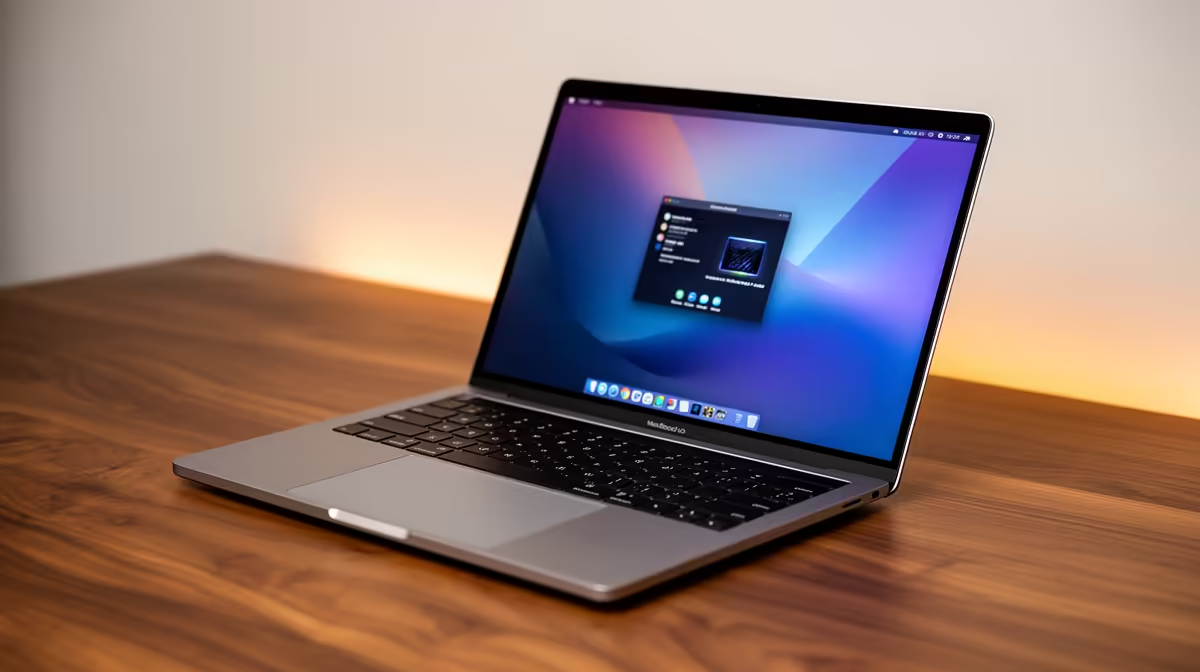
Power Up Your Studies & Play: Dual Boot Student Laptops with ChromeOS Flex 🎓
South African students juggle textbooks, lectures, and... let's be honest, a bit of gaming. But how do you get the best of both worlds without breaking the bank? Imagine a laptop that handles your essays with lightweight efficiency and then seamlessly switches to Windows for your favourite games or specialised software. This isn't a tech fantasy. It's the power of dual boot student laptops with ChromeOS Flex, a smart solution for ultimate flexibility.
In a country where every rand counts, maximising your tech's potential is key. This deep dive will show you how to transform your student experience, giving you robust productivity and entertainment options on a single device.
What is ChromeOS Flex, and Why Does it Matter for Students?
Think of ChromeOS Flex as a super-lightweight, lightning-fast operating system designed by Google. It's essentially the same ChromeOS you find on Chromebooks, but it can be installed on older or less powerful PCs and Macs. For students, this means a few critical advantages:
- Speed & Efficiency: Boots in seconds, runs web-based apps like Google Docs or Microsoft 365 smoothly, even on hardware that struggles with Windows.
- Security: Built-in virus protection and automatic updates keep you safe from digital threats, a crucial factor when studying online.
- Simplicity: Easy to use, minimal maintenance, and excellent battery life compared to Windows on the same hardware.
But here's the catch: ChromeOS Flex is primarily web-based. What if you need specific Windows applications for your course, or want to unwind with a graphically intensive game? That's where the magic of dual boot student laptops comes in.
The Best of Both Worlds: Why Dual Boot Your Student Laptop?
A dual boot setup means your laptop can run two different operating systems. You choose which one to load when you power on. For students, this versatility is a game-changer:
- Productivity Powerhouse: Need to write an essay, attend an online lecture, or collaborate on a group project? Boot into ChromeOS Flex for its speed, simplicity, and extended battery life. It’s perfect for those long study sessions.
- Gaming & Specialised Software: When it's time for a break or you need to run CAD software, a specific programming IDE, or Windows-exclusive applications, simply restart and select Windows. This ensures you have access to everything you need, from the latest AAA titles to critical academic tools.
- Budget-Friendly Upgrades: Don't have the budget for a brand new, top-tier gaming rig and a lightweight study laptop? Dual booting allows you to get more out of a single, well-chosen device. You can find excellent value on laptop specials for sale in South Africa that are perfect candidates for this setup.
Choosing the Right Laptop for Your Dual Boot Adventure 💻
While ChromeOS Flex can revitalise older machines, for a smooth dual boot experience, especially if you plan on gaming in Windows, a capable laptop is essential. Here's what to look for:
- Processor: An Intel Core i5 (8th gen or newer) or an AMD Ryzen 5 (3000 series or newer) offers a great balance of performance for both OS environments. You can often find fantastic deals on Intel laptops on special or AMD laptops on special that fit this bill.
- RAM: 8GB is a comfortable minimum, but 16GB will give you much more headroom, especially when running demanding applications or multitasking in Windows.
- Storage: This is crucial for dual booting. You'll need at least 256GB SSD, but 512GB or 1TB is highly recommended to comfortably partition space for both operating systems and your files. SSDs are non-negotiable for speed.
- Graphics Card: If gaming is a priority, look for a dedicated NVIDIA GeForce GTX 1650 or AMD Radeon RX 5500M or better. Evetech often has incredible best gaming laptop deals that will serve you well for both your studies and your leisure time.
Remember, the goal is versatility. Invest in a machine that can handle both your academic workload in ChromeOS Flex and your entertainment needs in Windows.
Setting Up Your Flexible Study & Play Hub: The Dual Boot Process 🔧
The idea of installing two operating systems might sound daunting, but it's more straightforward than you think. Here's a simplified overview:
- Backup Everything: Seriously, this is step one. All your important files should be backed up to an external drive or cloud storage.
- Shrink Your Windows Partition: Use Windows' Disk Management tool to free up space for ChromeOS Flex. Aim for at least 32GB, but more is better for future updates and files.
- Create a ChromeOS Flex USB Installer: Download the official ChromeOS Flex installer from Google's website and use a tool like Rufus or the Chromebook Recovery Utility to create a bootable USB drive.
- Install ChromeOS Flex: Boot from the USB, follow the on-screen prompts, and choose to install ChromeOS Flex on the free space you created. Do not overwrite your Windows partition!
- Configure Boot Loader: After installation, you might need to adjust your laptop's BIOS/UEFI settings to ensure you get a boot menu that lets you choose between Windows and ChromeOS Flex at startup.
Pro Tip: Prioritise SSD Space
When setting up your dual boot, allocate more space to your primary OS (likely Windows for gaming apps). ChromeOS Flex is tiny, so 32-64GB is often plenty for its partition, leaving more for your Windows games and software.
This setup empowers you with incredible flexibility. Finish that research paper in the streamlined environment of ChromeOS Flex, then reboot into Windows to dominate in your favourite online multiplayer game. It's about smart resource management, giving you the tools to succeed academically and unwind digitally.
Evetech: Your Partner for Smart Student Tech in SA
Choosing the right laptop is the first step towards a powerful dual boot setup. At Evetech, we understand the unique demands placed on South African students and offer a wide range of laptops that are perfect for this kind of versatile, budget-conscious approach. From robust Intel-powered machines to powerful AMD options, we have the hardware to support your academic journey and your gaming passions.
Get More From Your Laptop Today!
Ready to unlock unparalleled versatility and performance for your studies and leisure? Explore Evetech's incredible range of laptops suitable for a dual boot setup and take control of your digital life.
Discover Your Perfect Student Laptop!
Don't compromise on performance or flexibility. Find the ideal machine to support your studies and gaming passions. Shop now at Evetech for performance that leaves lag in the dust.