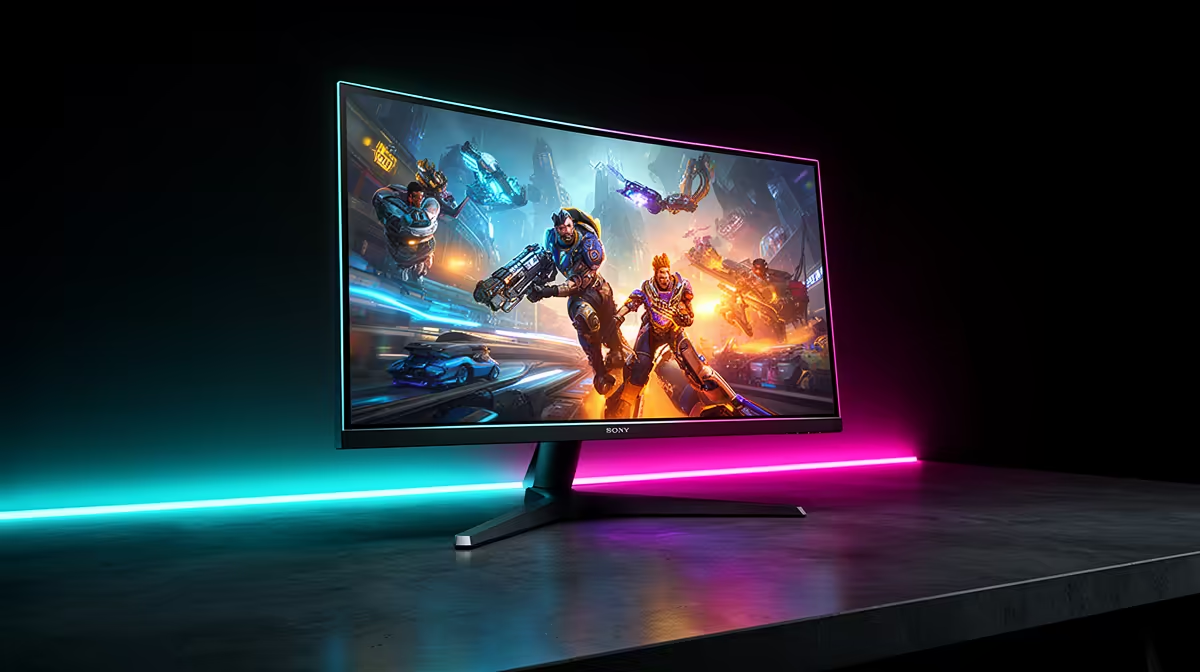
That epic headshot, the breathtaking view over Novigrad... it all looks a bit less impressive with a massive fingerprint staring back at you. Here in Mzansi, our gaming rigs are our pride, but we often forget the window to our virtual worlds: the monitor. Proper gaming monitor maintenance is crucial, not just for looks, but for performance and lifespan. This ultimate guide covers everything you need for effective gaming monitor maintenance in South Africa.
Why Proper Gaming Monitor Care is a Big Deal
Think of your monitor as a high-performance engine. A bit of dust or a few smudges might seem minor, but they degrade the visual experience you paid good money for. In South Africa, where top-tier tech is a serious investment, neglecting basic care is like leaving a new car out in a hailstorm.
Regular cleaning ensures:
- Pixel-Perfect Clarity: Removing the film of dust and grime restores the vibrant colours and sharp details the manufacturer intended.
- Longer Lifespan: Dust can get into ventilation ports, causing components to run hotter and potentially fail sooner. This is true for all kinds of PC monitors, not just gaming models.
- Better Immersion: A clean, clear screen keeps you focused on the game, not on distracting smudges in your peripheral vision.
The Do's and Don'ts of Cleaning Your Screen 🔧
Before you grab the kitchen roll and window cleaner, stop! Modern monitor screens have delicate anti-glare and oleophobic coatings that are easily damaged. Getting your gaming monitor maintenance right starts with using the right tools.
The Right Kit for the Job
- Two Microfibre Cloths: One for applying moisture, one for drying. They are soft, lint-free, and designed not to scratch sensitive surfaces.
- Distilled Water: Tap water contains minerals that can leave streaks or even scratch the screen. Always use distilled or deionised water.
- Specialised Screen Cleaner (Optional): If you have stubborn grime, a cleaner specifically formulated for LCD/OLED screens is the safest bet.
What to Avoid at All Costs
- Household Cleaners: Products containing alcohol, ammonia, or other harsh solvents will strip the screen's protective coatings.
- Paper Towels or T-shirts: These are abrasive and will leave behind tiny scratches that build up over time, especially noticeable on premium high-resolution 4K and 5K monitors.
- Applying Liquid Directly: Never, ever spray liquid directly onto the monitor. It can seep inside the bezel and cause catastrophic short circuits.
Your Step-by-Step Monitor Cleaning Guide
Ready to get that screen looking factory-fresh? This simple process is the gold standard for safe and effective gaming monitor maintenance.
- Power Down: Turn off the monitor completely and unplug it from the wall. A dark screen makes it much easier to see dust and smudges, and it's a critical safety step.
- Initial Dry Wipe: Take your first clean, dry microfibre cloth and gently wipe the screen in a single direction (e.g., top to bottom) to remove loose dust. Don't press hard or scrub in circles.
- Dampen, Don't Soak: Lightly spray a small amount of distilled water onto a different microfibre cloth. The cloth should be damp, not wet.
- Gentle Cleaning Wipe: Wipe the screen again with the damp cloth, using light, even pressure. The delicate coatings on modern curved monitors are particularly sensitive, so be gentle.
- Final Buff: Immediately use a second, completely dry microfibre cloth to gently buff the screen dry, removing any remaining moisture and preventing streaks.
Don't Forget the Body! ⚡
While the screen is the star, the monitor's frame, stand, and back vents also collect dust. Use your damp cloth to wipe these down, and consider a can of compressed air (used in short bursts from a safe distance) to clear out ventilation ports. Better airflow means a happier, cooler monitor.
Beyond the Screen: Holistic Monitor Maintenance
Great gaming monitor maintenance in South Africa goes beyond just a clean screen. To truly optimise your setup for the long haul, consider these extra steps.
Tidy Cables and Clear Vents
A chaotic nest of cables behind your desk is a prime dust trap. Tidying them up not only looks better but also improves airflow around your monitor's vents, helping with heat dissipation. This is just as important for compact portable monitors as it is for large desktop displays.
Calibrate for Colour Accuracy ✨
For the ultimate visual fidelity, especially if you also do creative work, consider calibrating your monitor's colour. You can start with Windows' built-in calibration tool or use online resources like testufo.com to check performance. This ensures you're seeing the game world exactly as the developers intended. Proper care and calibration will make all your games look their best across all our gaming monitors.
Knowing When It's Time for an Upgrade
Sometimes, no amount of cleaning can fix a screen that's showing its age. If you're noticing persistent issues like dead pixels that won't go away, uneven backlighting (blotches of light on dark scenes), or screen flickering, it might be a sign that the hardware is failing.
Technology also moves fast. A five-year-old monitor, even if perfectly maintained, simply can't compete with the high refresh rates, faster response times, and superior colour of today's panels. If your monitor is holding back your new GPU, an upgrade could be the single biggest boost to your gaming experience. Keep an eye on the best PC monitor deals to snag a great price on next-gen tech.
Ready for a Crystal-Clear Upgrade?
Proper maintenance extends the life of your gear, but nothing beats the thrill of a brand-new display. A faster, brighter, and more responsive monitor can redefine your entire gaming experience. Explore our massive range of monitors and find the perfect screen to dominate the competition.