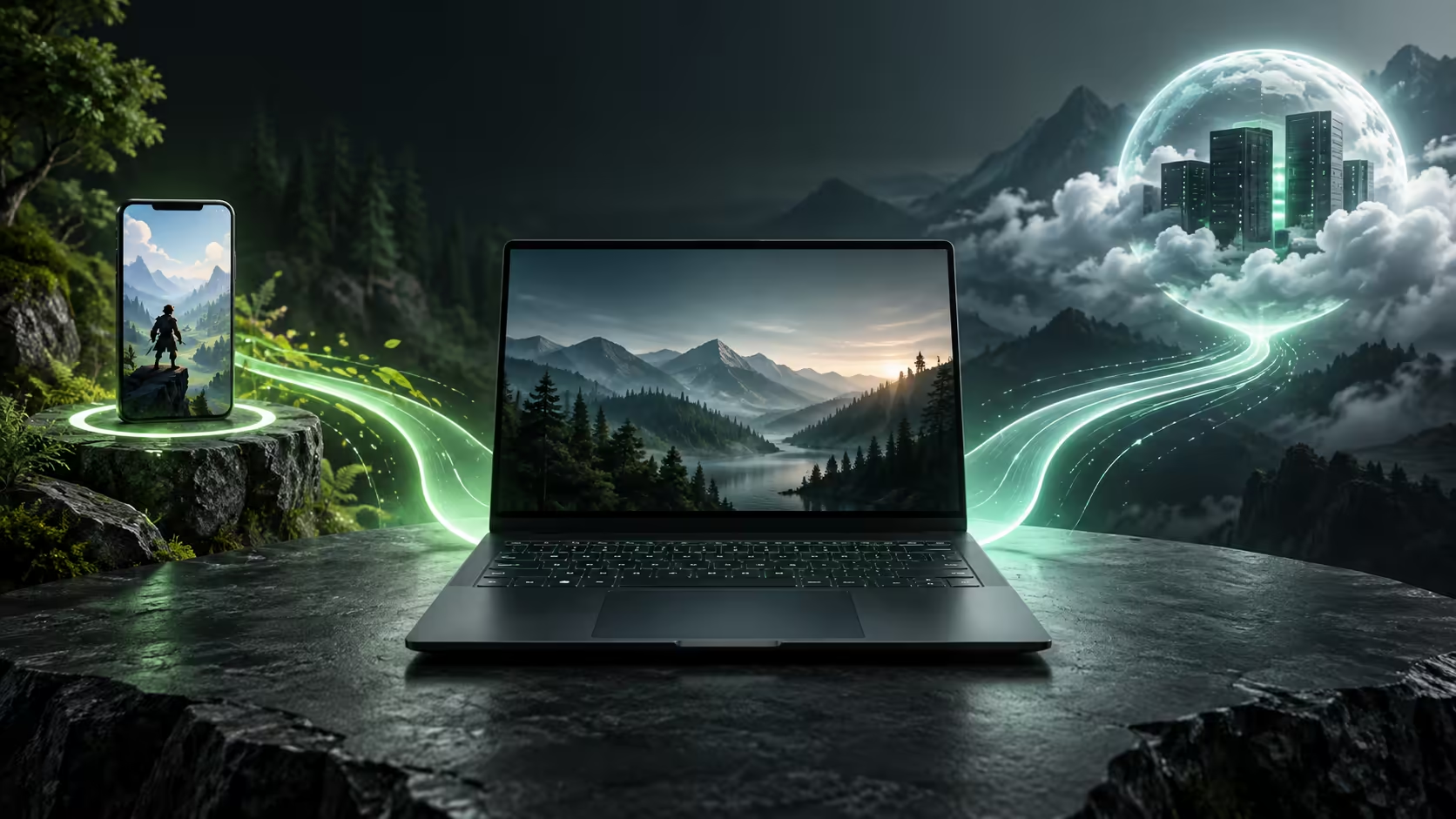
Two games running full-screen can place almost opposite demands on a laptop. Googlebook gaming includes Android titles executed on the device and PC games delivered from a remote service, so the useful first question is where the game actually runs.
Quick Answer
Google advertises both Android gaming and PC cloud play through GeForce NOW. Judge installed Android titles by their app compatibility and controls, and streamed PC titles by service access, ownership and network quality. Neither route proves universal Windows game installation or supplies a native gaming benchmark for the laptop.
🎮 Local Android play has its own strengths and limits
An installed Android game uses the laptop's available application environment. It can store assets locally and may offer short sessions that suit a portable device. Its interface, however, was designed by the game developer, not by the laptop's keyboard manufacturer.
Some titles support gamepads or physical keys, while others revolve around touch gestures. A mouse clicking a menu does not prove continuous camera control will behave like a PC shooter. The whole input sequence matters: opening the game, entering a match, moving, pausing and exiting.
Offline behaviour is also game-specific. A local installation may still need authentication, a networked match or server-held progress. If disconnected play is important, choose a title that explicitly supports it and rehearse that mode before relying on it during travel.
Store compatibility remains relevant even with an existing purchase. A game bought under another account may not appear as owned, and a developer can restrict which devices receive the app. Resolve account and support questions before treating the absence of a game as a performance problem.
Browse laptop options at Evetech around the games and controls you genuinely intend to use. A long catalogue is less useful than dependable access to the handful of titles that make up your normal week.
☁️ Cloud gaming moves the rendering elsewhere
For streamed PC games, a remote system produces the frames and sends a video stream to the laptop. Your controls travel in the other direction. This can expose demanding games without a complete local PC installation, but the connection becomes part of every moment of play.
Three access questions remain separate. The title must have a supported service route, the relevant store copy or free-to-play entitlement must be available to your account, and the streaming membership must be usable in your region. One successful answer does not settle the others.
Membership specifications also differ from laptop specifications. The remote rendering tier, stream resolution and client capabilities determine what can be delivered. An OLED panel can display the incoming image attractively, but it cannot force a remote service to provide a higher tier or unsupported frame rate.
This distinction matters when reading launch demonstrations. A demanding game shown on a thin machine demonstrates an access route; it does not prove the laptop's integrated graphics can render that game locally. Similarly, an NPU performance number measures a different kind of workload from a PC game's graphics pipeline.
📶 Treat the connection as part of the gaming system
Bandwidth is the capacity to carry the stream. Latency is the time a response takes to travel, and variation in that time can produce inconsistent control. Packet loss and shared-network congestion can harm the experience even when an ordinary download is quick.
NVIDIA recommends Ethernet or suitable 5GHz Wi-Fi and publishes requirements for different stream targets. Those are starting conditions, not measured results for your room or provider. Use the service's network assessment and a normal session to understand the actual path.
A mobile hotspot adds a data-budget question. The stream continuously transfers video, so an hour can consume a meaningful part of a small allowance. Lowering quality can reduce demand, but it should be assessed through actual usage rather than assuming all games consume the same fixed amount.
Competitive and relaxed games also tolerate delay differently. A slow-paced campaign can remain enjoyable in conditions that make fast aiming frustrating. Choose the intended game as the test case rather than using one successful puzzle session to approve every genre.
Read settings in the right order
The game has graphics settings, the remote membership has rendering capabilities and the client has stream settings. Those are three different controls. Lowering an in-game effect changes the server workload; lowering stream resolution changes the image sent across the network. A problem caused by packet delivery may respond to the latter without requiring the former.
Begin with the client's recommended configuration and use an ordinary scene with motion. A still menu can look clean even when fast movement exposes compression or inconsistent delivery. Make a single change, repeat the same action and decide whether it improved the symptom you noticed.
This approach also prevents unnecessary hardware purchases. A more expensive display cannot repair lost packets, while a new router cannot add a game that the service does not support. Identify the limiting part before spending money on a different part of the system.
🧭 Decide whether the role is primary or occasional
For occasional entertainment on a machine bought mainly for browsing or study, supported Android titles and a suitable cloud route may be enough. For a large local Windows library, specialised mods or demanding offline requirements, the unanswered compatibility questions carry more weight.
Compare gaming laptop deals if the priority is owning the local execution environment. That does not mean every game will be offline or every title will work without checks; it means the hardware and operating system can be chosen directly around a PC game's requirements.
Before purchasing, name the essential titles, their supported route and the intended controls. Include any subscription and connection costs in the decision. Keep promotional access separate from the ordinary service you will need after an offer ends.
The useful verdict is title-specific. Googlebook's announced gaming routes provide possibilities, but only a verified combination of game, account, client and connection establishes a dependable session. Keep a record of the working combination so a later service or app change is easier to diagnose.
Frequently Asked Questions
What two gaming routes does Google advertise?
Google names Android games and PC games streamed through GeForce NOW. They are distinct routes with different requirements.
Does cloud gaming demonstrate the local GPU speed?
No. The game is rendered on a server, so a streamed screenshot or frame rate is not a native laptop graphics benchmark.
Can every Windows game be installed on Googlebook?
General Windows game installation is not established by the launch information. Confirm an explicit supported route for each title.
Are all Android games designed for a laptop keyboard?
No. Input support varies by developer; some games remain touch-focused while others support physical controls.
Is cloud gaming independent of storage and internet?
It reduces the need for a complete local PC game install, but an active stable internet connection remains essential during play.
Identify which machine is actually running the game?
Explore Evetech laptops with the game route clearly defined, whether you need occasional streaming or a system chosen for local PC gaming.