Building a PC in South Africa is a balancing act. You want a beast that crushes frames in the latest titles, but you also want a rig that looks absolutely killer. What if you could solve performance and aesthetics in one go? Enter RGB fans for gaming PC cooling—the ultimate upgrade that keeps your components frosty while turning your case into a vibrant light show. It's about more than just looks; it's about smart, stylish performance. 🚀
Why RGB Fans Are More Than Just Pretty Lights
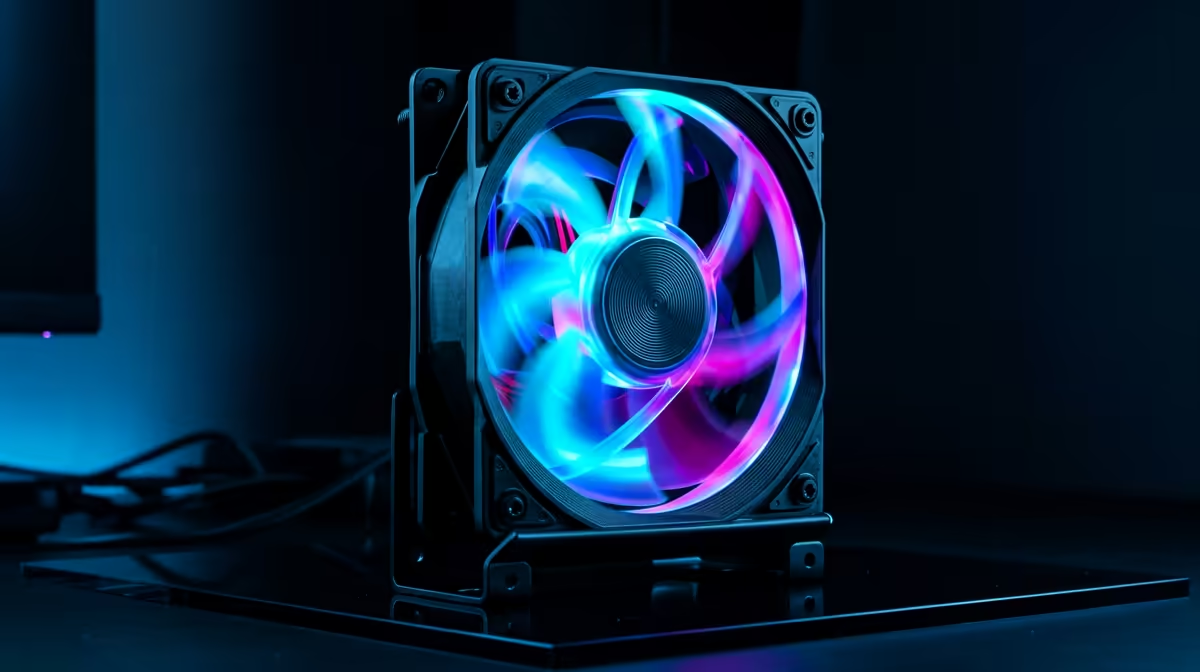
Let's get one thing straight: a gaming PC that overheats is a PC that underperforms. When your CPU or GPU gets too hot, it throttles… meaning it intentionally slows down to prevent damage. This is where effective RGB fans for gaming PC cooling become essential, not just optional extras.
High-quality fans push cool air over your critical components and exhaust hot air, maintaining stable temperatures even during marathon gaming sessions. This ensures you get the consistent, smooth frame rates you paid for. But beyond the crucial function of cooling, these RGB case fans offer a level of personalisation that was once reserved for pro modders. They are the easiest way to define your rig's personality, creating a cohesive theme from your case lighting right down to the best gaming keyboard for your budget.
Choosing the Right RGB Cooling Fans for Your Rig
Jumping into the world of PC fans can feel a bit daunting with all the specs and acronyms. But don't stress, we've got you. When selecting RGB fans, focus on these key factors to make the right choice for your build.
Size and Airflow Matter
The two most common fan sizes are 120mm and 140mm. While 120mm fans are the universal standard, 140mm fans can often move more air at a lower RPM, making them quieter. Check your case specifications to see what it supports.
Next, look at CFM (Cubic Feet per Minute) and Static Pressure.
- High Airflow (CFM): Best for unrestricted spaces, like the front intake or top exhaust of your case. They excel at moving large volumes of air.
- High Static Pressure (mmH2O): Designed to push air through resistance, like a dense heatsink or a liquid cooling radiator.
Many of the best gaming PC fans try to strike a balance between the two, but choosing the right type for each location in your case will optimise your cooling performance.
Connectors and Control
This is where things get technical, but it's simple once you know the difference.
- Fan Power: Look for 4-pin PWM (Pulse Width Modulation) connectors. This allows your motherboard to control the fan speed automatically based on temperature, keeping your rig quiet when idle and cool under load.
- Lighting: You'll see two types of RGB connectors. The 4-pin (12V) connector is for basic RGB with single-colour control. The 3-pin (5V) ARGB (Addressable RGB) connector is the modern standard, allowing for individual LED control and those slick, flowing rainbow effects. Ensure your motherboard has the right headers! This ecosystem approach is popular with many top-tier brands, including the extensive range of Razer gaming keyboards that sync perfectly with their other gear.
Master Your RGB Ecosystem 💡
To get all your components glowing in harmony, use control software like ASUS Aura Sync, MSI Mystic Light, or the open-source SignalRGB. These apps can sync your RGB fans, RAM, motherboard, and even peripherals from different brands, creating stunning, unified lighting effects with a single click. No more clashing rainbows!
Installation and Optimisation for Peak Performance ✨
Once you have your new RGB cooling fans, placement is key. A typical and highly effective setup follows a simple principle: cool air in, hot air out.
Install intake fans at the front and/or bottom of your case to draw in fresh, cool air. Then, mount exhaust fans at the rear and/or top of the case to expel the hot air that rises from your components. This creates a clear and efficient airflow path. Also, take a moment to manage your cables. A clean build not only looks professional but also helps your components breathe. It's the final touch that makes your setup, especially one filled with brilliant RGB backlit peripherals, truly shine.
Ultimately, investing in RGB fans for gaming PC cooling is one of the most satisfying upgrades you can make. It’s a functional improvement that boosts performance and a visual one that makes your PC uniquely yours. It’s the perfect blend of style and substance, much like choosing between the minimalist design of Glorious gaming keyboards or the iconic look of another brand.
Ready to Light Up Your Rig?
The right cooling is non-negotiable for any serious South African gamer. With the perfect set of RGB fans, you don't have to choose between performance and personality. Explore our massive range of PC cooling solutions and find the perfect fans to keep your system cool and looking incredible.