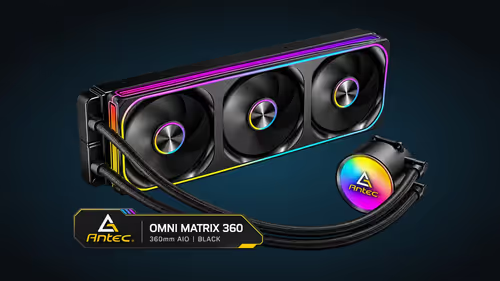
Both layouts cool a 360mm radiator, but they feel different the moment you start building. A single-frame 360mm fan is one assembly that covers the full radiator face, while three separate 120mm fans are three units that you mount, cable and balance one at a time. The question is which layout fits your case, your cable budget and your noise target. This guide sets out the trade-offs with the numbers that matter.
Quick Answer
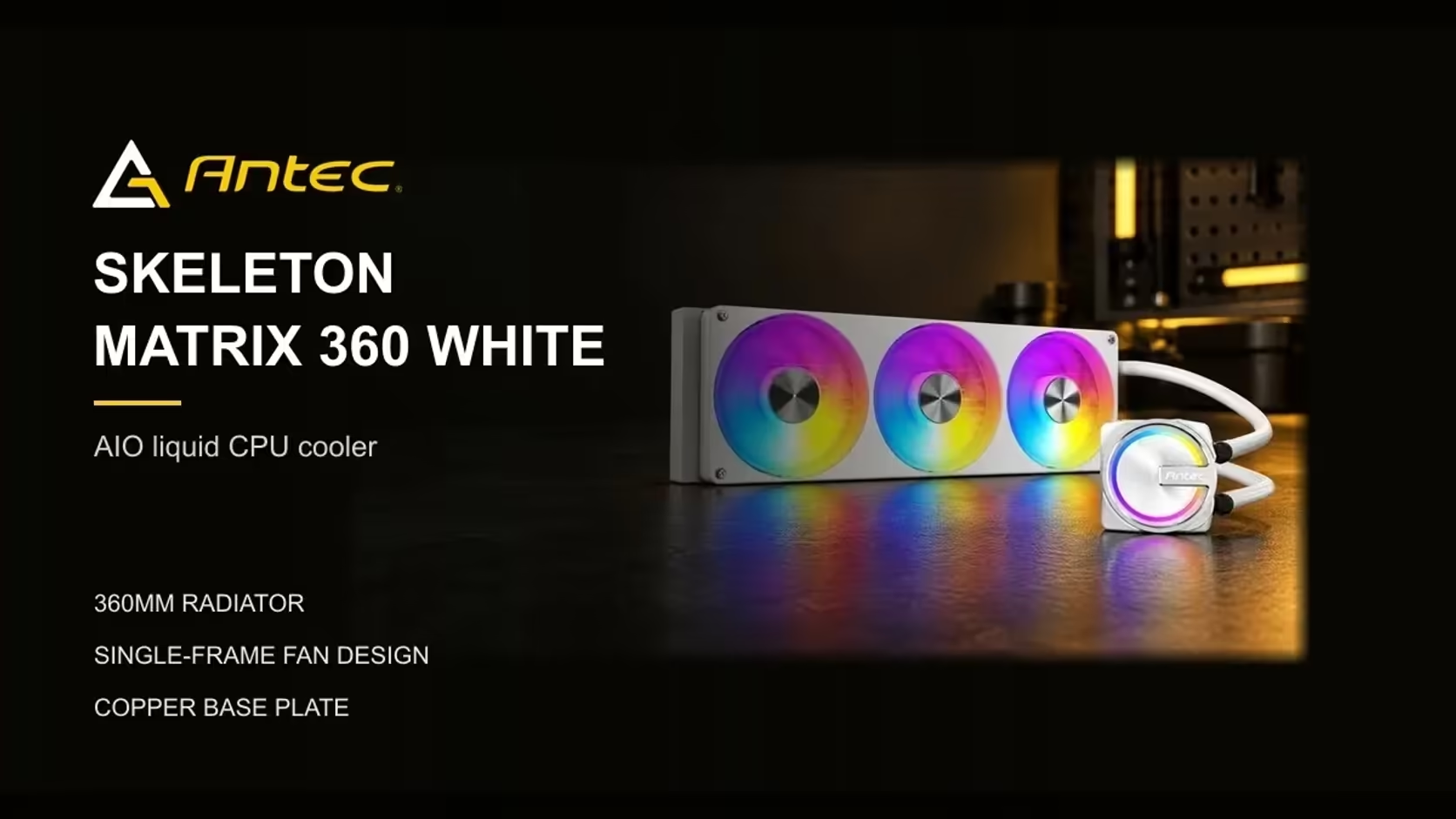
A single-frame 360mm fan mounts as one piece and covers the whole radiator, so it needs one mount and one cable set. Three 120mm fans give you three separate units, more mounting points and more cables to manage. The Antec Skeleton Matrix 360 White uses the single-frame layout and costs R1,199 including VAT.
🧱 How the two layouts are built
A 360mm radiator is three 120mm fan positions wide, which is why separate fans are sized to match. Each 120mm fan is a separate frame with its own hub, bearing and lead, and you fix it to the radiator with its own screws. The result is three sets of screws, three leads to route and three fan headers to think about, even though the air is moving through the same fins.
A single-frame 360mm fan works differently. The fan and its frame form one assembly that sits across the whole radiator. You fix the frame once, the blades cover the full face, and the air leaves the radiator evenly rather than in three columns. For a builder who wants a quick install, that is the whole appeal.
🌬️ Airflow coverage and the gaps between fans
Three 120mm fans cover 360mm of radiator length, and each frame is usually around 25mm thick, so the seams fall at roughly 120mm and 240mm across the face. Separate 120mm fans leave small gaps where the frames meet, and the air in those gaps moves less. The gap effect is small on a well-set radiator, but it does exist. A single-frame fan has no seams across the radiator face, so the airflow across the fins is more even from edge to edge.
Even airflow matters most when the room is warm. Through a South African summer afternoon in a room without aircon, the radiator is pulling in warm air, and uneven airflow can leave one corner of the fins working harder than the rest. Keep the radiator clean as well. Highveld dust settles on the fins quickly in dry months, and a dusty radiator loses cooling whatever fan layout you choose.
The Skeleton Matrix 360 White's single-frame fan runs from 800 to 2400RPM on PWM, so the board can change its speed across that whole range as the processor works harder. Three separate fans can also follow a curve, but each one needs its own header or a hub to share the signal.
🔌 Cable count, mounting time and what changes in practice
Three separate 120mm fans usually mean three leads back to the board, or a hub that joins them, and each lead needs a route through the case. That is manageable in a large case with plenty of room, but in a compact build the extra cables can crowd the motherboard edge and the graphics card area.
A single-frame fan simplifies that job. There is one assembly to fit and one cable set to route, which saves time during the build and leaves less to tidy at the end. The trade-off is that a single-frame fan is a fixed unit, so you cannot swap one blade section for another or change the spacing between fans. If you like to tune a radiator fan by fan, separate fans give you that control.
Check the case before you decide. A 360mm mount needs room for the full radiator thickness, and the fan sits on the outer face. Measure the depth between the radiator and the nearest component, including RAM heatsinks, before you commit to either layout.
💸 Cost and what you get for the money
Price matters here too. Three 120mm fans, a radiator and a hub, bought one at a time, mean more parts and more checkout lines. The Skeleton Matrix 360 White comes with its radiator, pump and single-frame fan at R1,199 including VAT, which trades that freedom for fewer purchases. That trade is why many builders reach for the single-frame layout.
The cost question should not decide the matter alone. If your case already has three 120mm fan mounts and you want a specific fan model, separate fans let you choose exactly what you want. If the case has one 360mm mount and you want the fastest install with fewer parts, the single-frame layout is the cleaner route.
🏠 A practical test before you buy
Measure the radiator mount in your case first, then measure the depth from the mount to the nearest RAM stick or graphics card. Write both numbers down before you look at any cooler or fan. Mid-tower cases most often offer this layout at the front or top, and the mount's clearance on the motherboard side is worth measuring.
If you already have three 120mm fan mounts on a 360mm radiator, separate fans will work. If you have one 360mm mount and a limited budget, a single-frame fan is the simpler build. Either way, run the fans on a curve and load-test the system before you close the side panel. The sound and the temperatures will show whether the layout suits your room.
The CPU coolers range shows the AIO options side by side, and the case fans category covers the separate fans if you prefer that route.
Frequently Asked Questions
Is a single-frame 360mm fan quieter than three 120mm fans?
Not automatically. Neither layout is quieter by default. Noise depends on the fan speed, the curve you set and the case the radiator sits in.
Can I use three 120mm fans on a 360mm radiator?
Yes, as long as the case has three 120mm mounting positions on the radiator. Each fan needs a header or a hub, and the cable count rises with each fan you add.
Does a single-frame fan need extra cables?
It uses one assembly and one cable set. Check the cables in the box against your board's headers, since the PWM and ARGB leads need the right connections.
Which layout is better for a small case?
It depends on the case. Measure the mount and the clearance to RAM and the graphics card first. A single-frame fan simplifies installation, but separate fans can suit a case that is short on space in one direction.
Ready to pick your radiator layout?
Browse Evetech's CPU cooler and case fan ranges, then measure your case mount before you order.