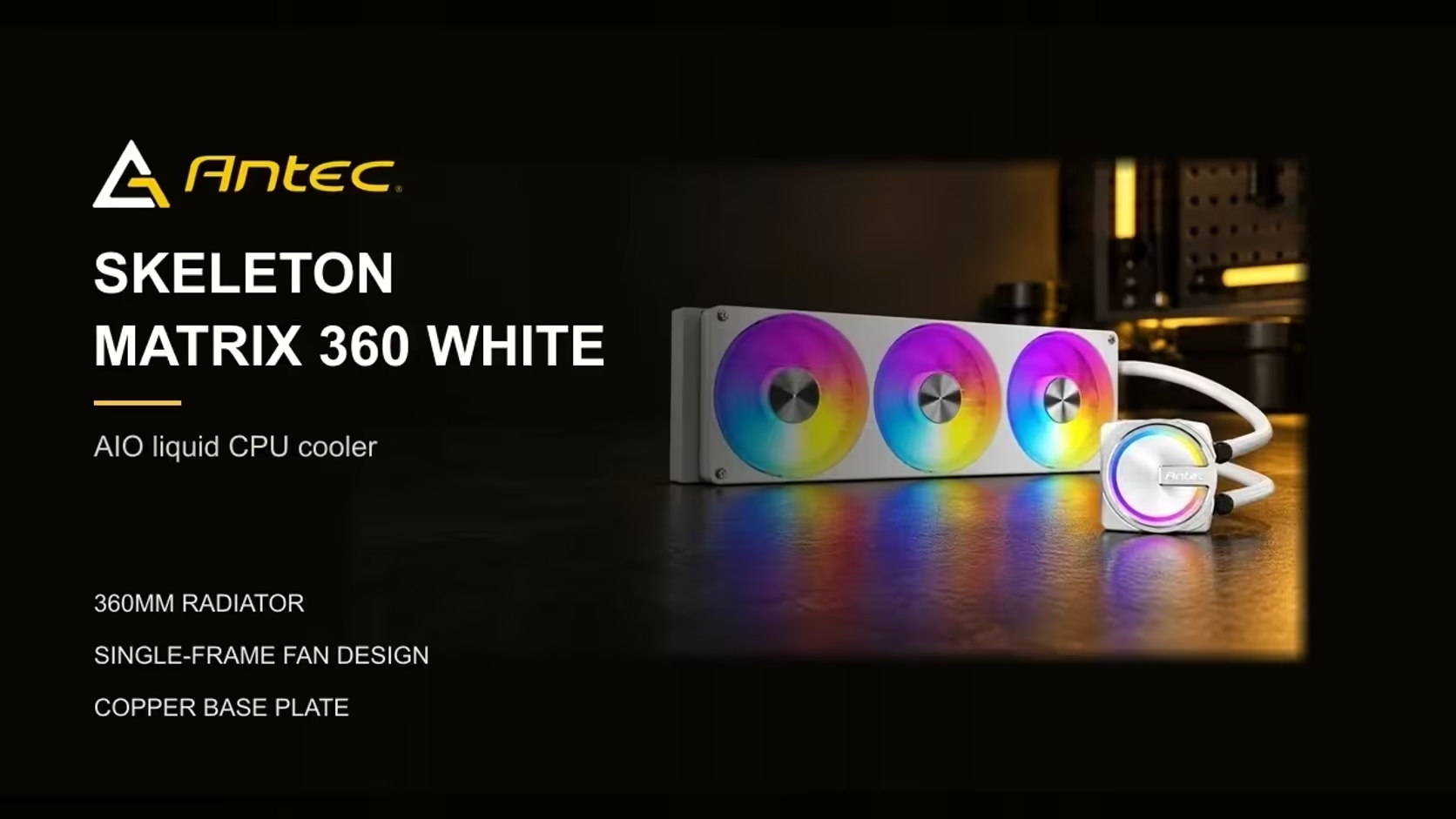
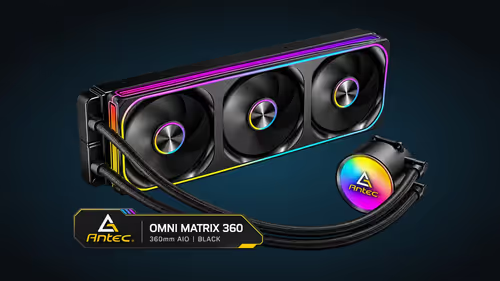
A single-frame 360mm ARGB fan is one assembly that sits across the radiator, while separate case fans are individual units that each need a mount, a header and a share of the lighting. The lighting is where the two layouts differ most, because the number of controllers and leads changes how the whole build looks and how long it takes to wire. This guide follows the lighting and the wiring through both layouts, so you can see what each one asks of you before you buy.
Quick Answer
A single-frame 360mm ARGB fan is lit as one unit, and one ARGB header runs the fans and pump together on the Skeleton Matrix 360 White. Separate case fans often each need a lead or a hub to share one lighting controller. The cooler costs R1,199 including VAT, and the case fans category covers the separate option.
💡 How the lighting chain works
An ARGB header is a 3-pin, 5V connection that sends colour data to addressable LEDs. Each LED in the chain takes its own instruction from the data line, which is why one header can drive a row of lights in sequence. On the Skeleton Matrix 360 White, a single header carries that data to the fans and the pump, so the lighting for the whole radiator comes from one lead.
Plug that lead into a 5V ARGB header, never a 12V RGB socket. The two use different voltages, and a 5V strip on a 12V connector can burn out its LEDs. The header label on the board tells you which one you have, and the manual shows the pin order when the label is unclear.
🔧 Mounts, headers and cable count
Three 120mm case fans need three mounting positions across a 360mm radiator. Each fan is usually around 25mm thick, and each one has its own lead and its own screws. A builder who fits three of them is working three separate mounts, three fan leads and, if the lighting matters, three lighting connections or a hub that joins them.
The single-frame layout reduces that count. One assembly takes one mount, and the fan leads and the lighting lead run from one place. For a 360mm radiator that needs to light up as a unit, the fewer connection points there are, the fewer places a loose plug can fail.
🎨 Matching colour across separate fans
Separate fans only match when they share a controller and a colour timing. Two fans from different makers can run their effects at slightly different speeds even on the same header, and the difference is visible across a glass side panel. A hub joins several fans to one header, but each of the 3 fans still needs its own 3-pin ARGB lead into the hub.
The single-frame fan avoids that problem by design, because the lighting lives in one assembly. That is the practical advantage for a builder who wants an even glow across the radiator without matching fan models one by one.
🧭 Planning the leads in a 360mm build
Plan the lighting lead before the fans go in. Run the ARGB lead behind the tray with a loose bend at the fan end, so the frame can settle square. Keep the lead at least 5mm clear of the fan blades, because a lead caught in a spinning fan can tear or pull a connector loose.
If you are building with separate fans, plan the hub's position as well. A hub needs a power connection and a single lead to the board, and it has to sit where its cables can reach each fan without crossing the radiator.
The case fans category shows separate fans, and the case lighting range lists lighting parts that can join a build. The CPU coolers category covers the AIO options.
🏠 What the lighting means in a dark lounge
A glowing radiator is a feature in a dark room. In a South African lounge where the lights go off after the kids are asleep, the radiator becomes the main light source in the room. Choose a colour that you can live with at low brightness, because the glow stays on for as long as the PC runs.
Brightness also affects heat. Lighting draws a small amount of power from the board, so a dimmer effect costs nothing in cooling and is the sensible default for an evening session of several hours. Lighting draws a small amount of power from the board, and a loop that runs warm in a room at 27C to 30C is already working hard, so keep the lighting modest and the fans well supplied with air.
🧰 Time and parts for each layout
A single-frame fan is one mount, one set of screws and one lighting connection, so most builders can finish the radiator in a single sitting. Three 120mm fans take three mounts, up to 12 screws in total and three fan leads, and the work grows with each fan. For separate fans, keep 2 spare hub leads and a pack of cable ties on hand before you start.
🔁 Swapping a fan later
A single-frame unit is replaced as one piece, which means one purchase and one set of checks. Three 120mm fans can be swapped one at a time, but each replacement must clear the 25mm thickness of its neighbour and the mount. Measure before you buy a replacement, so a thicker fan does not block the radiator mount. Keep the replacement's thickness in the same 25mm range as the original where you can.
Frequently Asked Questions
Does the Skeleton Matrix 360 White need a separate lighting hub?
No. The cooler needs no hub: a single ARGB header covers the fans and pump.
Can I plug an ARGB lead into a 12V RGB header?
No. ARGB runs on 5V, while 12V RGB uses a different connector and voltage. Match the lead to the header label before you connect it.
Why choose a single-frame fan over separate case fans?
A single-frame fan is lit as one unit from one header. Separate fans often need a hub or extra leads before they match.
What should I check on separate case fans first?
Check each fan's lighting connector, its thickness of about 25mm, and whether a hub is needed to join the fans to one header.
Ready to plan the lighting for your build?
Browse Evetech's case fan and CPU cooler ranges, then plan the ARGB lead before you mount the fans.